> ## Documentation Index
> Fetch the complete documentation index at: https://hc.starbridge.ai/llms.txt
> Use this file to discover all available pages before exploring further.
# Teams
## Overview
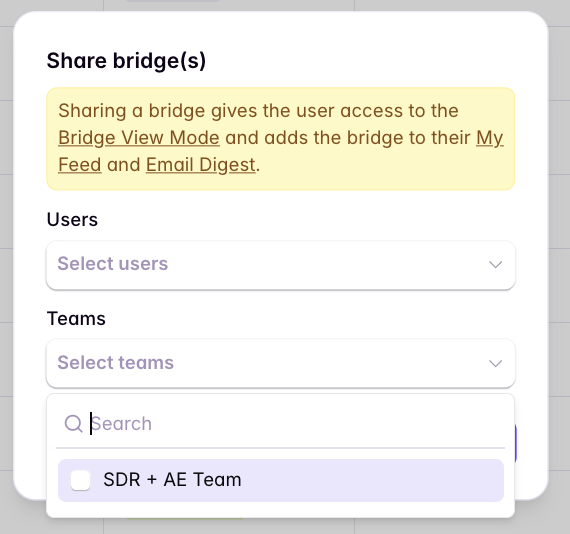
Based on feedback from customers, we have made it easier to put individuals in *teams* so that you no longer need to subscribe *individuals* to Bridges to receive notifications, but rather can subscribe the entire team. These changes are part of our most recent redesign focused on improving the experience for people who are primarily consuming and actioning signals day to day. You can learn more about the changes in our [release notes](/release-notes/2026-01-08-feed-customization-and-ask-starbridge-c).
With this change, *everyone* in Starbridge will automatically be added as a Builder. Builders are the people who can make changes to Bridges, add new columns, delete old Bridges, etc. However, we strongly recommend updating non-building users in Starbridge to be *Consumers* and assigning them to teams to make subscribing to Bridges super simple and scalable.
By building teams, you ensure users only ever see the Bridges most relevant to them, their work, and their priorities. Instead of subscribing individuals one-by-one to each relevant Bridge, you can subscribe an entire team—more efficient, scalable, and intuitive.
 ## Choose your team setup
Pick the pattern that matches how segmented your sales org is today. You can start simple and evolve into a more segmented model later.
“Small” means pretty much everyone in your organization (or all users in Starbridge) should be able to view the same Bridges.
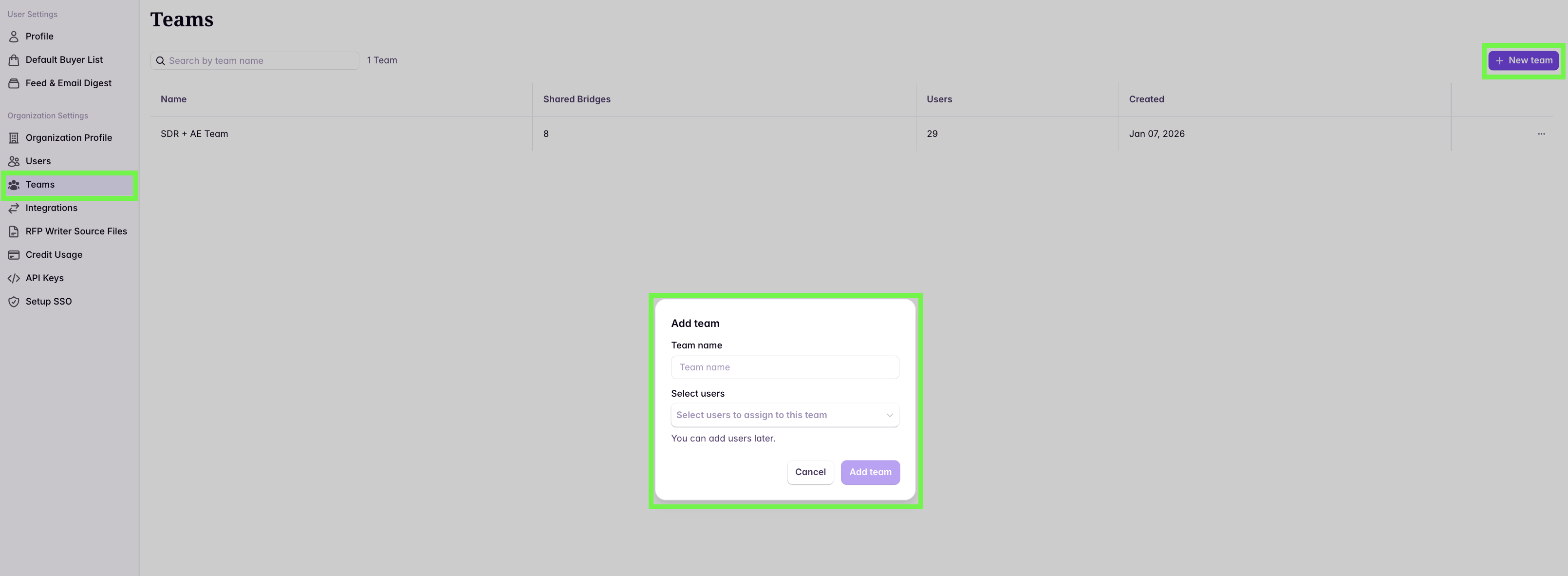
Create a single team (e.g., “COMPANY NAME”) and plan to share your Bridges with that team.
Bulk assign users using multi-select:
## Choose your team setup
Pick the pattern that matches how segmented your sales org is today. You can start simple and evolve into a more segmented model later.
“Small” means pretty much everyone in your organization (or all users in Starbridge) should be able to view the same Bridges.
Create a single team (e.g., “COMPANY NAME”) and plan to share your Bridges with that team.
Bulk assign users using multi-select:
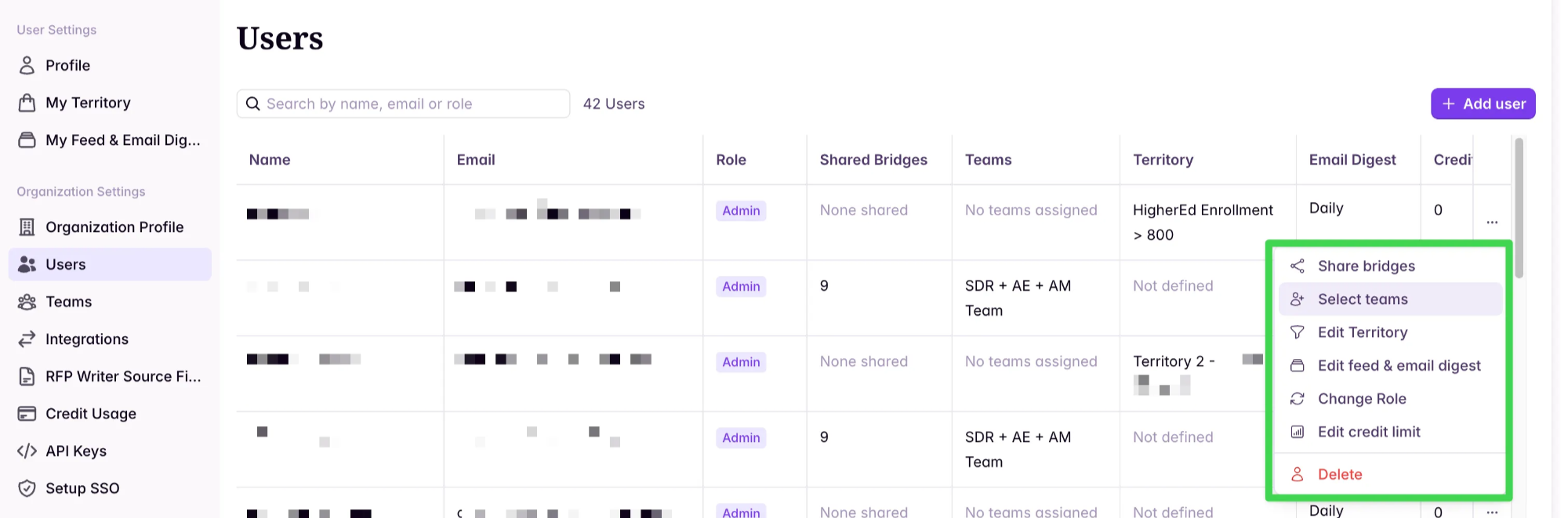
 Or manually assign users from the Users view:
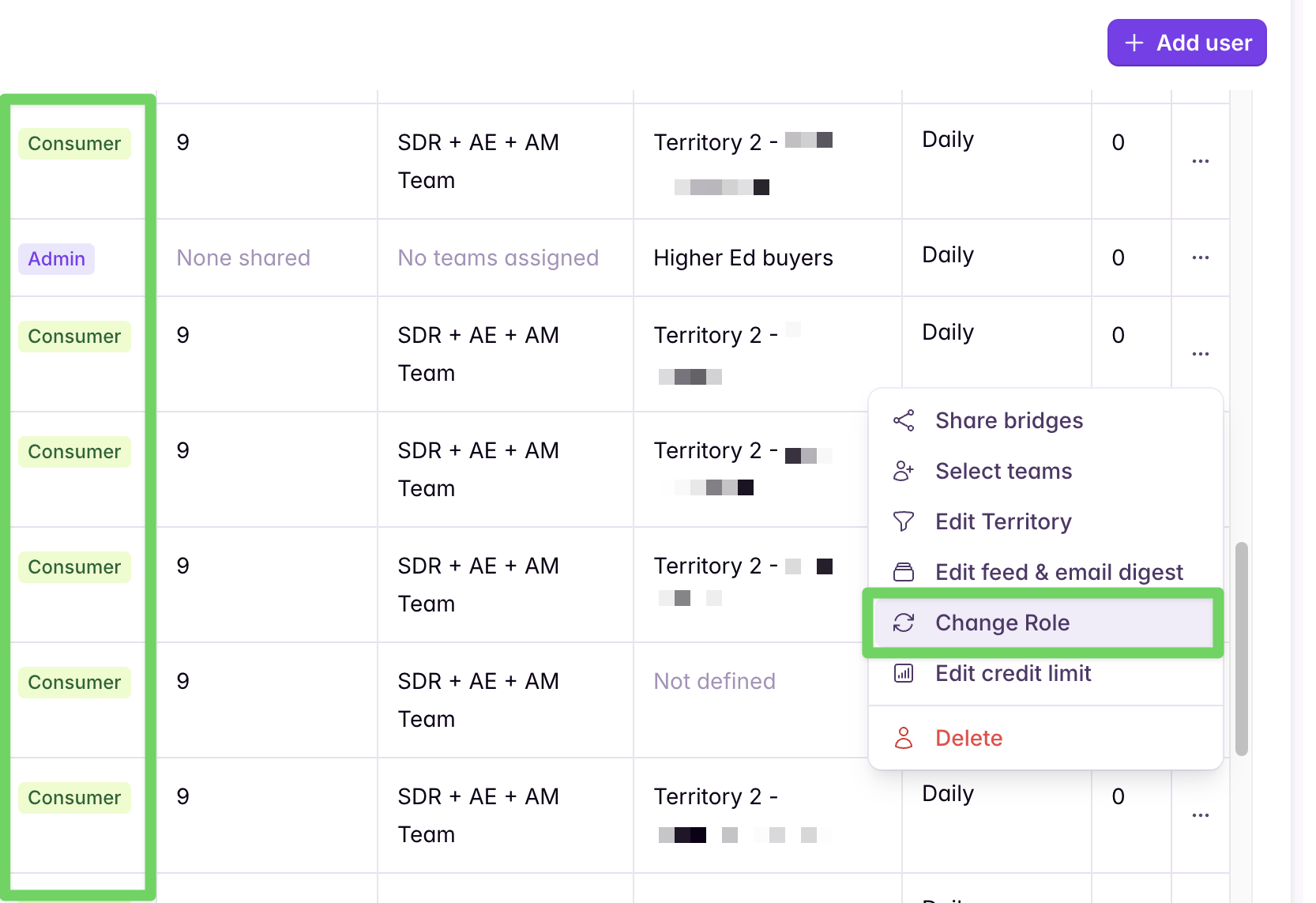
 After building out your team, anyone who should not be editing, updating, deleting, or building Bridges should be converted into a **Consumer**. Consumers will only be able to **view** Bridges, but can still **action, conduct research, and search** in the platform.
 Going forward, when new users are added to Starbridge, add them to this team and they’ll automatically be subscribed to all Bridges shared with the team.
“Large and segmented” means users in Starbridge should only view specific Bridges and not others. For example: Government *and* Education teams that see distinct Bridges, or SDR/AE teams that see different Bridges than Customer Success/AM teams.
Build multiple teams, each representing *what Bridges folks have access or visibility to* (e.g., “SDR”, “Customer Success”, “Government”, “Education”).
Add users to one or more teams based on what Bridges they should consume.
Going forward, when new users are added to Starbridge, add them to this team and they’ll automatically be subscribed to all Bridges shared with the team.
“Large and segmented” means users in Starbridge should only view specific Bridges and not others. For example: Government *and* Education teams that see distinct Bridges, or SDR/AE teams that see different Bridges than Customer Success/AM teams.
Build multiple teams, each representing *what Bridges folks have access or visibility to* (e.g., “SDR”, “Customer Success”, “Government”, “Education”).
Add users to one or more teams based on what Bridges they should consume.
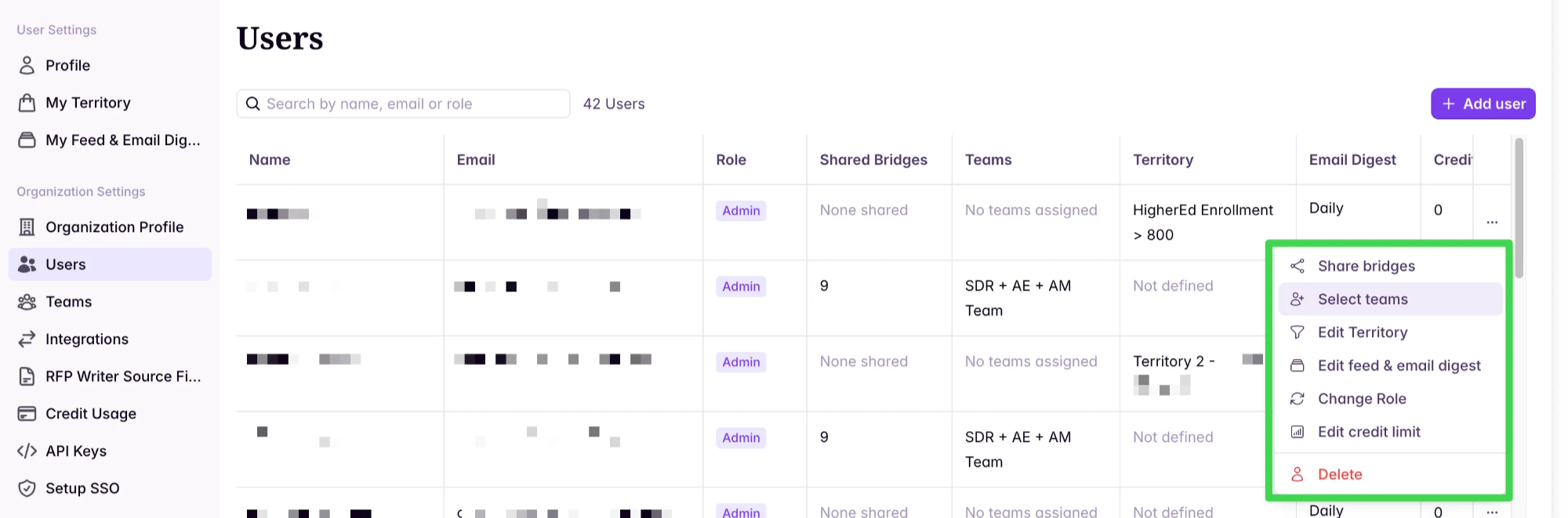 After building out your teams, anyone who should not be editing, updating, deleting, or building Bridges should be converted into a **Consumer**.
Going forward, when new users are added to Starbridge, add them to the relevant team(s) and they’ll automatically be subscribed to Bridges shared with those teams.
After building out your teams, anyone who should not be editing, updating, deleting, or building Bridges should be converted into a **Consumer**.
Going forward, when new users are added to Starbridge, add them to the relevant team(s) and they’ll automatically be subscribed to Bridges shared with those teams.