> ## Documentation Index
> Fetch the complete documentation index at: https://hc.starbridge.ai/llms.txt
> Use this file to discover all available pages before exploring further.
# Contacts Bridge: search contacts by title
> Define your target job titles, and Starbridge returns verified contacts.
## Introduction
If you know the types of roles you want to reach, a [Contacts Bridge](/builders/contacts-bridge) can surface relevant contacts across every account in a [buyer list](/builders/how-to-create-a-buyer-list).
This is the most common starting point for teams building out a new segment, filling in missing ICP contacts for core accounts, or running a top-of-funnel play into a set of accounts.
## How to search contacts by title
Select **Create a contact list**.
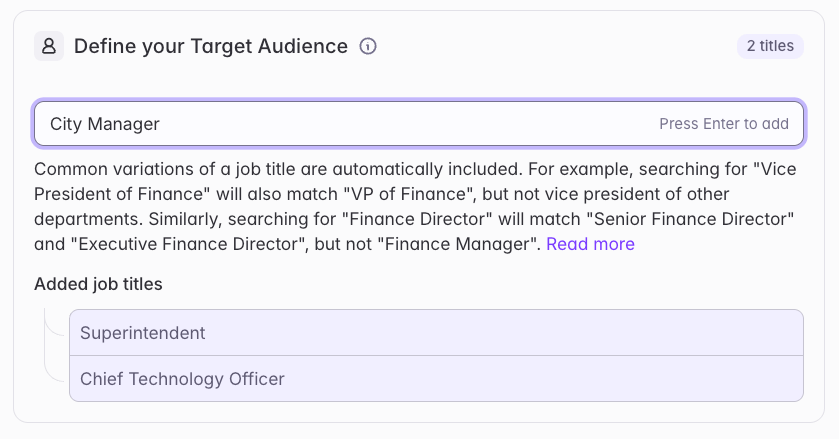
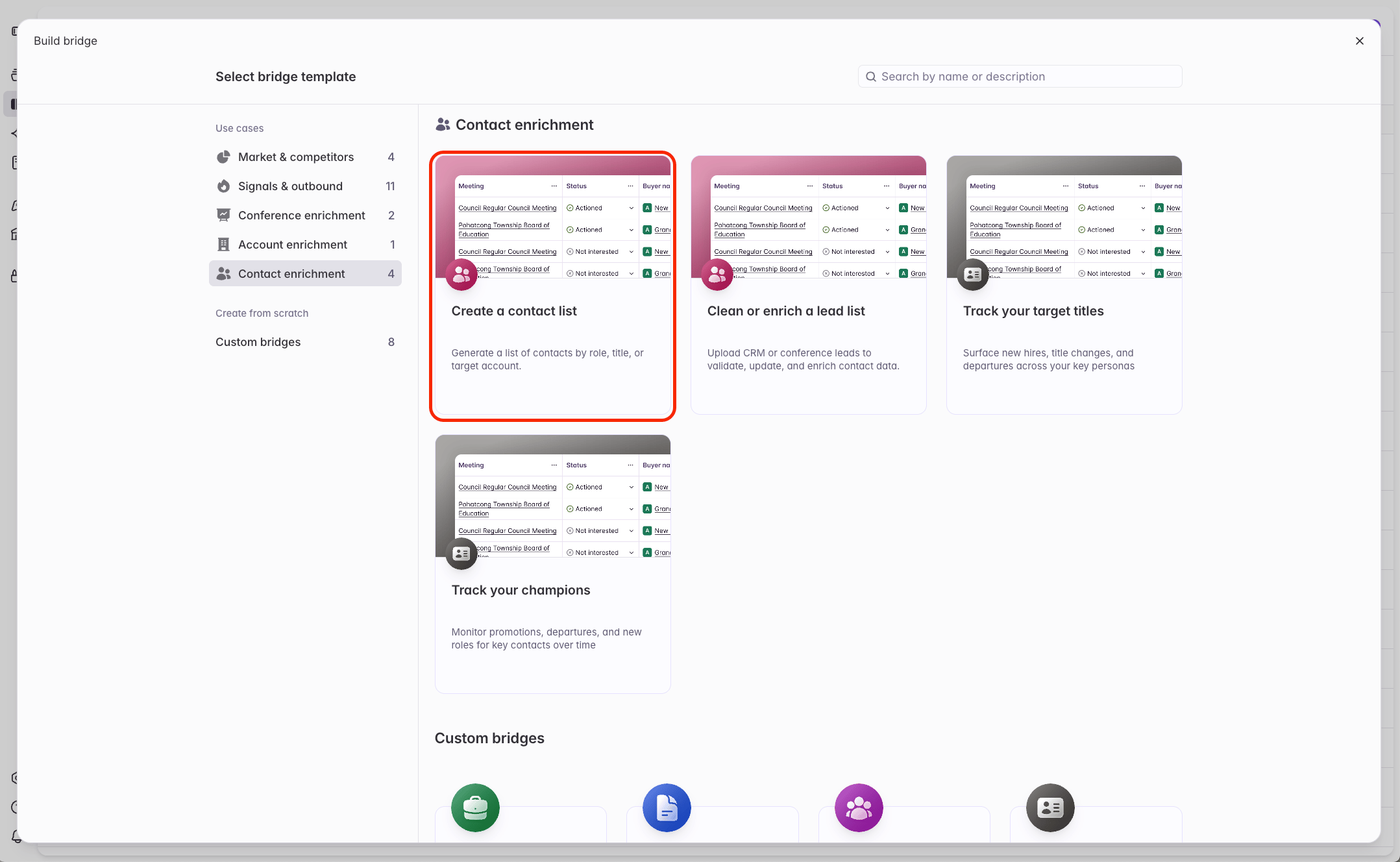 Define the titles, roles, and personas for your search. There is no limit to how many titles you can include. To add a title, type the full title and end it with a comma or click 'Enter'.
Starbridge automatically searches for common variations of each job title - read more here: [Searching by titles](/builders/searching-by-title).
Define the titles, roles, and personas for your search. There is no limit to how many titles you can include. To add a title, type the full title and end it with a comma or click 'Enter'.
Starbridge automatically searches for common variations of each job title - read more here: [Searching by titles](/builders/searching-by-title).
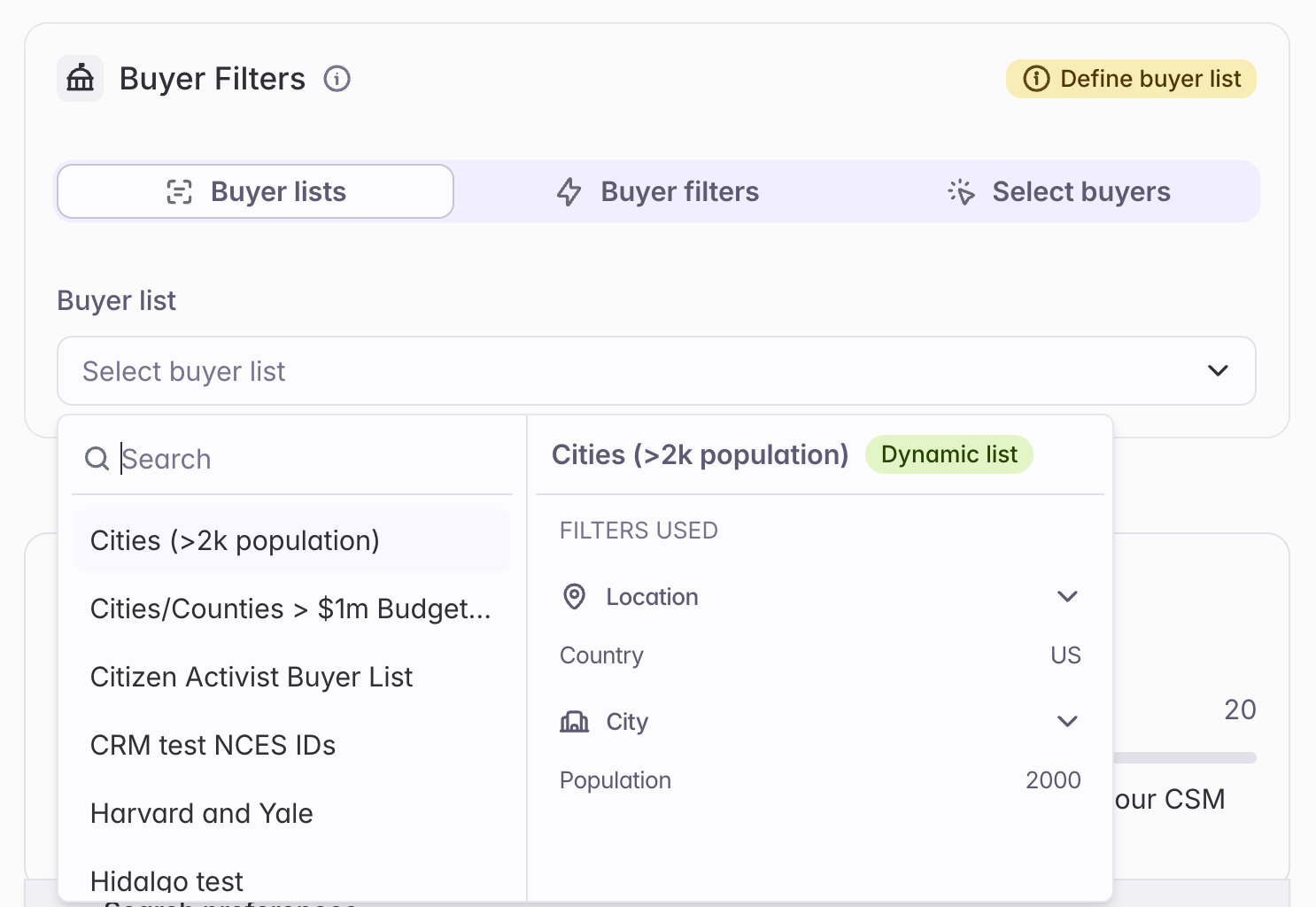
 Define the scope of your search to the accounts you care about. Select an existing [buyer list](/builders/how-to-create-a-buyer-list), filter down to the buyers you care about, or select a specific set of buyers.
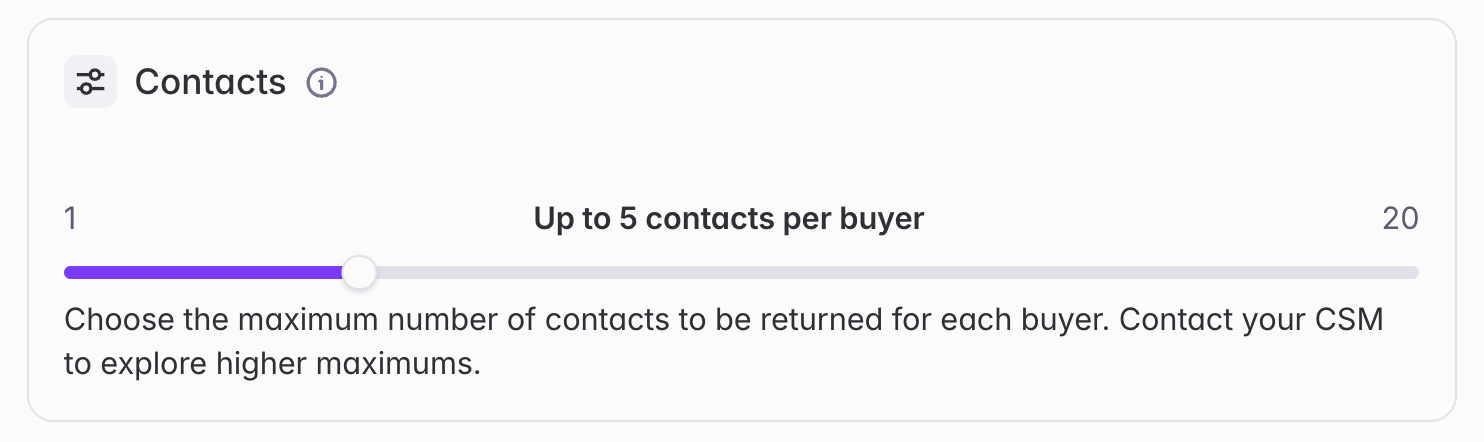
 Each contact successfully returned by a Contacts Bridge consumes **2 credits**. Choose the maximum number of contacts to find per buyer.
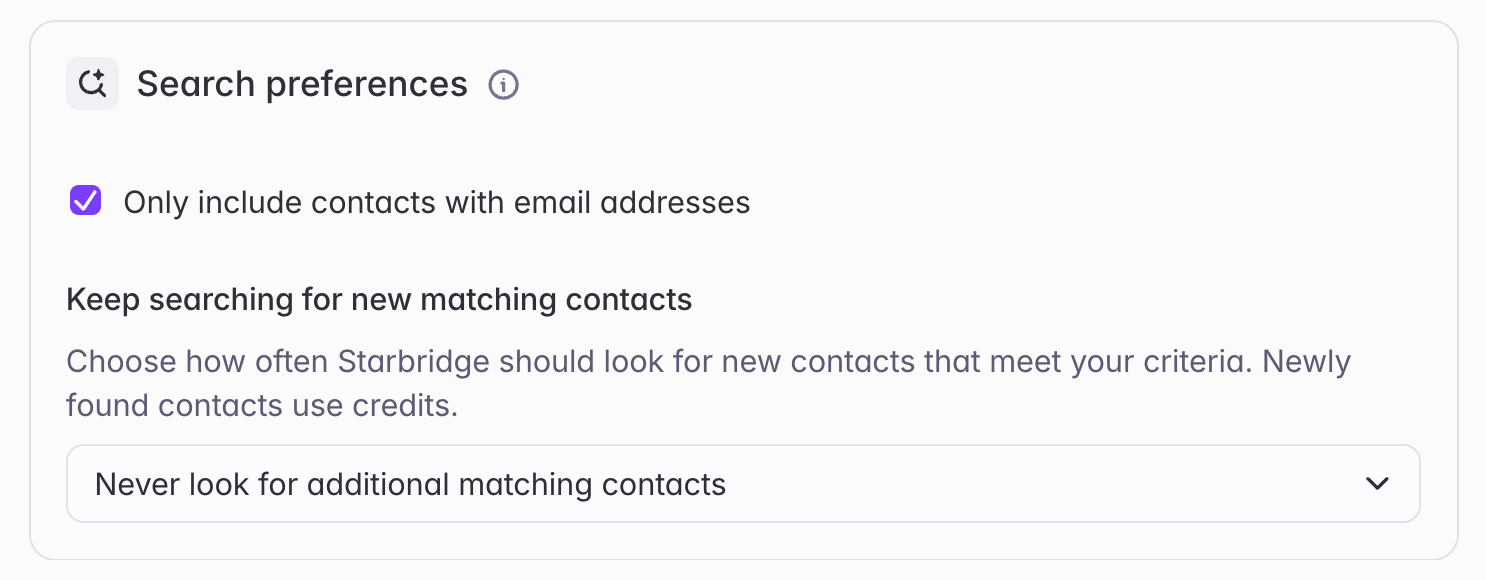
 First, choose whether to return contacts with or without email addresses.
If your team makes outbound calls, consider including contacts without email addresses — they may still have a verified business phone number.
Second, choose whether to keep searching for new contacts over time. Most teams leave this disabled by default ("Never look for additional matching contacts").
First, choose whether to return contacts with or without email addresses.
If your team makes outbound calls, consider including contacts without email addresses — they may still have a verified business phone number.
Second, choose whether to keep searching for new contacts over time. Most teams leave this disabled by default ("Never look for additional matching contacts").
 Click **Create bridge** to create the Contacts Bridge.
Heads up: this Contacts Bridge runs slower than others by design. Starbridge finds and verifies contacts in real time, so run time scales with the number of contacts per buyer and the size of your buyer list.
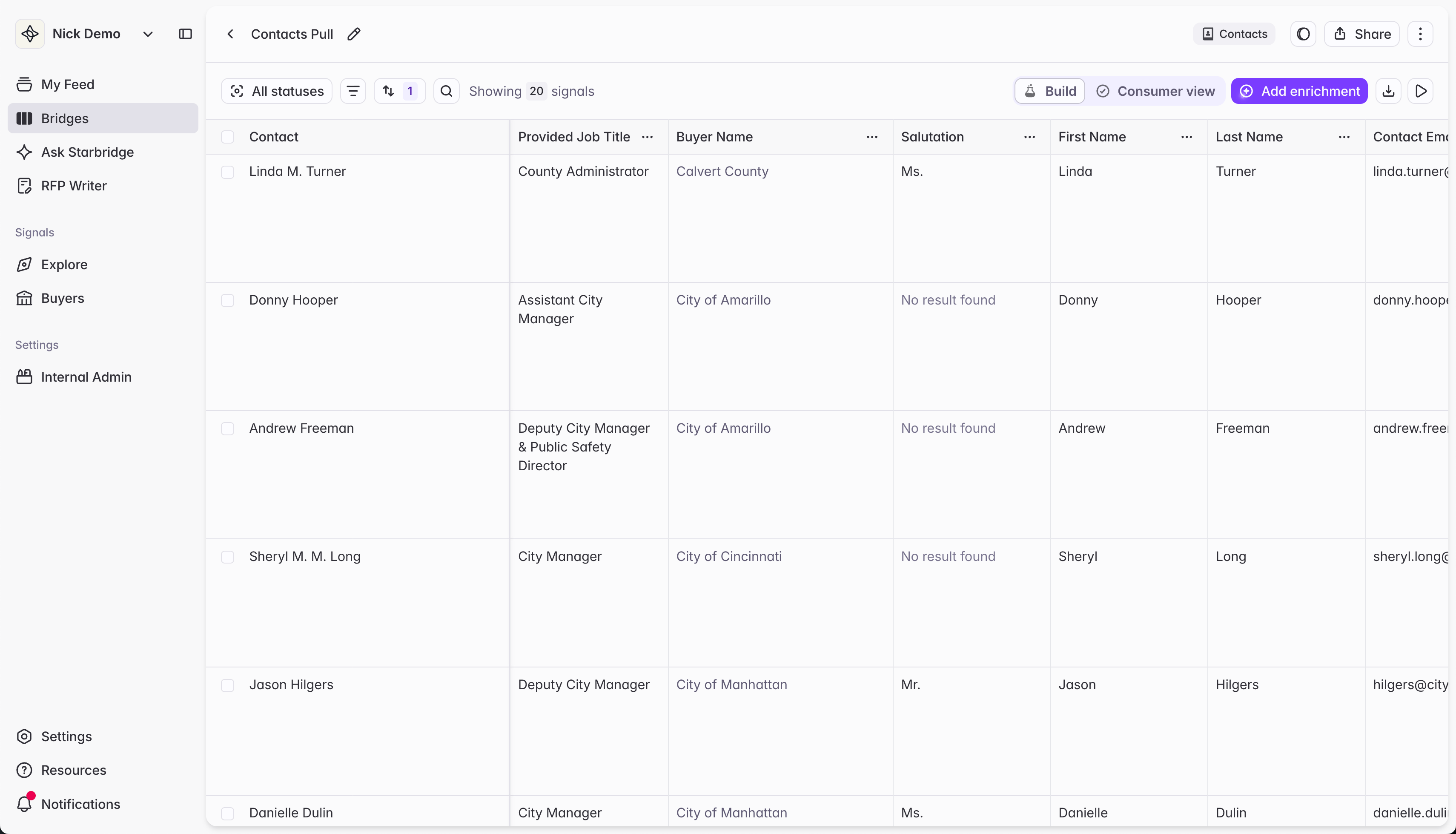
Once your Contacts Bridge is ready, open it up to see your Starbridge-verified contacts.
Click **Create bridge** to create the Contacts Bridge.
Heads up: this Contacts Bridge runs slower than others by design. Starbridge finds and verifies contacts in real time, so run time scales with the number of contacts per buyer and the size of your buyer list.
Once your Contacts Bridge is ready, open it up to see your Starbridge-verified contacts.
 ## How title search works
When you search for [contacts](/builders/contacts-bridge) or [job changes](/builders/starbridge-for-builders/tracking-job-changes) by job title, Starbridge doesn't look for an exact string match. We understand that the same role gets written dozens of different ways, and search accordingly. Search for the role you have in mind, and Starbridge will surface the right contacts.
### What your search will return
**1. Abbreviations and formatting are handled automatically.** Searching "VP of Finance," "Vice President of Finance," or "V.P. Finance" will all return the same contacts. Searching "Director of R\&D", "Director of Research and Development", and "Director of R and D" will all return the same contacts.
**2. More senior variants of your title are included; more junior ones are not.** Searching "Director of Finance" will return "Senior Director of Finance" and "Executive Director of Finance" — but not "Assistant Director of Finance."
Note that this applies to seniority variants of the same title, not more senior titles altogether. Searching "Director of Finance" will not return "CFO," even though CFO is a more senior finance role.
**3. Results stay within the function you specify.** Searching "Vice President of Finance" will return "VP of Finance" — but not "Vice President of Operations" or "Vice President of HR."
**4. Different titles are not interchangeable.** Searching "Finance Director" will not return "Finance Manager." Director and Manager are different titles, even if both are in the Finance domain.
**5. If a contact holds multiple titles or domains, searching any one of them will return that contact.** For example, a contact whose title is "Director of Enrollment and Admissions" will appear in results whether you search "Director of Enrollment" or "Director of Admissions." Similarly, a contact whose title is "Executive Vice President and Provost" will appear whether you search "Executive Vice President" or "Provost."
### Examples
| What you type | What it also matches | What it does NOT match |
| :------------------------ | :-------------------------------------------------- | :------------------------------------------------- |
| Finance Director | Senior Finance Director, Executive Finance Director | Finance Manager, HR Director |
| Senior Finance Director | Executive Finance Director | Finance Director |
| Vice President of Finance | VP of Finance | Vice President of Operations, Vice President of HR |
| Director of Enrollment | Director of Enrollment and Admissions | Enrollment Manager |
| CFO | Chief Financial Officer | Chief Operating Officer |
| Public Works Director | Director of Public Works, Director, Public Works | Public Works Manager |
## Related articles
Push enriched contacts directly to your CRM.
Starbridge keeps your enriched contacts up to date — also get alerted when contacts change roles.
## How title search works
When you search for [contacts](/builders/contacts-bridge) or [job changes](/builders/starbridge-for-builders/tracking-job-changes) by job title, Starbridge doesn't look for an exact string match. We understand that the same role gets written dozens of different ways, and search accordingly. Search for the role you have in mind, and Starbridge will surface the right contacts.
### What your search will return
**1. Abbreviations and formatting are handled automatically.** Searching "VP of Finance," "Vice President of Finance," or "V.P. Finance" will all return the same contacts. Searching "Director of R\&D", "Director of Research and Development", and "Director of R and D" will all return the same contacts.
**2. More senior variants of your title are included; more junior ones are not.** Searching "Director of Finance" will return "Senior Director of Finance" and "Executive Director of Finance" — but not "Assistant Director of Finance."
Note that this applies to seniority variants of the same title, not more senior titles altogether. Searching "Director of Finance" will not return "CFO," even though CFO is a more senior finance role.
**3. Results stay within the function you specify.** Searching "Vice President of Finance" will return "VP of Finance" — but not "Vice President of Operations" or "Vice President of HR."
**4. Different titles are not interchangeable.** Searching "Finance Director" will not return "Finance Manager." Director and Manager are different titles, even if both are in the Finance domain.
**5. If a contact holds multiple titles or domains, searching any one of them will return that contact.** For example, a contact whose title is "Director of Enrollment and Admissions" will appear in results whether you search "Director of Enrollment" or "Director of Admissions." Similarly, a contact whose title is "Executive Vice President and Provost" will appear whether you search "Executive Vice President" or "Provost."
### Examples
| What you type | What it also matches | What it does NOT match |
| :------------------------ | :-------------------------------------------------- | :------------------------------------------------- |
| Finance Director | Senior Finance Director, Executive Finance Director | Finance Manager, HR Director |
| Senior Finance Director | Executive Finance Director | Finance Director |
| Vice President of Finance | VP of Finance | Vice President of Operations, Vice President of HR |
| Director of Enrollment | Director of Enrollment and Admissions | Enrollment Manager |
| CFO | Chief Financial Officer | Chief Operating Officer |
| Public Works Director | Director of Public Works, Director, Public Works | Public Works Manager |
## Related articles
Push enriched contacts directly to your CRM.
Starbridge keeps your enriched contacts up to date — also get alerted when contacts change roles.