> ## Documentation Index
> Fetch the complete documentation index at: https://hc.starbridge.ai/llms.txt
> Use this file to discover all available pages before exploring further.
# Ask Starbridge Chat
> Chat with Starbridge to instantly surface buyer intelligence, signal context, and how-to answers.
Ask Starbridge gives you instant access to Starbridge's buyer intelligence through a chat interface, helping you quickly surface relevant insights without manual research.
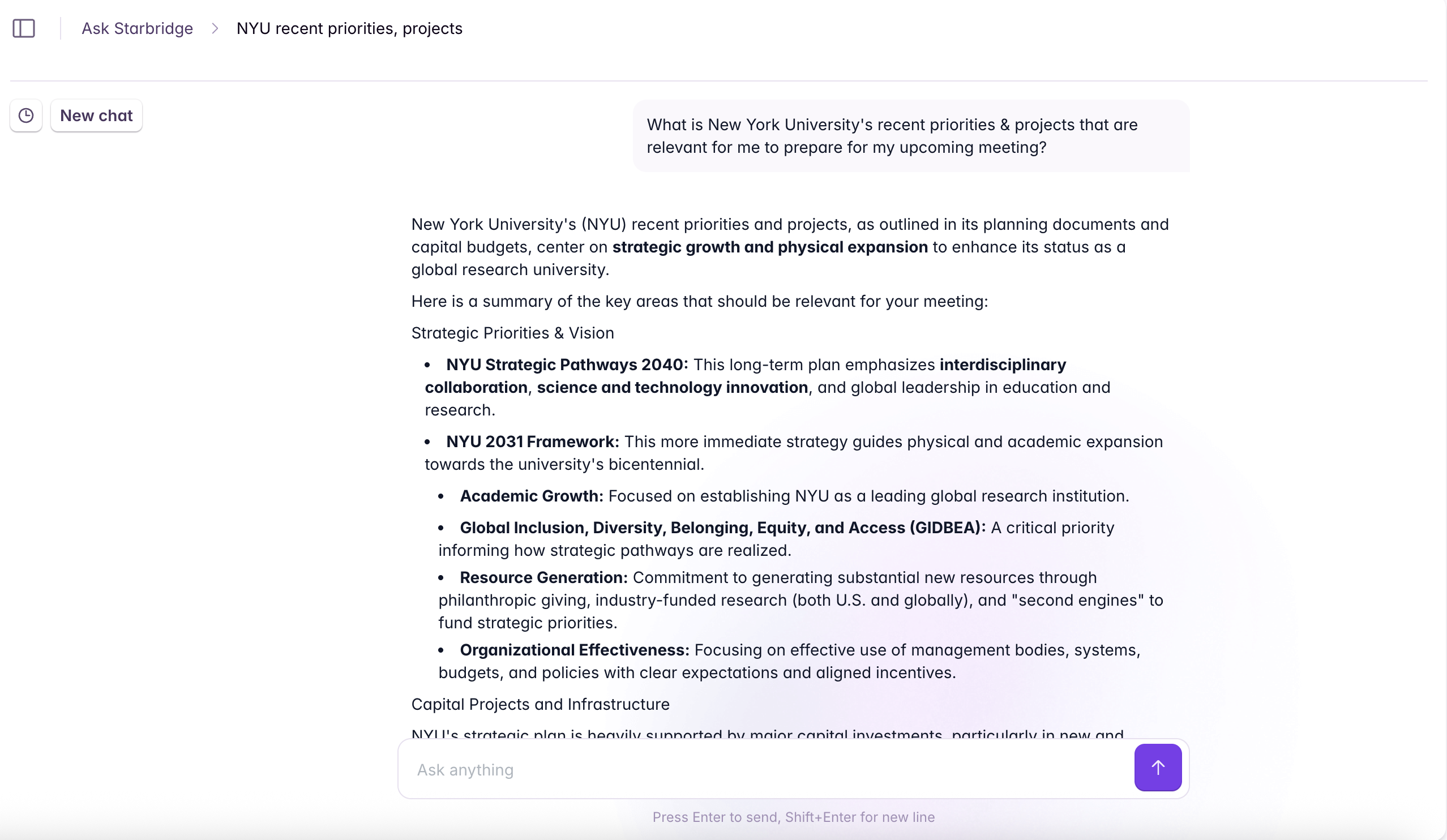
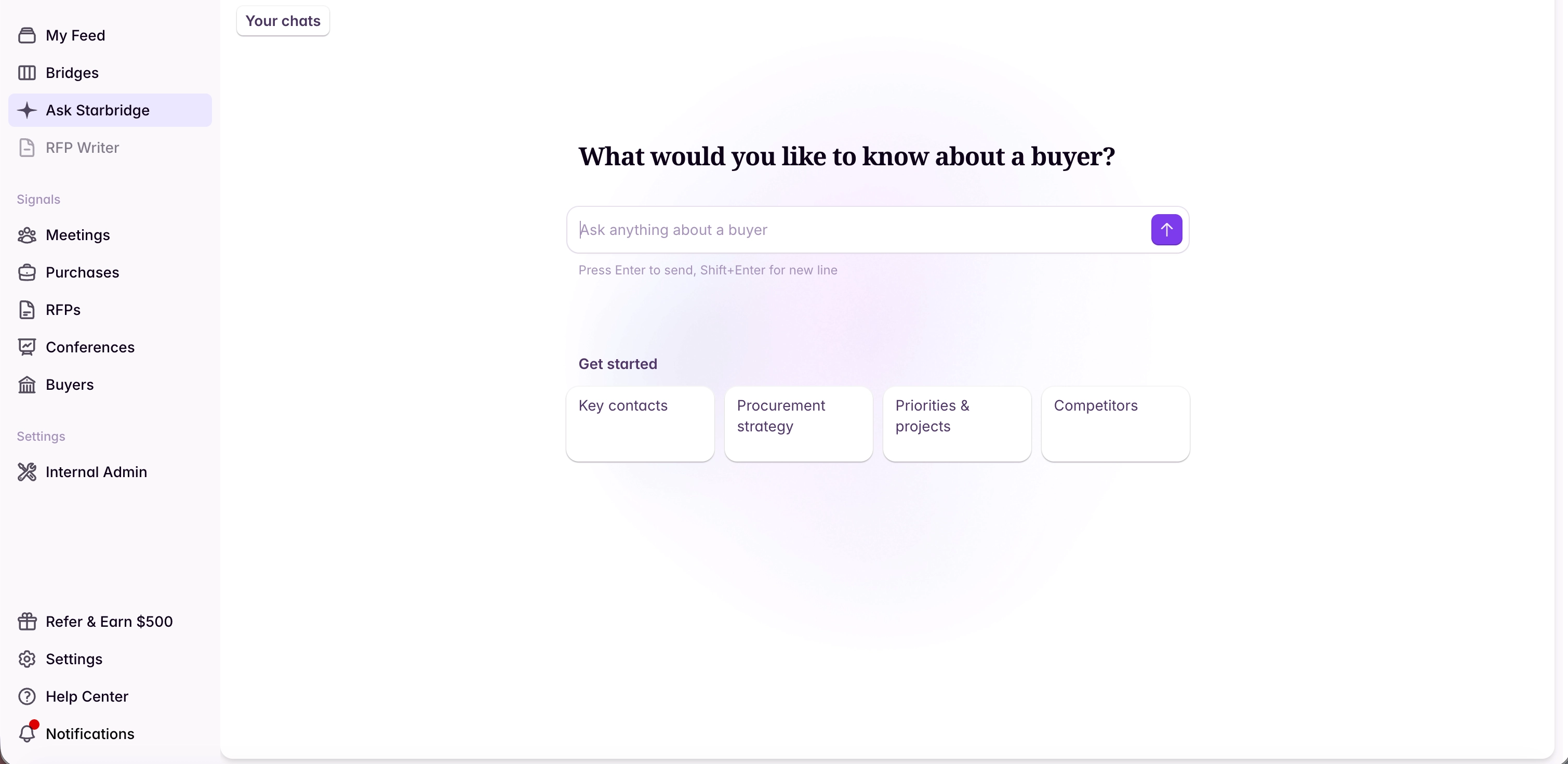
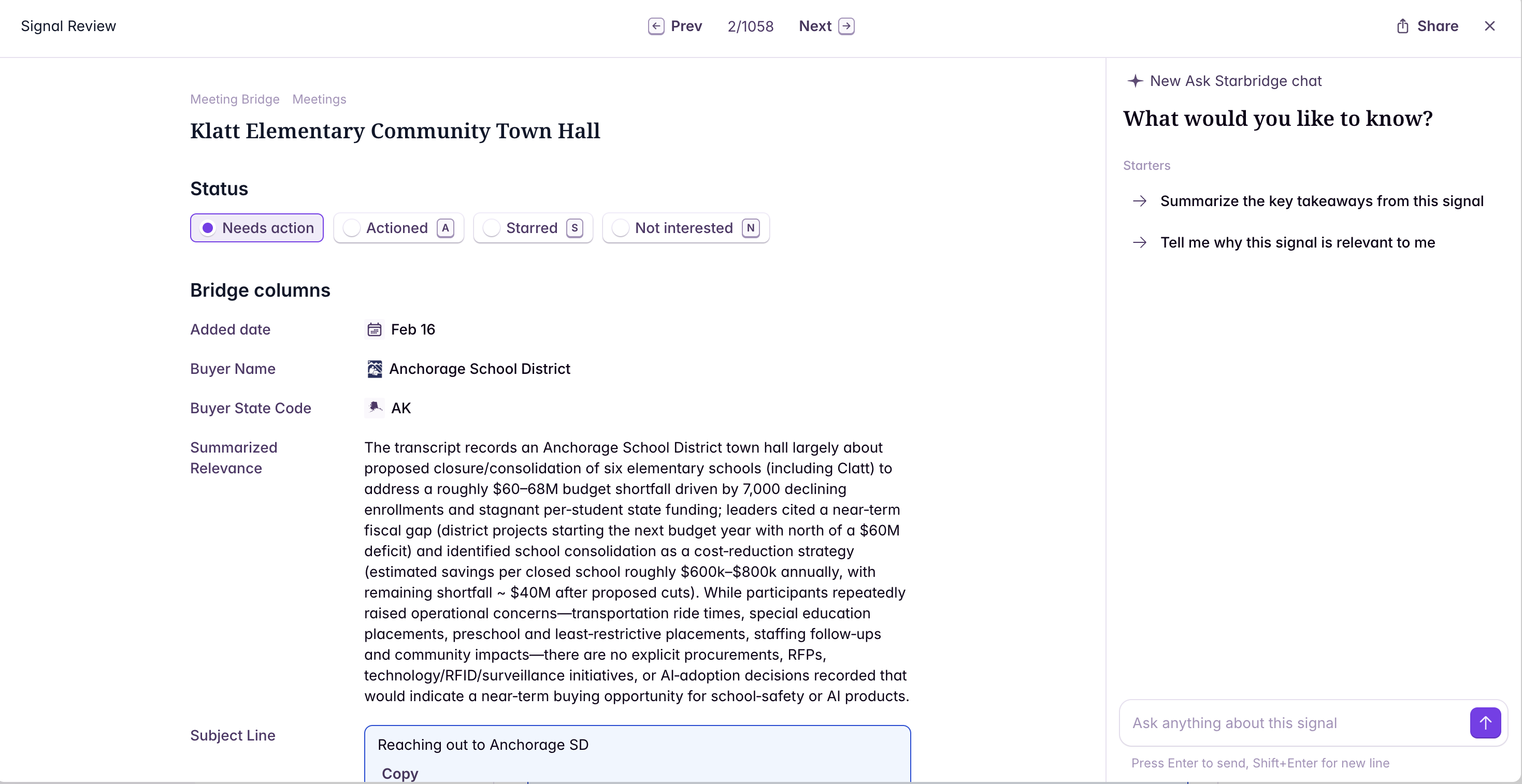
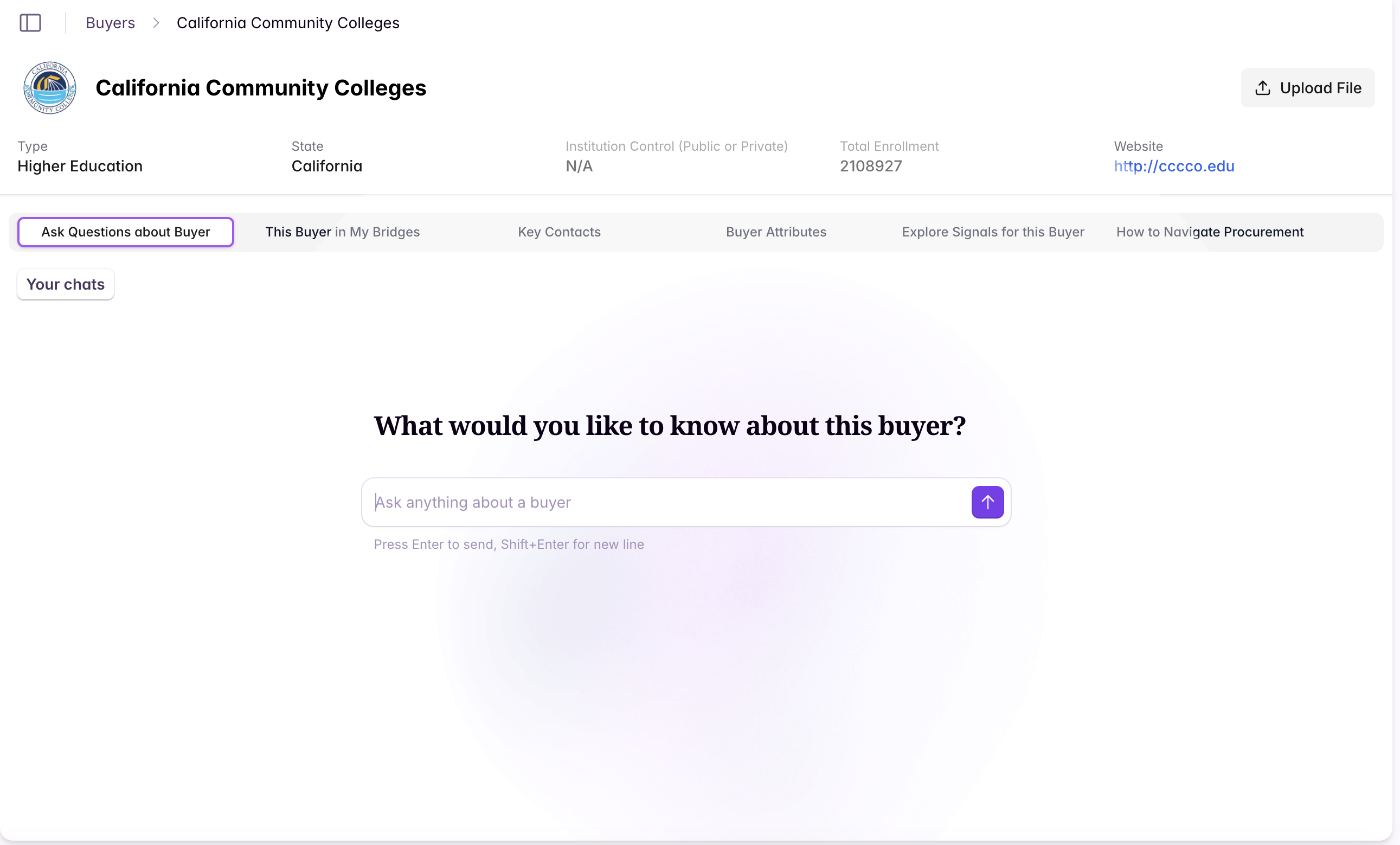
Ask questions in the Starbridge app from the left sidebar, on your feed, or from a buyer page.
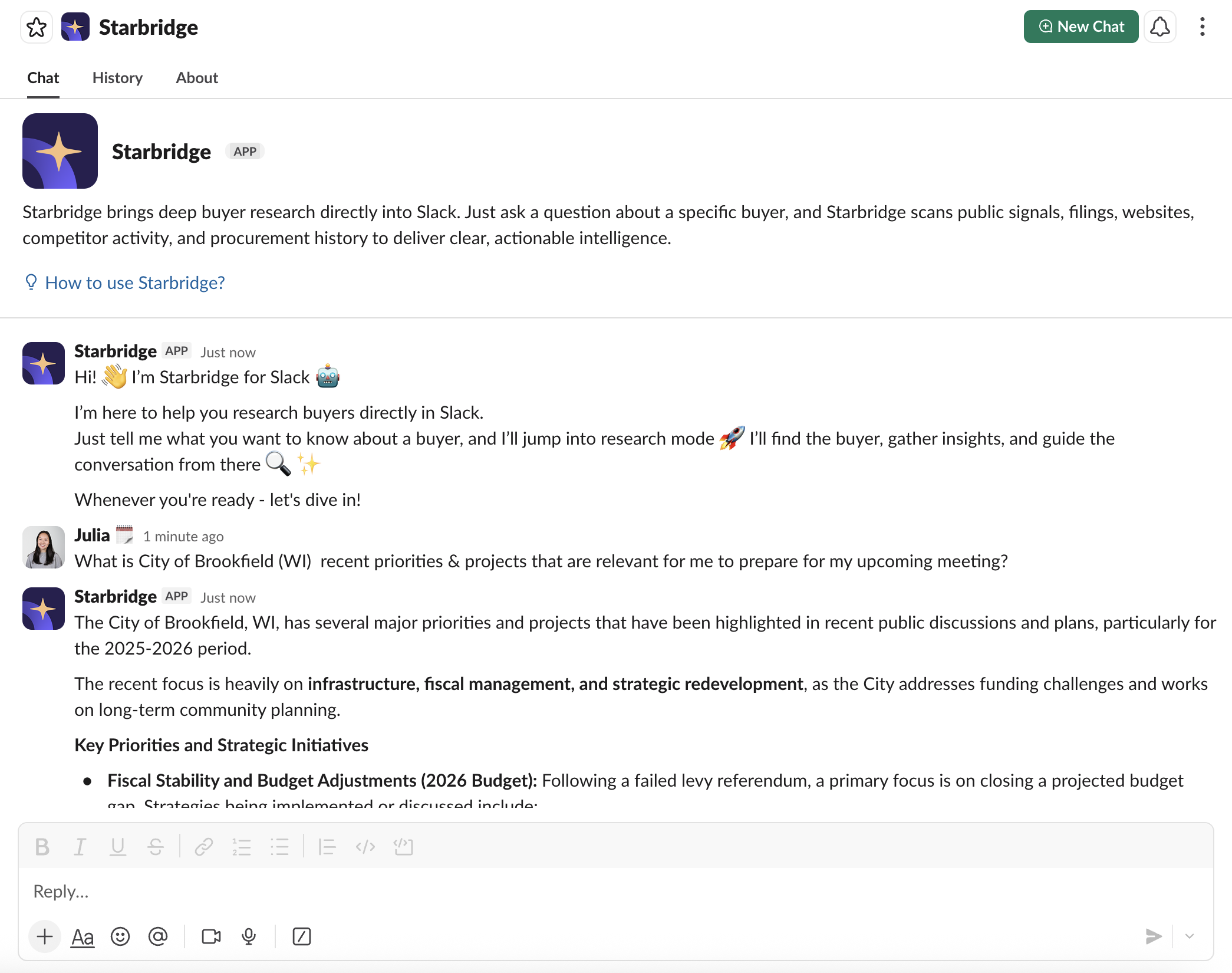
Chat with Starbridge from your own Slack workspace (admins need to install it once).
 ## Where to access Ask Starbridge in the Starbridge app
 ## What Ask Starbridge can do
Ask Starbridge can answer questions by combining Starbridge data (meetings, RFPs, purchases, conferences, job changes, and more), your organization context, and Help Center documentation.
### Ask about buyers
Use Ask Starbridge to quickly understand an account's context and next steps. Example questions:
* "What are the most relevant priorities and projects for \[buyer name]?"
* "Who are the key contacts we should reach out to?"
* "Are they using a competitor of mine today? If so, what are the contract terms?"
### Ask about signals in your Feed
You can chat with signals directly from your Feed, so you can ask follow-up questions without leaving your workflow. Example questions:
* "Summarize this signal and why it matters to my business."
* "What's the best outreach angle based on this signal?"
* "What should I look into before reaching out?"
### Ask Help Center questions
Ask Starbridge can answer product "how-to" questions and will include Help Center links as sources so you can learn more. Example questions:
* "How do I enrich a conference lead list?"
* "How do I build a Bridge for \[use case]?"
### Reference your previous chats
Your previous chats are all saved in the main "Ask Starbridge" tab so you can go back and reference them.
### View sources
Responses include source links and explanations so you can do further research if needed.
## Install Ask Starbridge in Slack (admins only)
For installation instructions, see [Install Ask Starbridge in Slack](https://hc.starbridge.ai/integrations/slack-integration#install-ask-starbridge-in-slack-admins-only).
## How to chat with Starbridge in Slack
@mention Starbridge in a channel where the app has been added.
Start a private chat by searching for Starbridge, or by adding it under **Apps** (Apps → Manage → Browse Apps → Search for Starbridge).
## What Ask Starbridge can do
Ask Starbridge can answer questions by combining Starbridge data (meetings, RFPs, purchases, conferences, job changes, and more), your organization context, and Help Center documentation.
### Ask about buyers
Use Ask Starbridge to quickly understand an account's context and next steps. Example questions:
* "What are the most relevant priorities and projects for \[buyer name]?"
* "Who are the key contacts we should reach out to?"
* "Are they using a competitor of mine today? If so, what are the contract terms?"
### Ask about signals in your Feed
You can chat with signals directly from your Feed, so you can ask follow-up questions without leaving your workflow. Example questions:
* "Summarize this signal and why it matters to my business."
* "What's the best outreach angle based on this signal?"
* "What should I look into before reaching out?"
### Ask Help Center questions
Ask Starbridge can answer product "how-to" questions and will include Help Center links as sources so you can learn more. Example questions:
* "How do I enrich a conference lead list?"
* "How do I build a Bridge for \[use case]?"
### Reference your previous chats
Your previous chats are all saved in the main "Ask Starbridge" tab so you can go back and reference them.
### View sources
Responses include source links and explanations so you can do further research if needed.
## Install Ask Starbridge in Slack (admins only)
For installation instructions, see [Install Ask Starbridge in Slack](https://hc.starbridge.ai/integrations/slack-integration#install-ask-starbridge-in-slack-admins-only).
## How to chat with Starbridge in Slack
@mention Starbridge in a channel where the app has been added.
Start a private chat by searching for Starbridge, or by adding it under **Apps** (Apps → Manage → Browse Apps → Search for Starbridge).
 Pin Starbridge to your Slack top bar for easy access: open the Starbridge chat under **Apps**, click the three-dot menu, and select **Add app to your top bar**.
## Related articles
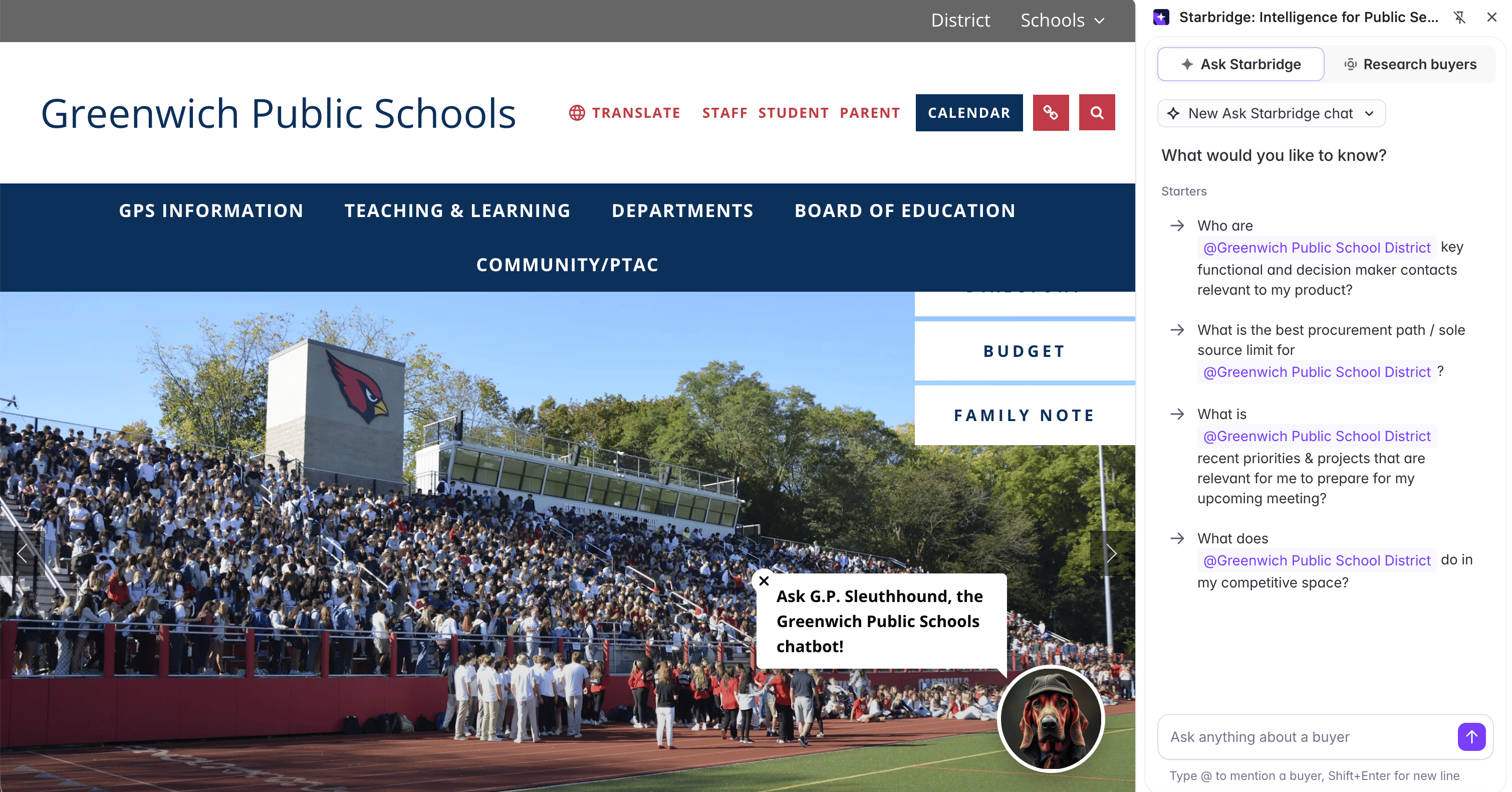
Pull the Buyer Page and Ask Starbridge into your browser, on any site.
Where new signals on your accounts show up day to day.
Pin Starbridge to your Slack top bar for easy access: open the Starbridge chat under **Apps**, click the three-dot menu, and select **Add app to your top bar**.
## Related articles
Pull the Buyer Page and Ask Starbridge into your browser, on any site.
Where new signals on your accounts show up day to day.