> ## Documentation Index
> Fetch the complete documentation index at: https://hc.starbridge.ai/llms.txt
> Use this file to discover all available pages before exploring further.
# Zapier
> Send data from any Bridge to Zapier and build connected workflows with 7,000+ apps.
## Overview
Starbridge's integration with Zapier allows you to send information from any type of Bridge to Zapier, which allows you to build connected workflows with the 7,000+ applications that support Zapier integrations.
Some examples of use cases for Zapier include:
* Triggering a Slack notification to your sales team every time a new meeting mention occurs.
* Syncing Contacts to an outbound tool like HubSpot or Salesloft directly.
* Triggering a custom webhook to take actions inside your own infrastructure.
## Supported triggers for a Zap
Starbridge supports two options for when a Zap will trigger:
The Zap triggers whenever a new row is added to your Bridge. The Zap only triggers for that row.
The Zap triggers any time any cell in the row is updated. The Zap triggers for all rows that have an updated cell.
In both cases, the Zap will not trigger until all cells in the row are finished processing.
## Setup
Go to the [Zapier page for Starbridge](https://zapier.com/apps/starbridge/integrations) and start a Zap. Make the first step of your Zap a connection to Starbridge.
If this is your first time creating a Zap for Starbridge, Zapier will prompt you for a Starbridge API key. Generate keys in Starbridge under [Settings → API Keys](https://dashboard.starbridge.ai/settings/api-keys).
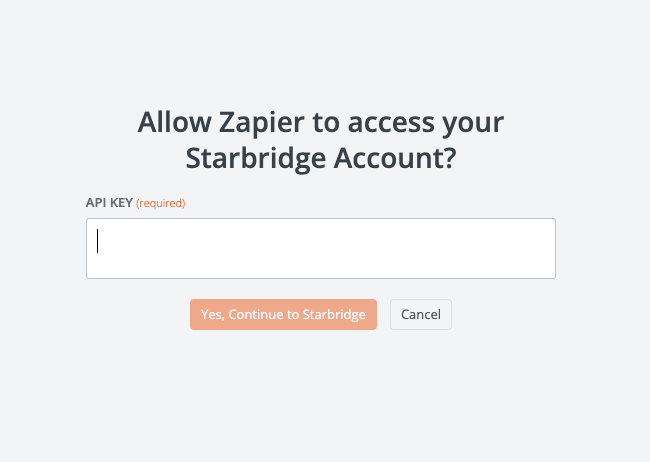 Once your Starbridge account is connected to Zapier, you'll be able to select which Bridge you want to use as the input to your Zap. You will also be prompted to select a label for this Zap, which will appear in Starbridge in the Bridge you've selected to help you identify which Zap you're configuring. After you test your Zap, you'll be able to see the full schema of your Bridge in Zapier and configure subsequent steps in your workflow.
## Triggering your Zap manually
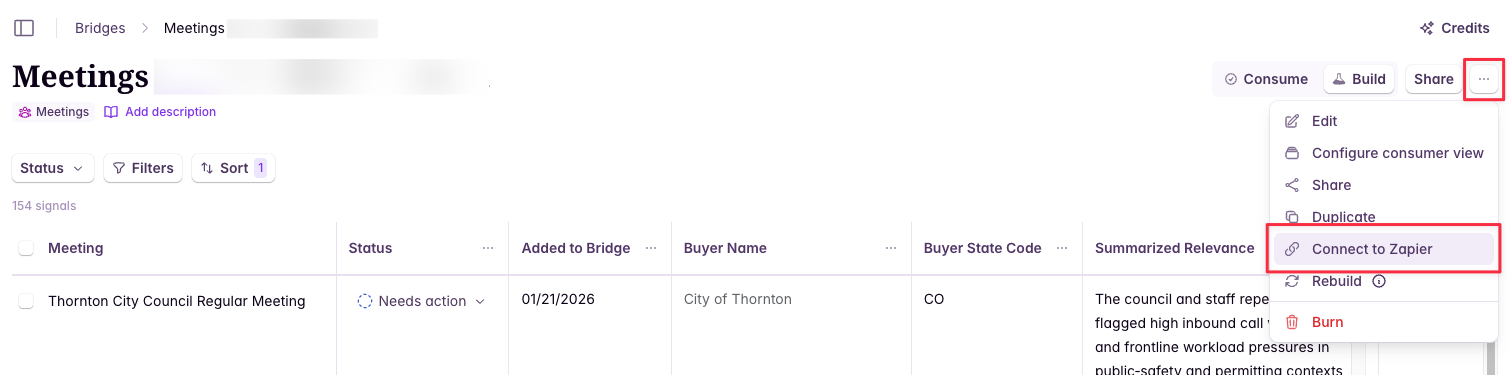
In addition to your Zap triggering automatically, you can also trigger sending specific rows to your Zap manually.
From the integrations panel, you can select which Zap(s) you want to trigger (if your Bridge is connected to multiple Zaps) and which rows you want to send.
Once your Starbridge account is connected to Zapier, you'll be able to select which Bridge you want to use as the input to your Zap. You will also be prompted to select a label for this Zap, which will appear in Starbridge in the Bridge you've selected to help you identify which Zap you're configuring. After you test your Zap, you'll be able to see the full schema of your Bridge in Zapier and configure subsequent steps in your workflow.
## Triggering your Zap manually
In addition to your Zap triggering automatically, you can also trigger sending specific rows to your Zap manually.
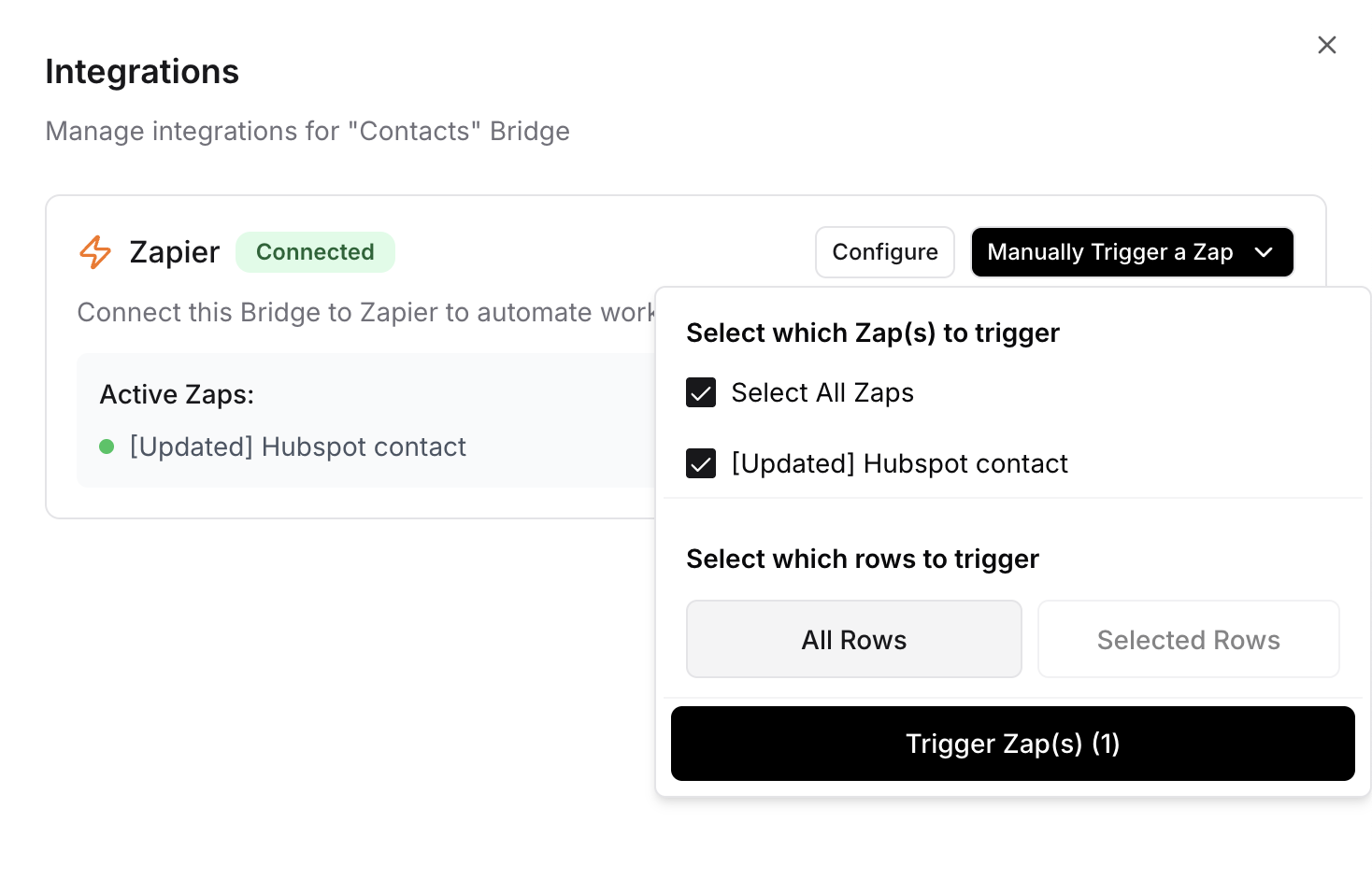
From the integrations panel, you can select which Zap(s) you want to trigger (if your Bridge is connected to multiple Zaps) and which rows you want to send.
 Trigger the Zap to send the selected rows to Zapier.
 ## Use cases
* [Pushing buying signals to your sequencer](https://starbridge.ai/use-cases/push-buying-signals-to-your-sequencer)
* [RFP to Slack integration](https://starbridge.ai/use-cases/find-and-respond-to-a-rfp)
## Related articles
See all the tools Starbridge integrates with.
Bring buyer intelligence directly into Slack with Ask Starbridge.
## Use cases
* [Pushing buying signals to your sequencer](https://starbridge.ai/use-cases/push-buying-signals-to-your-sequencer)
* [RFP to Slack integration](https://starbridge.ai/use-cases/find-and-respond-to-a-rfp)
## Related articles
See all the tools Starbridge integrates with.
Bring buyer intelligence directly into Slack with Ask Starbridge.