> ## Documentation Index
> Fetch the complete documentation index at: https://hc.starbridge.ai/llms.txt
> Use this file to discover all available pages before exploring further.
# Message generation preferences
> Tell Starbridge how to write your emails, call scripts, and LinkedIn messages, for yourself and your whole org, with a rebuilt Sequences settings page.
 ### Overview
Starbridge drafts your team's emails, call scripts, and LinkedIn messages. Until now, only admins could customize Starbridge's message generation, and only for the whole organization.
Now every user can set their own message generation preferences, and admins get a rebuilt Sequences settings page that puts everything outbound in one place.
### What reps experience
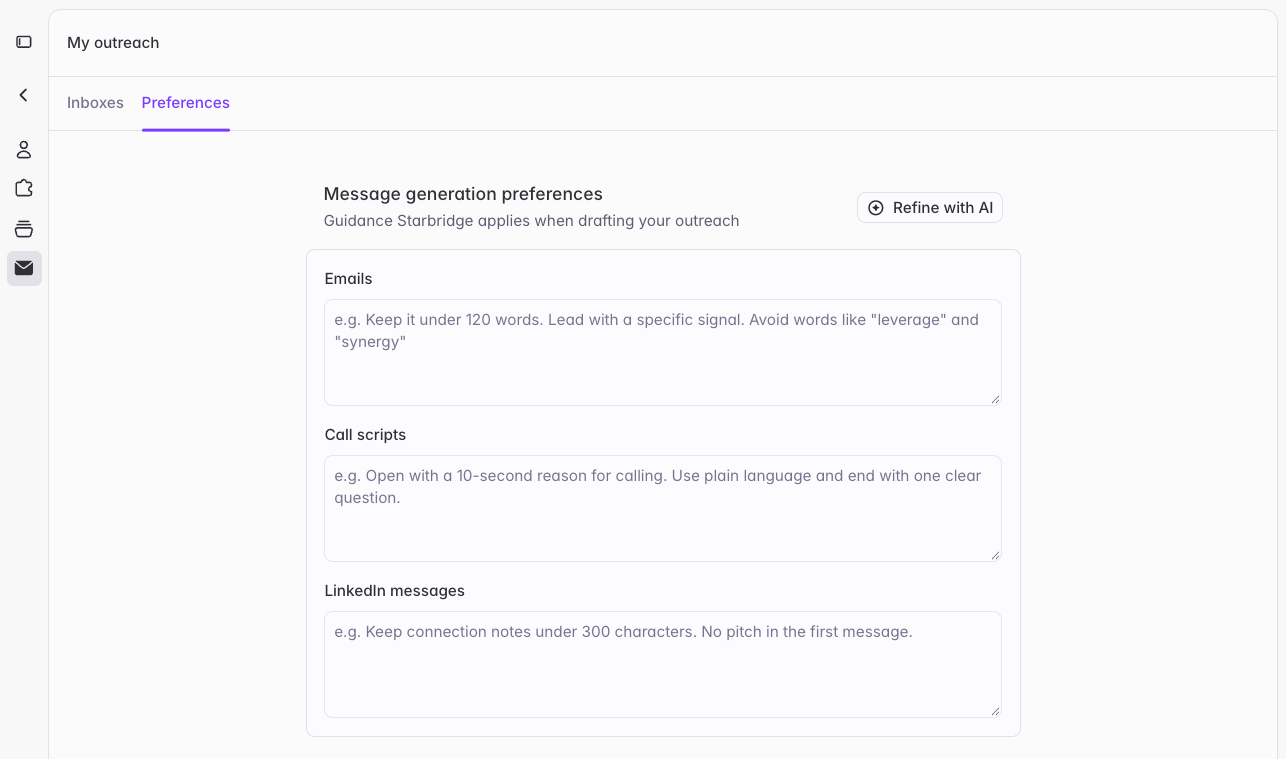
**[Personal message generation preferences](https://dashboard.starbridge.ai/settings/my-outreach?tab=preferences).** Each user can tell Starbridge how they like to write: how long messages should run, the tone to take, words to avoid, how to close. Starbridge applies those preferences whenever it drafts outreach for you.
**Guidance for every channel.** Preferences now come in three fields: **Emails**, **Call scripts**, and **LinkedIn messages**. Each channel has its own guidance, so a rule like "keep messages under 100 words" for email doesn't shorten your call scripts.
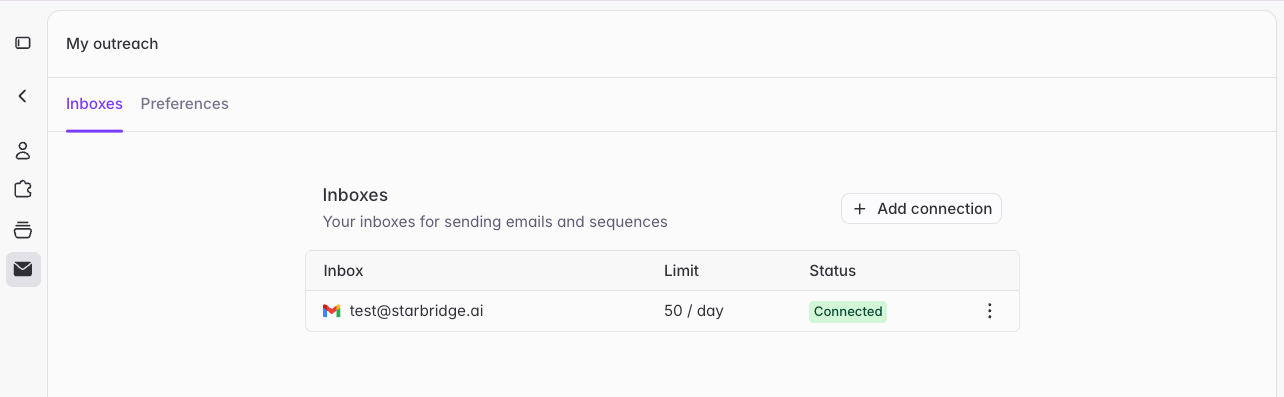
**A cleaner My outreach page.** Your inboxes, send settings, and message generation preferences now sit together on a tidier **My outreach** page in **Settings**.
### Overview
Starbridge drafts your team's emails, call scripts, and LinkedIn messages. Until now, only admins could customize Starbridge's message generation, and only for the whole organization.
Now every user can set their own message generation preferences, and admins get a rebuilt Sequences settings page that puts everything outbound in one place.
### What reps experience
**[Personal message generation preferences](https://dashboard.starbridge.ai/settings/my-outreach?tab=preferences).** Each user can tell Starbridge how they like to write: how long messages should run, the tone to take, words to avoid, how to close. Starbridge applies those preferences whenever it drafts outreach for you.
**Guidance for every channel.** Preferences now come in three fields: **Emails**, **Call scripts**, and **LinkedIn messages**. Each channel has its own guidance, so a rule like "keep messages under 100 words" for email doesn't shorten your call scripts.
**A cleaner My outreach page.** Your inboxes, send settings, and message generation preferences now sit together on a tidier **My outreach** page in **Settings**.
 ### What admins get
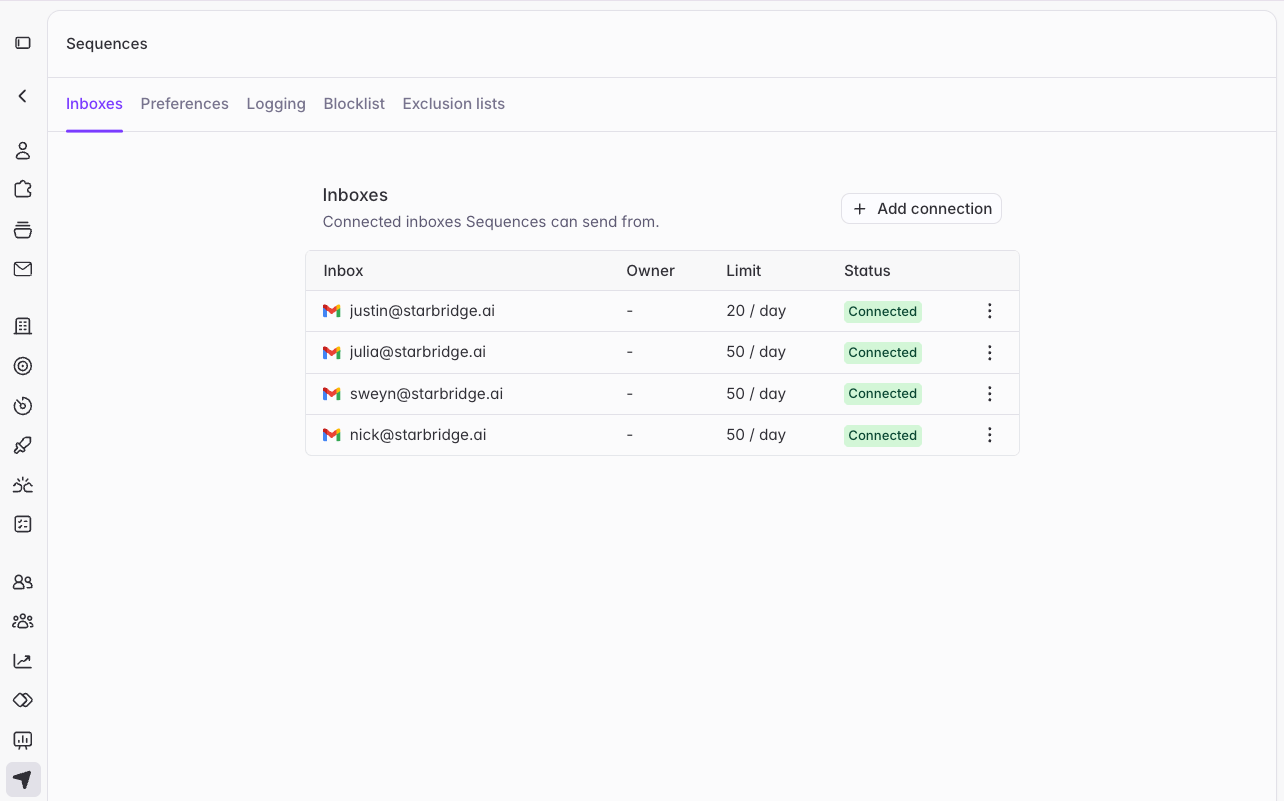 **[One Sequences settings page](https://dashboard.starbridge.ai/settings/sequences?tab=preferences).** Sequence settings used to be spread across Settings, and org-level message generation preferences were easy to miss. **Settings → Sequences** now brings them together, with a tab for inboxes, message generation preferences, CRM logging, and your blocklist and exclusion lists.
**Org inboxes have moved.** Inboxes you connect for the whole organization now live in **Settings → Sequences**, not under Integrations.
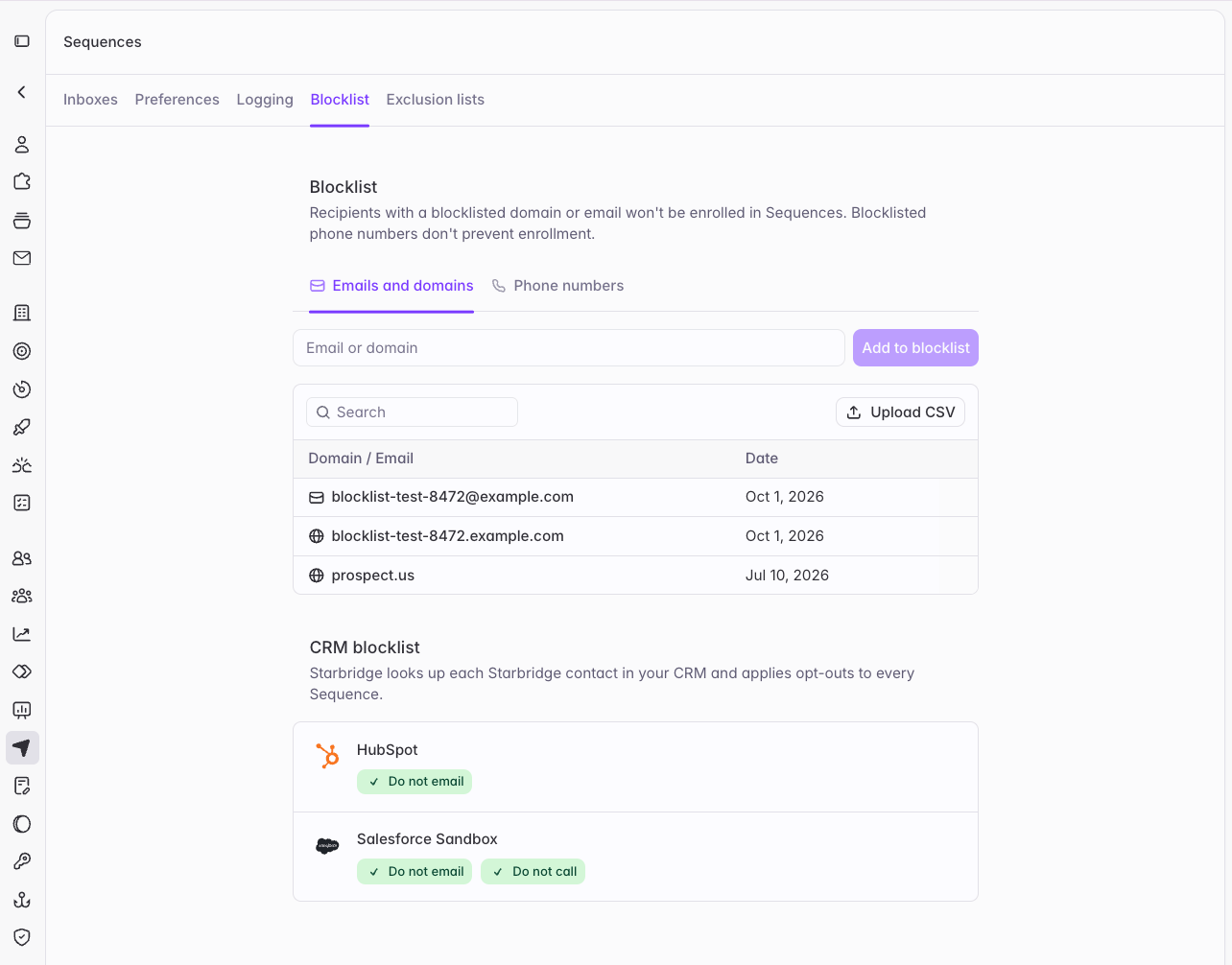
**[CRM opt-outs on the Blocklist tab](https://dashboard.starbridge.ai/settings/sequences?tab=blocklist).** The **Blocklist** tab now reflects opt-outs from your CRM, labeled **Do not email** and **Do not call**. Starbridge keeps contacts who opted out of email out of your sequences automatically.
**[One Sequences settings page](https://dashboard.starbridge.ai/settings/sequences?tab=preferences).** Sequence settings used to be spread across Settings, and org-level message generation preferences were easy to miss. **Settings → Sequences** now brings them together, with a tab for inboxes, message generation preferences, CRM logging, and your blocklist and exclusion lists.
**Org inboxes have moved.** Inboxes you connect for the whole organization now live in **Settings → Sequences**, not under Integrations.
**[CRM opt-outs on the Blocklist tab](https://dashboard.starbridge.ai/settings/sequences?tab=blocklist).** The **Blocklist** tab now reflects opt-outs from your CRM, labeled **Do not email** and **Do not call**. Starbridge keeps contacts who opted out of email out of your sequences automatically.
 ### Get started
Reps open **Settings → My outreach** to set personal preferences. Admins open **Settings → Sequences** to review the organization's preferences and the rest of the page. For guidance on what to write, see [Message generation preferences](/sequences/message-generation-preferences). For how CRM opt-outs behave, see [Send settings and exclusions](/sequences/send-settings#crm-opt-outs).
Reach out to your GTME or [support@starbridge.ai](mailto:support@starbridge.ai) with questions.
This documentation is built and hosted on [Mintlify](https://mintlify.com), a developer documentation platform.
### Get started
Reps open **Settings → My outreach** to set personal preferences. Admins open **Settings → Sequences** to review the organization's preferences and the rest of the page. For guidance on what to write, see [Message generation preferences](/sequences/message-generation-preferences). For how CRM opt-outs behave, see [Send settings and exclusions](/sequences/send-settings#crm-opt-outs).
Reach out to your GTME or [support@starbridge.ai](mailto:support@starbridge.ai) with questions.
This documentation is built and hosted on [Mintlify](https://mintlify.com), a developer documentation platform.