> ## Documentation Index
> Fetch the complete documentation index at: https://hc.starbridge.ai/llms.txt
> Use this file to discover all available pages before exploring further.
# October 2026: A New Buyer Page
> A rebuilt Buyer Page with account activity, vendor presence, and Ask Starbridge in context.
## **Overview**
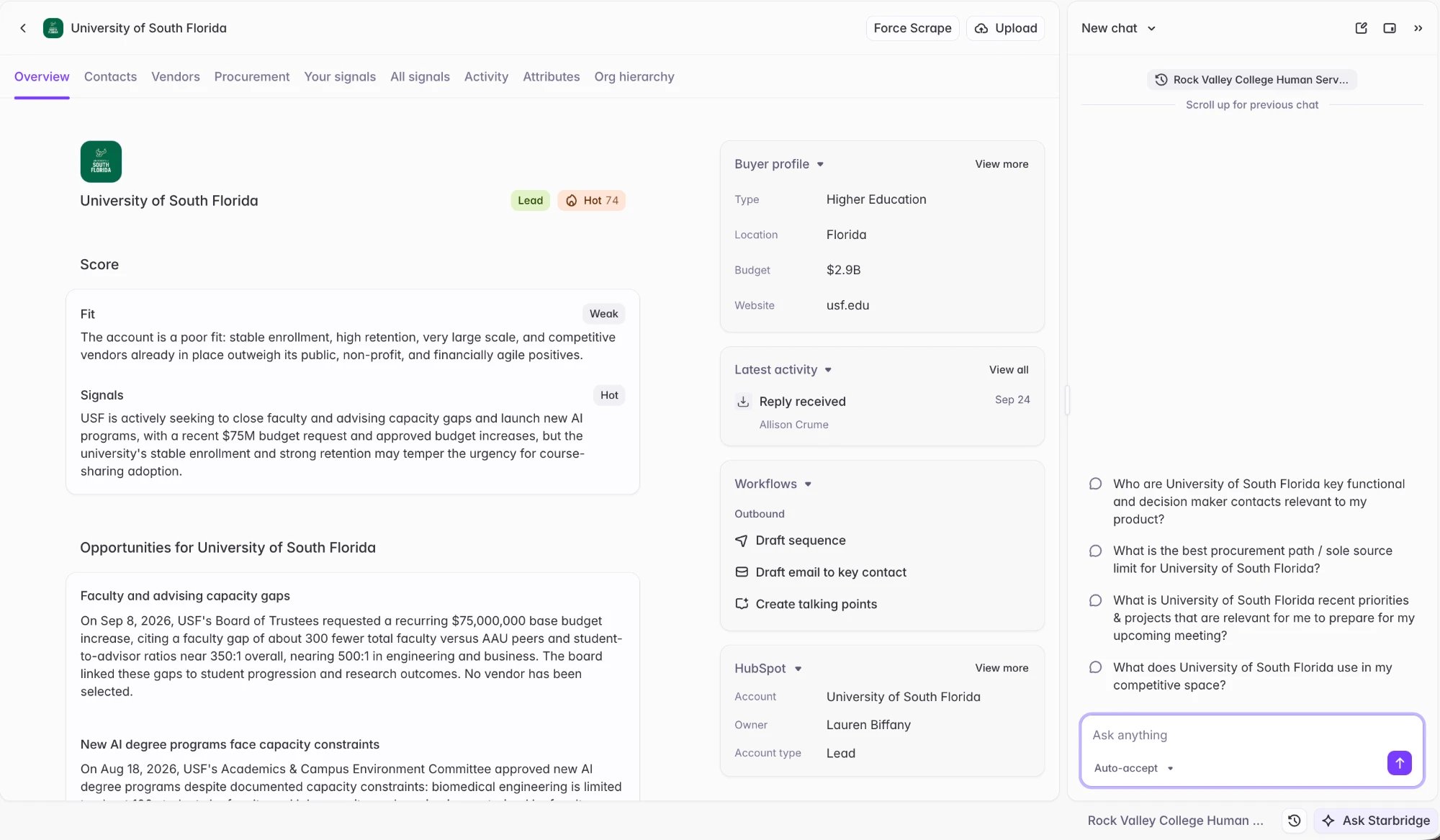
Buyer Pages are where reps research the accounts behind their signals. This release rebuilds the Buyer Page so reps can see everything Starbridge knows about an account in one place.
## **Updated Buyer Pages**
 **What your reps experience**
The Overview tab leads with the latest opportunities and account context at the account. There are also other tabs with more data for your team to explore:
* **Contacts** — key contacts for your org at the account.
* **Vendors** — which vendors the account already works with, with contract details and sources. This draws upon the competitive and complementary vendor data you've set up in your market.
**What your reps experience**
The Overview tab leads with the latest opportunities and account context at the account. There are also other tabs with more data for your team to explore:
* **Contacts** — key contacts for your org at the account.
* **Vendors** — which vendors the account already works with, with contract details and sources. This draws upon the competitive and complementary vendor data you've set up in your market.
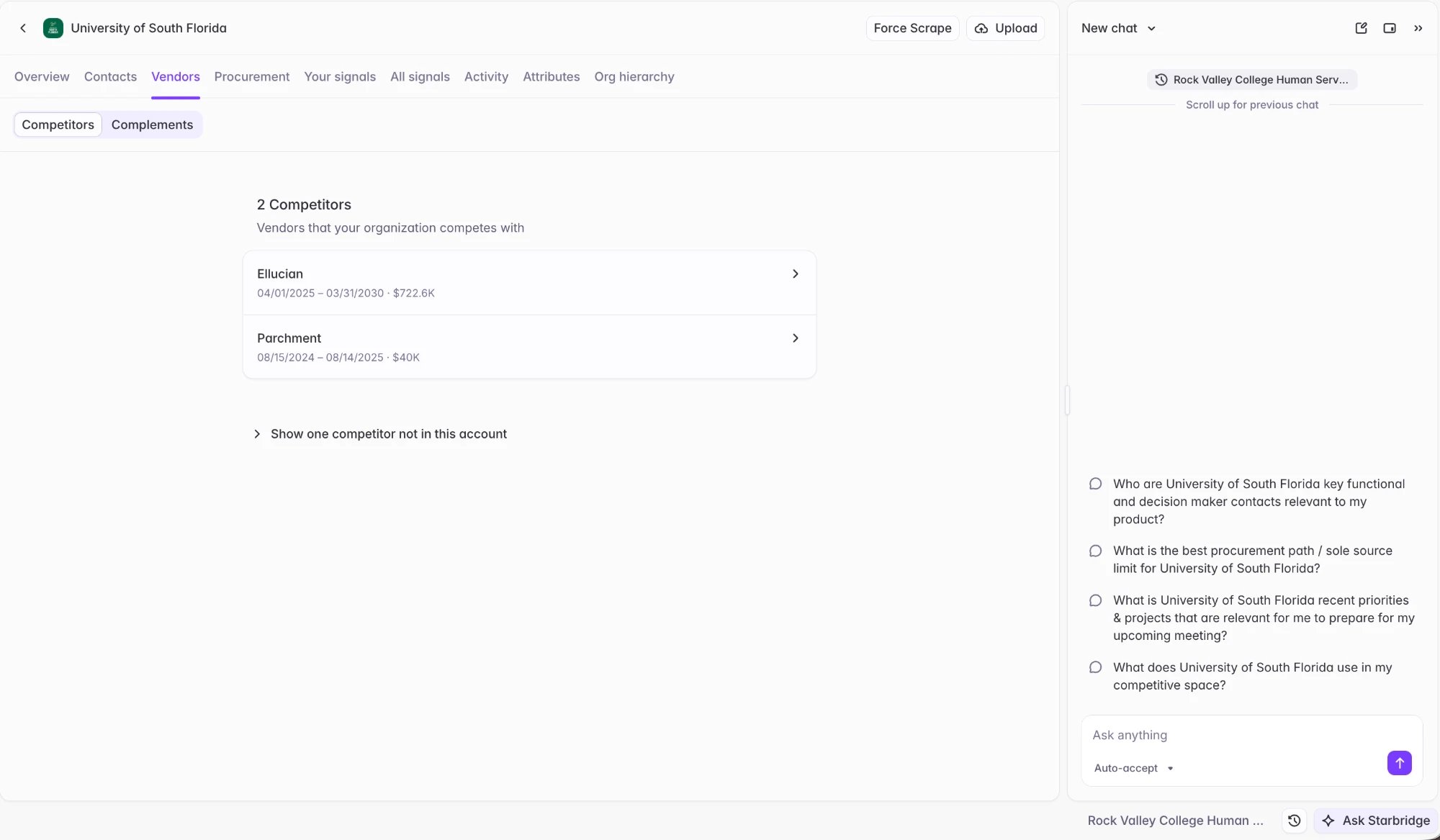 * **Procurement** — the account's purchasing history and active procurement.
* **Your signals** — signals from Bridges in your org that have been shared with your team for this account.
* **All signals** — all signals Starbridge has for this account.
* **Activity** — the full account activity timeline, bringing together Starbridge activity (signals actioned, sequence sends) with CRM activity synced from Salesforce or HubSpot: deals, calls, emails, and meetings logged against the account.
* **Attributes** — structured buyer attribute and firmographic data.
* **Org hierarchy** — the parent and sub-entities related to the buyer.
Ask Starbridge is available throughout, scoped to the buyer the rep is looking at.
### **Account activity**
* **Procurement** — the account's purchasing history and active procurement.
* **Your signals** — signals from Bridges in your org that have been shared with your team for this account.
* **All signals** — all signals Starbridge has for this account.
* **Activity** — the full account activity timeline, bringing together Starbridge activity (signals actioned, sequence sends) with CRM activity synced from Salesforce or HubSpot: deals, calls, emails, and meetings logged against the account.
* **Attributes** — structured buyer attribute and firmographic data.
* **Org hierarchy** — the parent and sub-entities related to the buyer.
Ask Starbridge is available throughout, scoped to the buyer the rep is looking at.
### **Account activity**
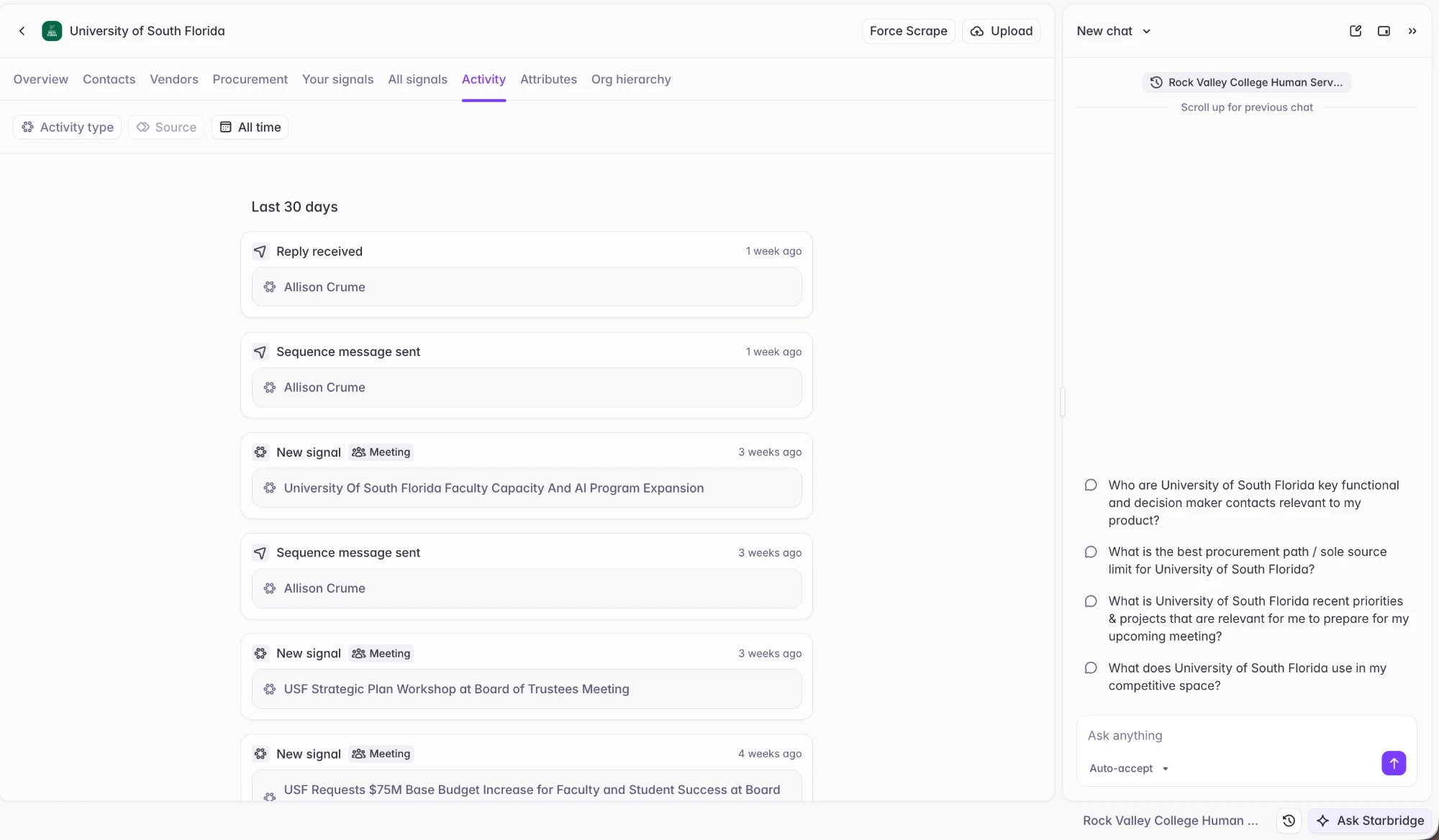 Recent activity on an account now appears in one place: signals actioned and status changes, sequence sends, emails and replies, and CRM activity. The Latest activity module on the Buyer Page shows the most recent events, and **View all** opens the full timeline on the Activity tab.
This makes it easy to see whether an account has already been worked — and by whom — before reaching out.
Starbridge surfaces your team's activity from your CRM, so reps can see the entire context of the account without leaving Starbridge:
* **Salesforce**: Opportunities, Tasks (including calls), Events, and EmailMessages.
* **HubSpot**: Deals, Calls, Emails, and Meetings.
Admins: [Sync these deal and activity objects](/admins/connecting-your-crm#configure-objects-and-fields) to Starbridge so reps can see the entire context of an account without leaving Starbridge.
## **Get started**
**Reps and builders:** No action needed. The new Buyer Page is live for all users.
**Admins**: [Sync your deal and activity objects](/admins/connecting-your-crm#configure-objects-and-fields) from Salesforce and HubSpot to Starbridge, so reps can see the entire context of an account on the Buyer Page.
See [Buyer Page](/consumers/buyer-page) for a full walkthrough.
Reach out to your GTME or [support@starbridge.ai](mailto:support@starbridge.ai) with any questions.
This documentation is built and hosted on [Mintlify](https://mintlify.com), a developer documentation platform.
Recent activity on an account now appears in one place: signals actioned and status changes, sequence sends, emails and replies, and CRM activity. The Latest activity module on the Buyer Page shows the most recent events, and **View all** opens the full timeline on the Activity tab.
This makes it easy to see whether an account has already been worked — and by whom — before reaching out.
Starbridge surfaces your team's activity from your CRM, so reps can see the entire context of the account without leaving Starbridge:
* **Salesforce**: Opportunities, Tasks (including calls), Events, and EmailMessages.
* **HubSpot**: Deals, Calls, Emails, and Meetings.
Admins: [Sync these deal and activity objects](/admins/connecting-your-crm#configure-objects-and-fields) to Starbridge so reps can see the entire context of an account without leaving Starbridge.
## **Get started**
**Reps and builders:** No action needed. The new Buyer Page is live for all users.
**Admins**: [Sync your deal and activity objects](/admins/connecting-your-crm#configure-objects-and-fields) from Salesforce and HubSpot to Starbridge, so reps can see the entire context of an account on the Buyer Page.
See [Buyer Page](/consumers/buyer-page) for a full walkthrough.
Reach out to your GTME or [support@starbridge.ai](mailto:support@starbridge.ai) with any questions.
This documentation is built and hosted on [Mintlify](https://mintlify.com), a developer documentation platform.