Screenshot 2026 10 09 At 6 21 25 PM

Overview

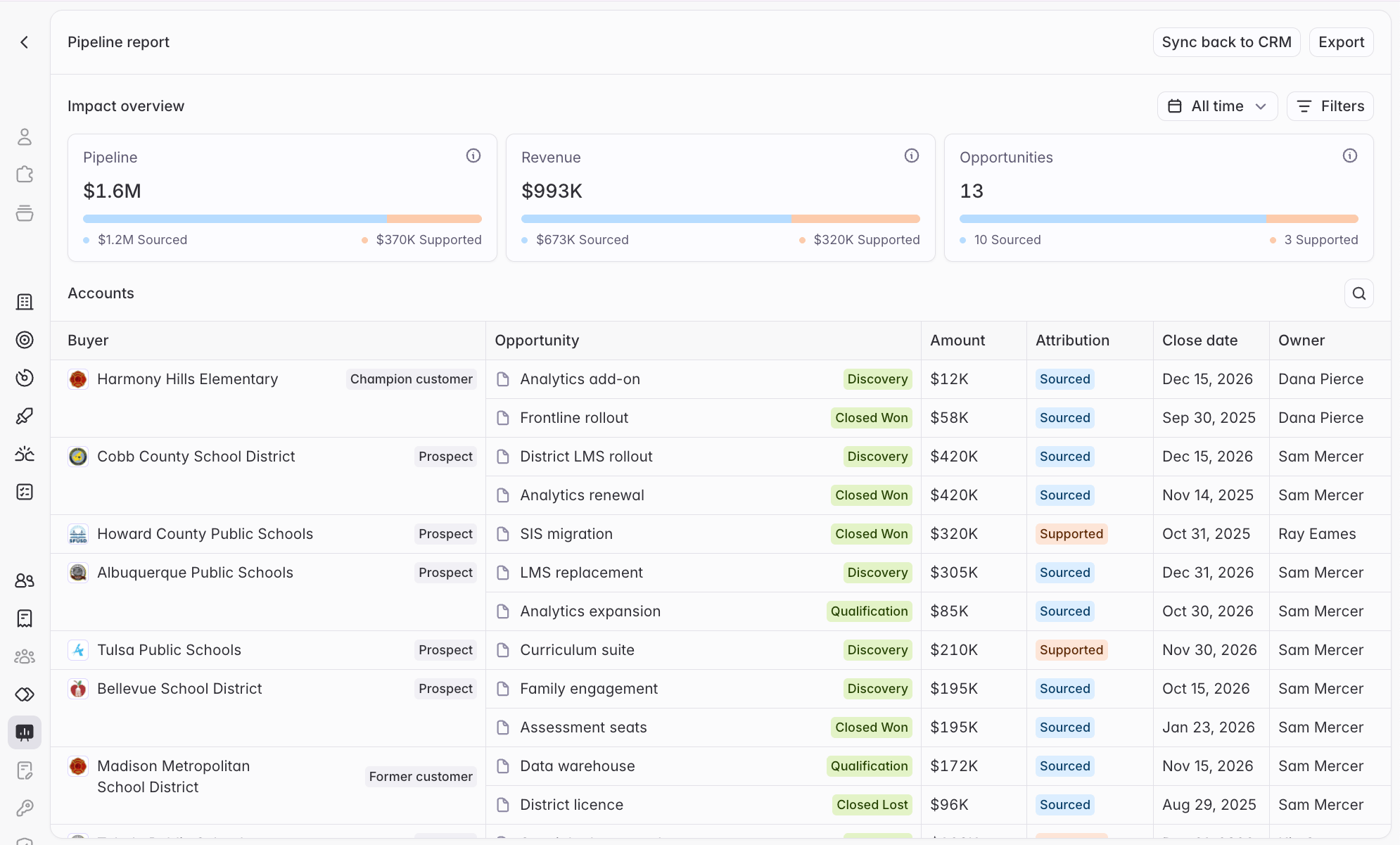
Starbridge already helps your team find the right accounts, surface timely signals, and reach the right contacts. The pipeline dashboard shows what that did for your pipeline and revenue. Starbridge connects your team’s activity to the opportunities in your CRM and reports two numbers: Pipeline, the value of open deals Starbridge sourced or supported, and Revenue, the closed-won value of those deals.

Methodology

Starbridge reads the accounts and opportunities in Salesforce or HubSpot, and checks each account’s opportunities against what your team did in Starbridge or synced to the CRM. An opportunity is Sourced when Starbridge helped create or directly initiate it. That means:
  • Starbridge sourced the opportunity’s primary contact or created the account in your CRM,
  • Your team actioned a signal for the buyer or a contact replied to a Starbridge email in the 90 days before the opportunity was created, or
  • Your team set the opportunity’s Lead Source to Starbridge.
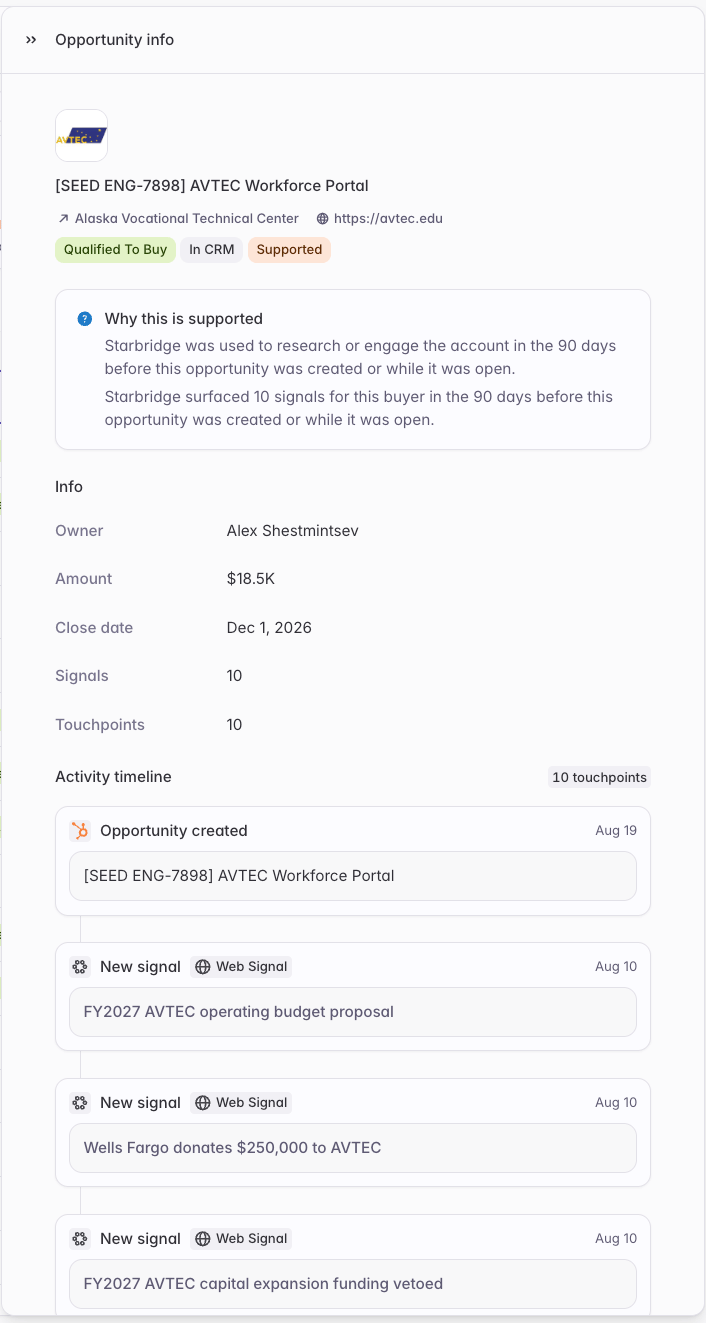
An opportunity is Supported when Starbridge was used to research or engage the account in the 90 days before the opportunity was created or while it was open. That means Starbridge surfaced signals or contacts for the buyer; your reps asked Starbridge about it via Ask Starbridge, Slack; or MCP; or your reps used Starbridge to send emails to its contacts. Opportunities with no qualifying Starbridge activity don’t appear in the dashboard.

The pipeline dashboard

Screenshot 2026 10 09 At 6 21 57 PM A headline view of the numbers. The dashboard opens with a summary of Pipeline, Revenue, and Opportunities, each split into Sourced and Supported. A table below breaks the totals down by buyer and opportunity. Filter to Net-new business only to scope the dashboard to each account’s first closed-won deal, plus open deals on accounts with no closed-won history. This measures Starbridge’s impact on net-new business, excluding your renewals, cross-sells, and upsells. Opportunity-level activity detail. Open any opportunity to see whether Starbridge sourced or supported it, why, and a dated timeline of the activity behind it: signals surfaced and actioned, contacts Starbridge added to your CRM, emails sent and replies received, and questions reps asked about the buyer. Screenshot 2026 10 09 At 6 24 45 PM Take it with you. Export the table as a CSV, or use Sync back to CRM to write Sourced or Supported to a field on your Opportunity object, or to set Lead Source to Starbridge, so Sourced and Supported show up in the reporting your team already runs.

Get started

The pipeline dashboard is on for your organization. Find it in Settings → Pipeline dashboard. The dashboard reads your CRM’s Account, Opportunity, and User objects (Company, Deal, and Owner in HubSpot). Sync them in Objects & fields and complete account matching. If your CRM isn’t connected, or the objects aren’t synced, the dashboard prompts you to finish setup. See Connect your CRM. No CRM integration? Talk to your GTME about how to run custom pipeline reporting using Starbridge’s MCP. Full documentation: Pipeline dashboard. Reach out to your GTME or support@starbridge.ai with questions. Released 2026-11-09.