Overview

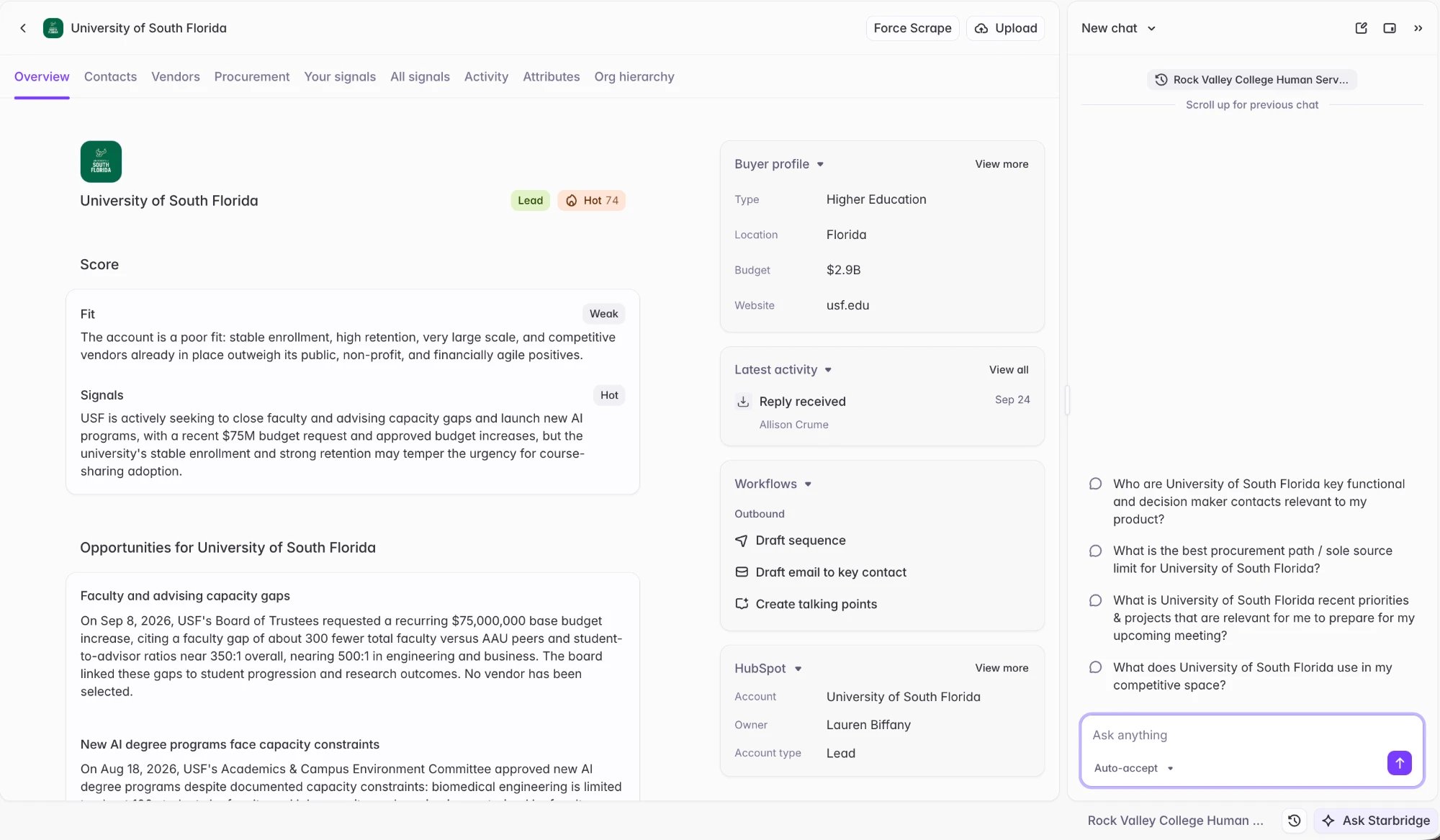
Buyer Pages are where reps research the accounts behind their signals. This release rebuilds the Buyer Page so reps can see everything Starbridge knows about an account in one place.

Updated Buyer Pages

Buyer Page Overview
What your reps experience The Overview tab leads with the latest opportunities and account context at the account. There are also other tabs with more data for your team to explore:
  • Contacts — key contacts for your org at the account.
  • Vendors — which vendors the account already works with, with contract details and sources. This draws upon the competitive and complementary vendor data you’ve set up in your market.
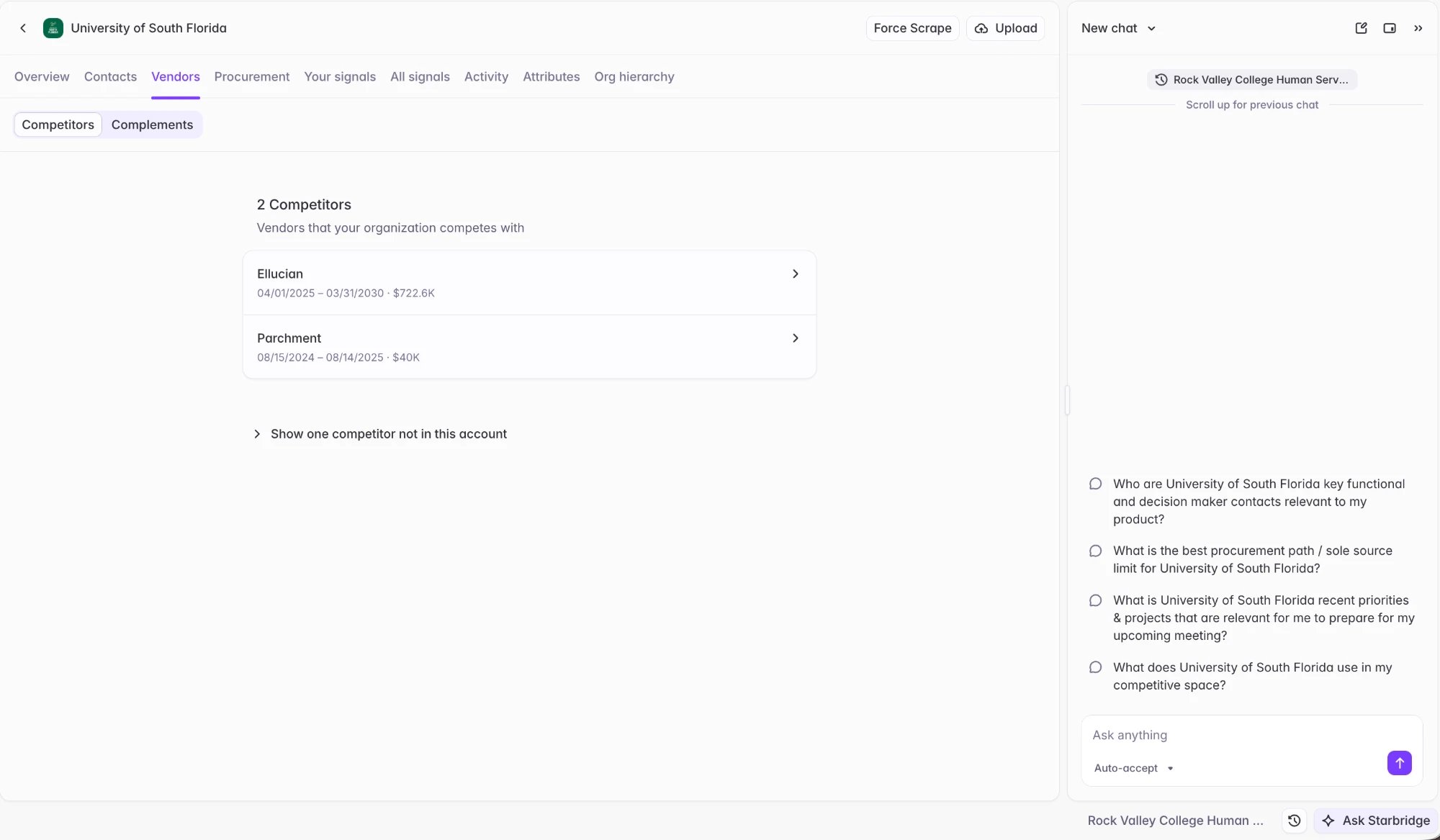
    Vendors Tab
  • Procurement — the account’s purchasing history and active procurement.
  • Your signals — signals from Bridges in your org that have been shared with your team for this account.
  • All signals — all signals Starbridge has for this account.
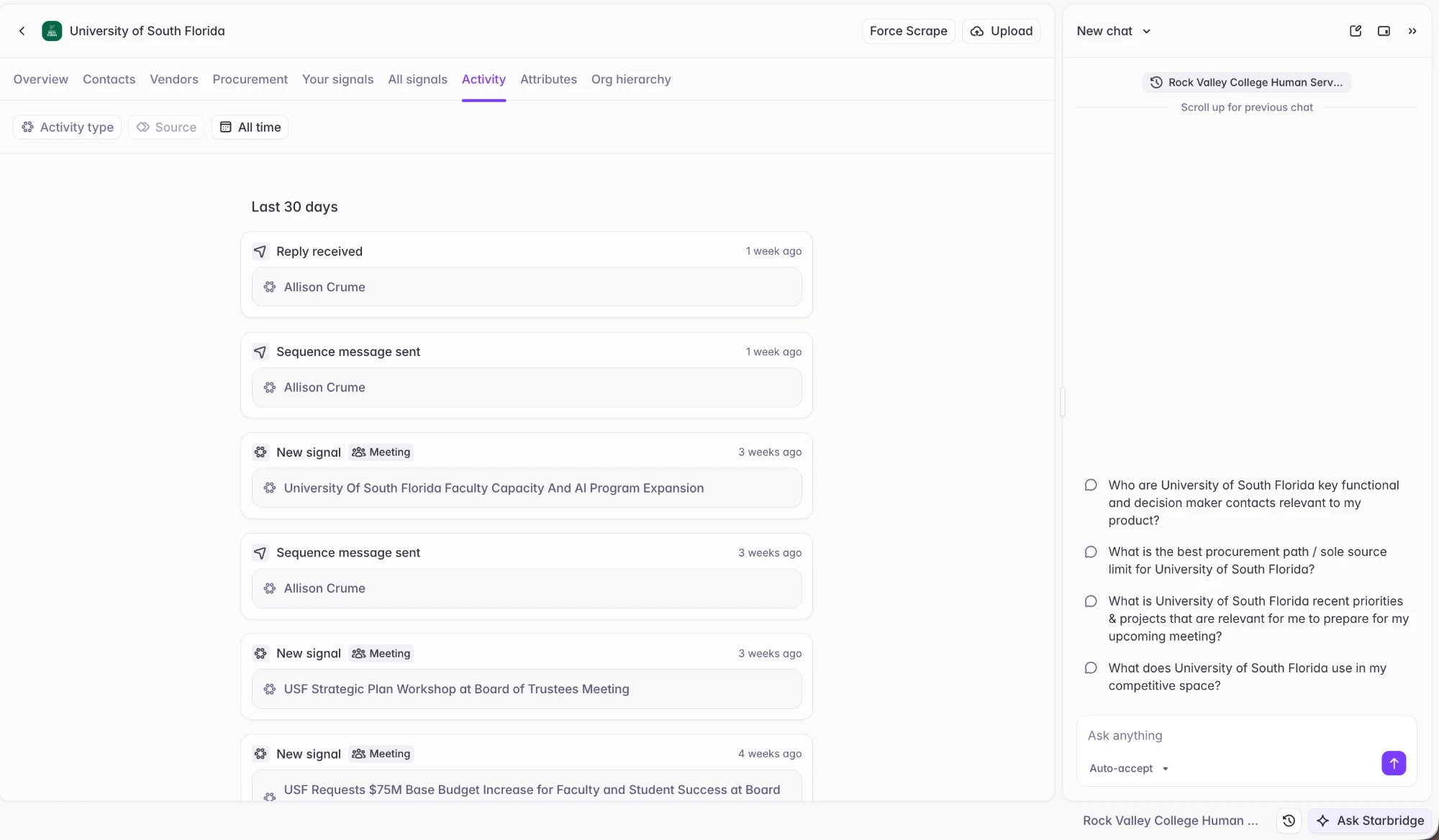
  • Activity — the full account activity timeline, bringing together Starbridge activity (signals actioned, sequence sends) with CRM activity synced from Salesforce or HubSpot: deals, calls, emails, and meetings logged against the account.
  • Attributes — structured buyer attribute and firmographic data.
  • Org hierarchy — the parent and sub-entities related to the buyer.
Ask Starbridge is available throughout, scoped to the buyer the rep is looking at.

Account activity

Account Activity
Recent activity on an account now appears in one place: signals actioned and status changes, sequence sends, emails and replies, and CRM activity. The Latest activity module on the Buyer Page shows the most recent events, and View all opens the full timeline on the Activity tab. This makes it easy to see whether an account has already been worked — and by whom — before reaching out. Starbridge surfaces your team’s activity from your CRM, so reps can see the entire context of the account without leaving Starbridge:
  • Salesforce: Opportunities, Tasks (including calls), Events, and EmailMessages.
  • HubSpot: Deals, Calls, Emails, and Meetings.
Admins: Sync these deal and activity objects to Starbridge so reps can see the entire context of an account without leaving Starbridge.

Get started

Reps and builders: No action needed. The new Buyer Page is live for all users. Admins: Sync your deal and activity objects from Salesforce and HubSpot to Starbridge, so reps can see the entire context of an account on the Buyer Page.
See Buyer Page for a full walkthrough.
Reach out to your GTME or support@starbridge.ai with any questions.