

Overview
Positive and negative match criteria work well for most bridges, but some scoring logic is too nuanced to express as a list of discrete statements. You can now replace that criteria entirely with a single free-form scoring prompt that you write yourself, giving you full control over how every signal gets scored.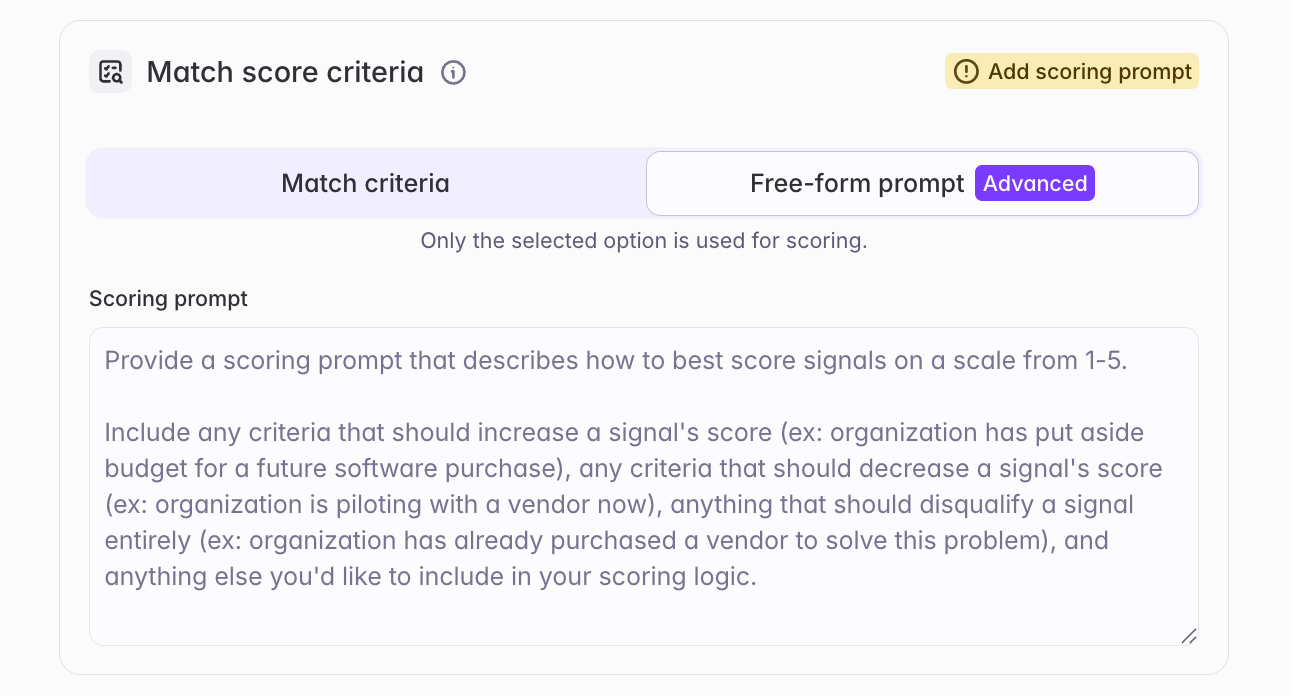
What builders experience
When configuring match score criteria, you’ll now see two options: Match criteria, the existing default experience, and Free-form prompt, tagged Advanced. Only the selected option is used for scoring - they aren’t combined. Reach for a free-form prompt when your scoring logic is more complicated than positive/negative criteria can express, or when you’re struggling to get the specificity you want out of the criteria approach. It gives you:- Explicit control over the score scale — define exactly what earns a 5 vs. a 4 vs. a 3, including calibration guidance and how to handle edge cases
- Customizable outputs — similar to an AI Analysis column, control how the match reasoning, summarized relevance, and document snippets are presented: length, level of detail, formatting, and focus
- More descriptive reasoning — match reasoning and summarized relevance tend to be richer and reference specific elements of your prompt, compared to positive/negative criteria