

Overview
Buyer Summary gives every rep a single, up-to-date briefing on each account the moment they need it - no manual research, no stitching together signals from across their bridges. It’s generated automatically from your bridge data and is available wherever reps work in Starbridge.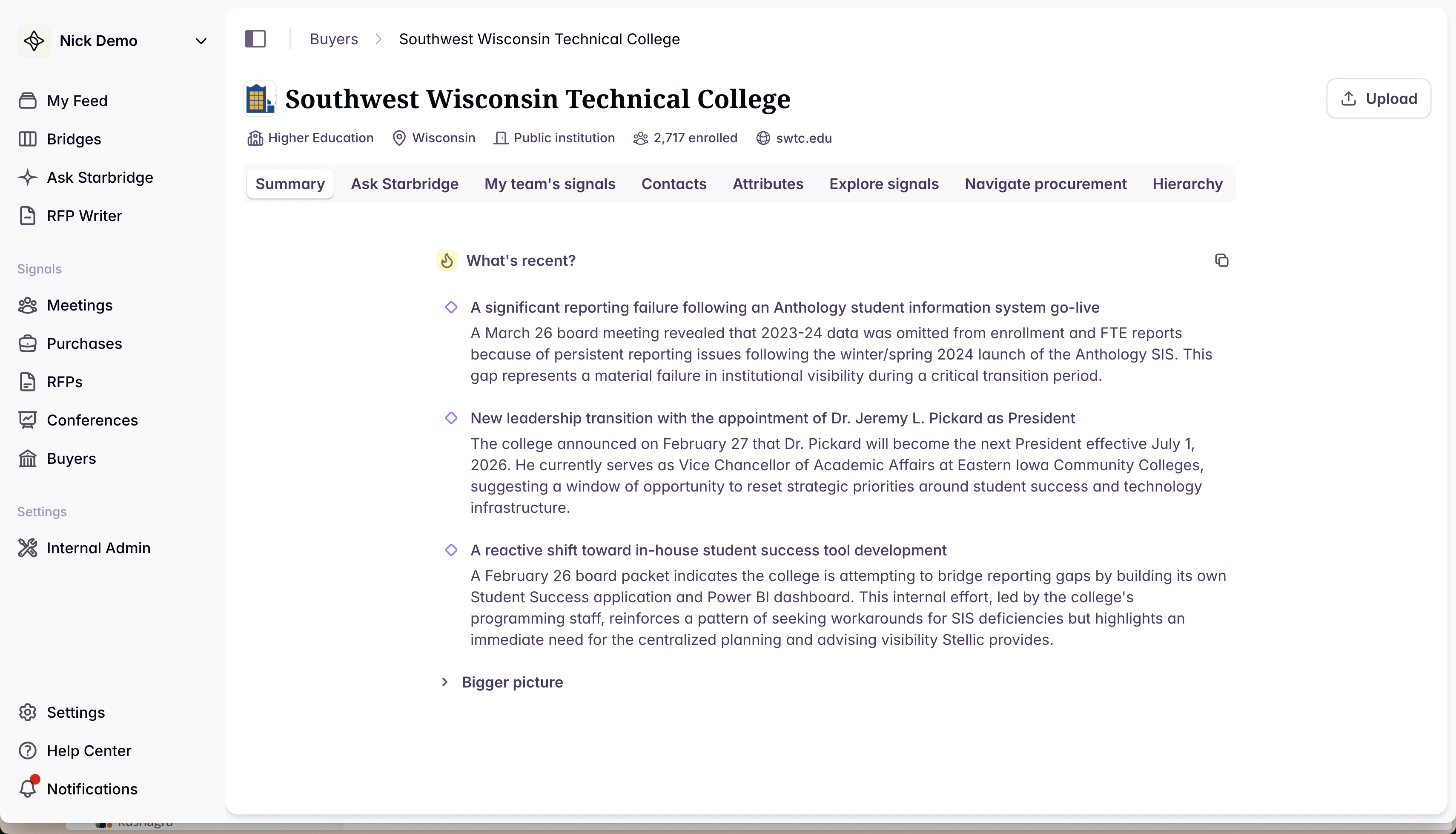
What your reps experience
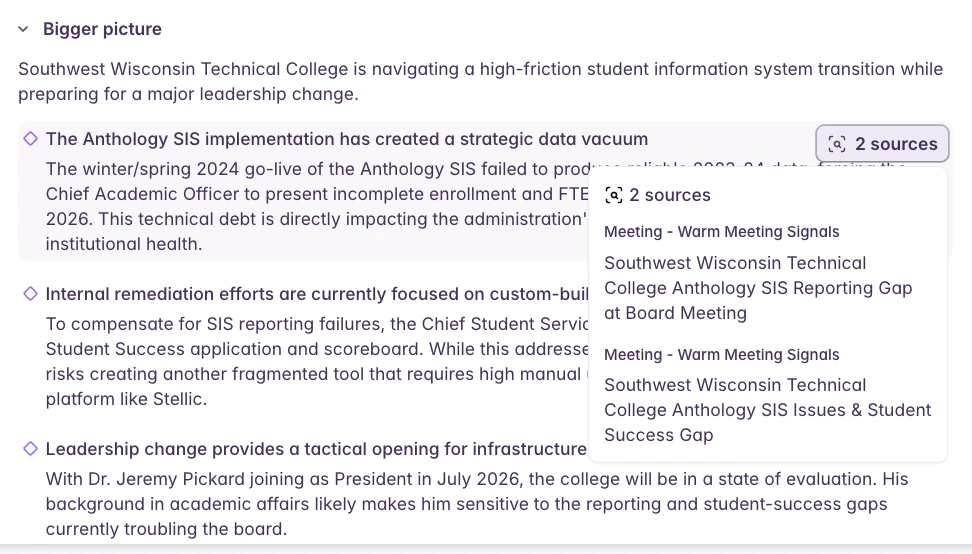
When a rep opens a buyer page, the Summary tab is the first thing they see. It generates in a few seconds and gives them a structured briefing organized into two layers:- What’s recent — the most consequential trends and signals from the past few weeks or months, always visible at a glance
- Bigger picture — deeper context on the account’s operating environment, initiatives, and competitive landscape
What builders experience
Buyer Summary is also available as an Add Column enrichment in any bridge. That means you can:- Sync it to your CRM — push a current account summary to a field on the Account object in Salesforce or HubSpot, so context travels with the record wherever your team works
- Use it as input to generated emails — give your outbound email columns richer account context, so personalization goes beyond a single signal
- Feed it into account scoring — use the summary as additional context when generating or refining account scores in your Buyer bridge
- Power any other AI Analysis column — because the summary captures what’s happening across all of a buyer’s bridges, it’s a useful input for any column that benefits from a holistic view of the account