Overview
You can now sync the lists of accounts you’ve already built in your CRM directly to Starbridge as buyer lists. Bridges built on that list stay current as accounts flow in and out. As a bonus, we’ve also redesigned the entire buyer list creation flow to make it easier and more intuitive for you to create lists of the buyers you care about.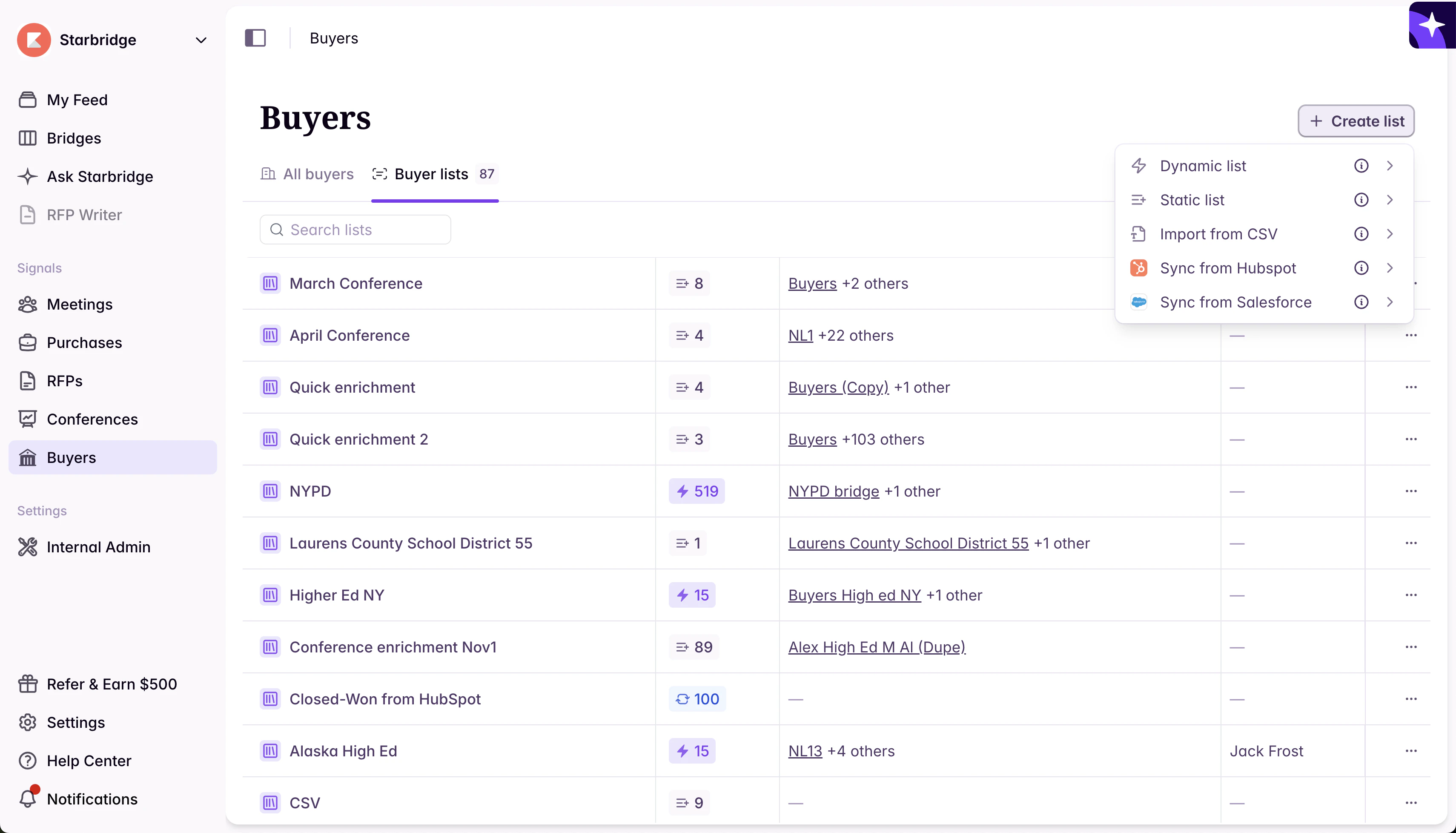
What builders experience
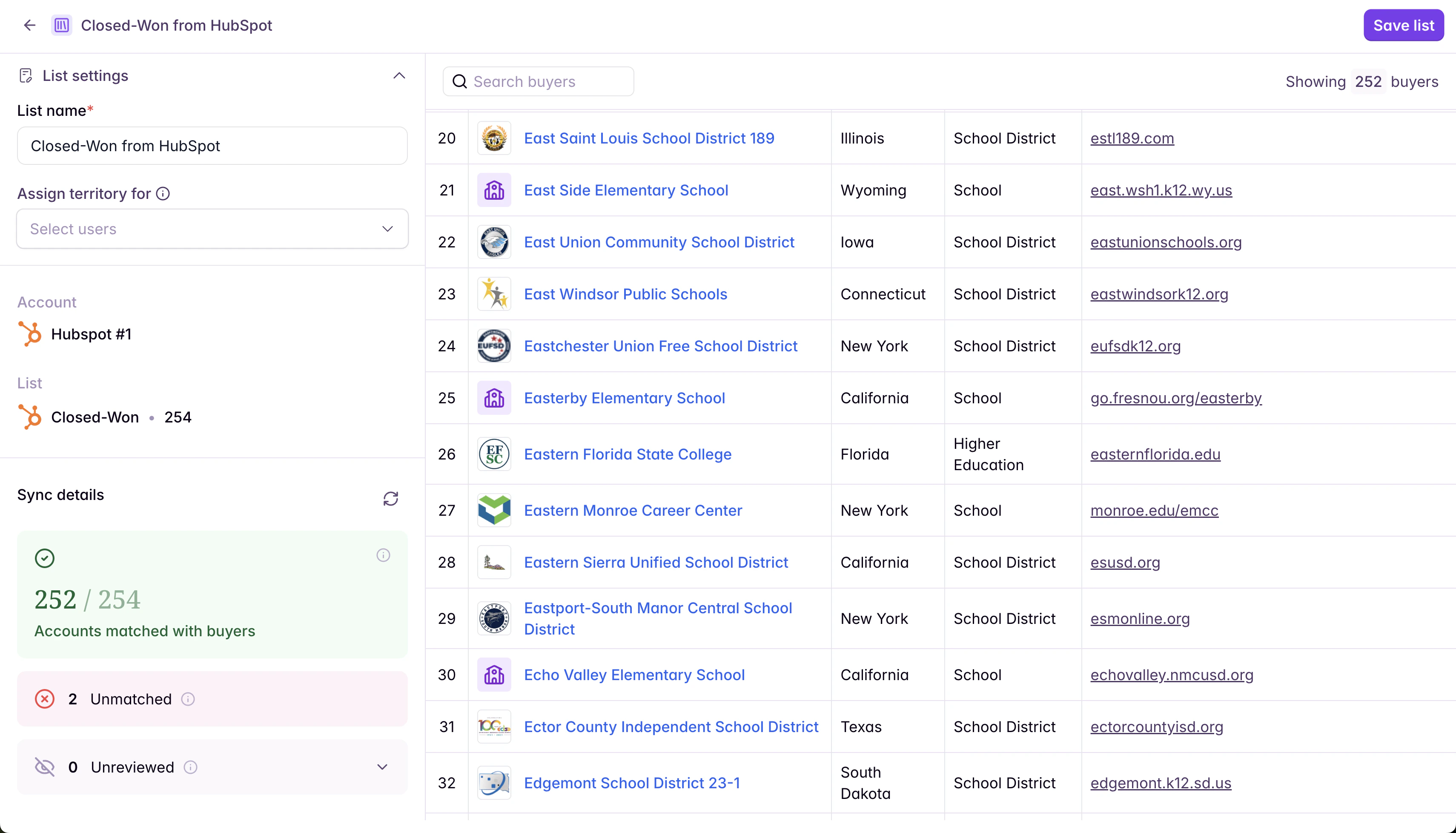
When creating a new buyer list, builders now see an option to Sync from Salesforce or HubSpot. Select your CRM integration, pick a Salesforce List View or HubSpot Segment (List), and Starbridge builds the buyer list from there. Once created, it works like any other buyer list - use it to create bridges or assign it as a user’s territory. When the accounts in your CRM list change, use a Resync button to bring Starbridge up to date. Imagine what this makes possible for how you build. A few examples:- Enrich new accounts as they enter your pipeline. Create a list of accounts that have just moved from marketing lead to active opportunity. Sync it to Starbridge and attach it to an enrichment bridge — Starbridge automatically enriches each new account with everything you’ve configured, ICP contacts included, and syncs the results back to your CRM. By the time a rep opens the account, the research is already done and multi-threading across ICP contacts is ready to start.
- Keep customer-facing teams current on their accounts. Create a list of your closed-won customers. Sync it to Starbridge and build a meetings bridge that tracks mentions of your company, products, and services. As open deals convert to customers, they flow into the list on re-sync — your Customer Success and Account Management team’s bridge stays current with no manual maintenance, and signal updates pipe directly back into the CRM.
- Build a living re-engagement motion for closed-lost accounts. Create a list of closed-lost accounts worth revisiting — filtered by deal size, loss reason, or time since close. Sync it to Starbridge and build a bridge to surface signals that timing has changed: new leadership, renewed budget cycles, procurement activity. When an account starts moving, your rep knows.
- Assign a tailored Starbridge experience to any role or motion. Have a rep focused on a specific segment, a marketer tracking a subset of your TAM, or a CSM managing a defined book of business? Create the list in your CRM, sync it to Starbridge, and assign it as their territory. Every signal, feed, and bridge in Starbridge filters to exactly the accounts they care about.
What admins experience
Admins see everything builders see, plus a few things specific to their role. When a CRM integration exists but you haven’t matched any of your accounts to Starbridge buyers, the Sync from Salesforce or HubSpot option is visible but disabled in the buyer list creation flow — the sync requires matched accounts to function. Admins can complete account matching at any time in Settings → Integrations → Account Matching. Read more here: Account Matching.