

What is Buyer Summary?
When a rep opens a buyer page or clicks into a signal from their feed, they shouldn’t have to manually piece together what’s happening at that account. Buyer Summary does that work for them: it reads across all bridge data tied to a buyer and generates a concise, cited briefing organized around what matters right now.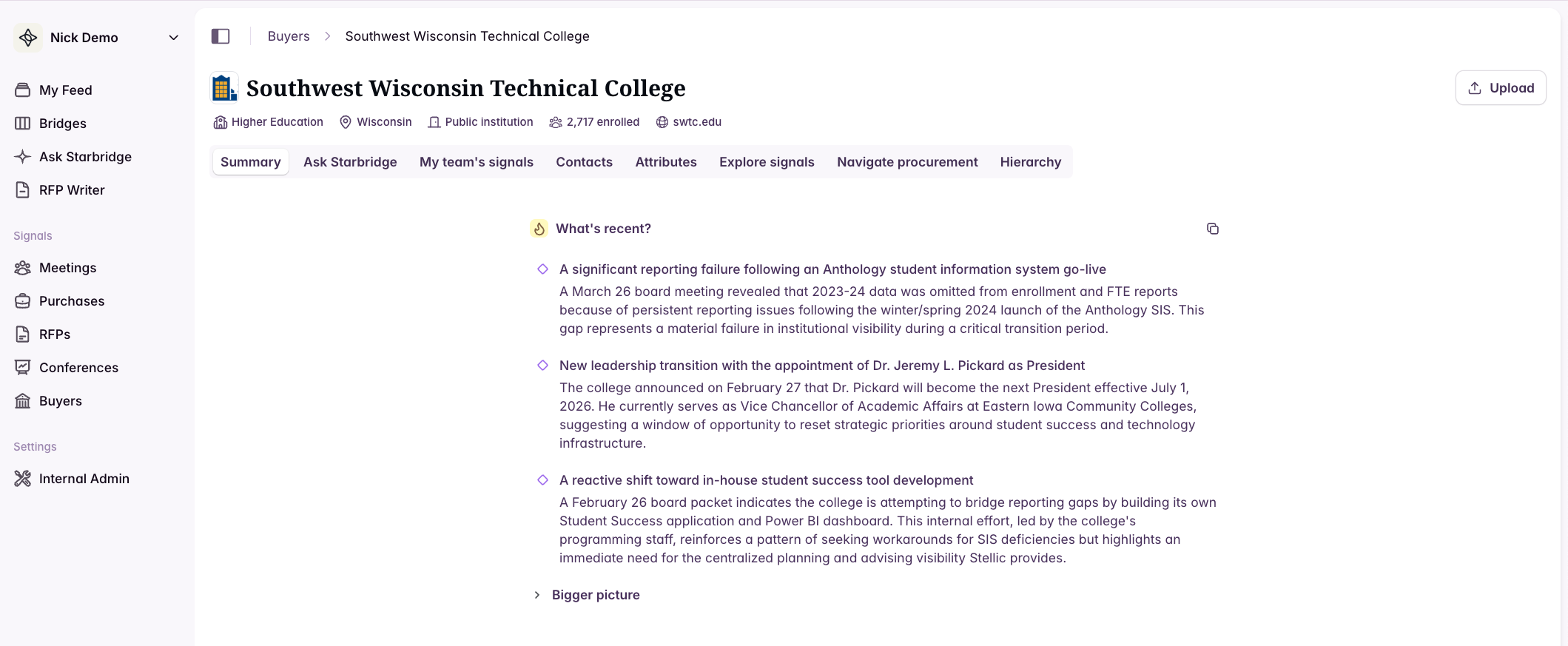
What’s in a Buyer Summary?
Each summary has two sections:What’s recent
Always visible. Two to four bullets covering the most consequential recent signals — board decisions, contract milestones, leadership transitions, emerging trends. This is what a rep needs to read before a call.Bigger picture
Deeper context on the account’s current initiatives, operating environment, competitive landscape, and procurement considerations. Expands on demand.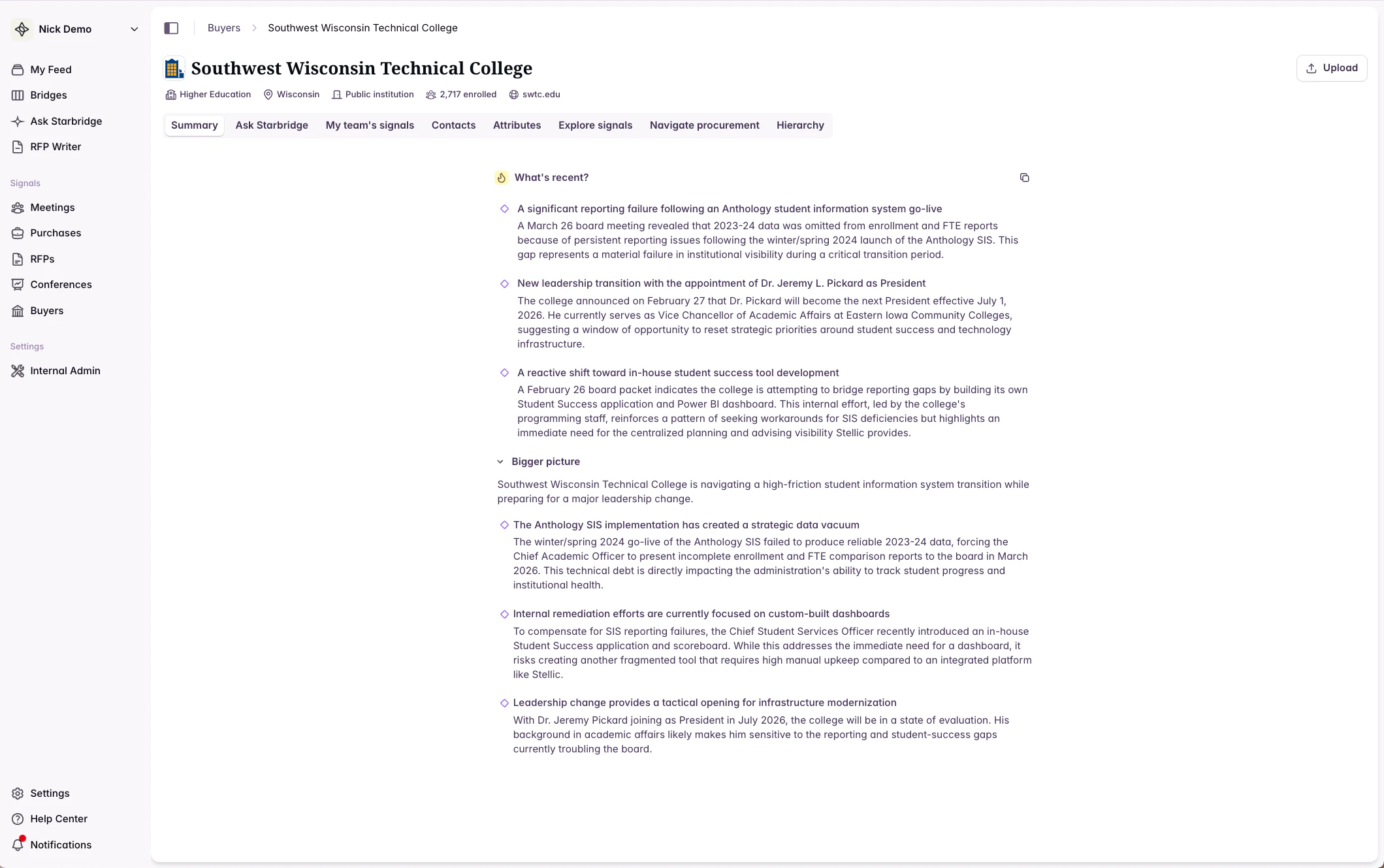
Citations
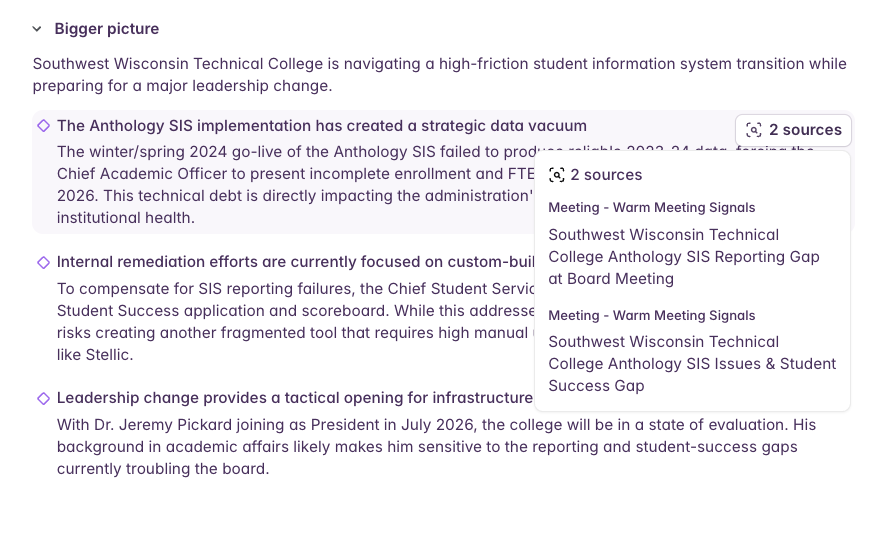
Every claim in a Buyer Summary is grounded in a specific bridge signal. Citations appear as dotted underlines on the relevant text.- Hover over a citation to see the source snippet inline
- Click a citation to open the original document, meeting transcript, or bridge entry
Where Buyer Summary appears
Buyer pages
The Summary tab is the first tab on every buyer page. It generates in a few seconds when the page loads.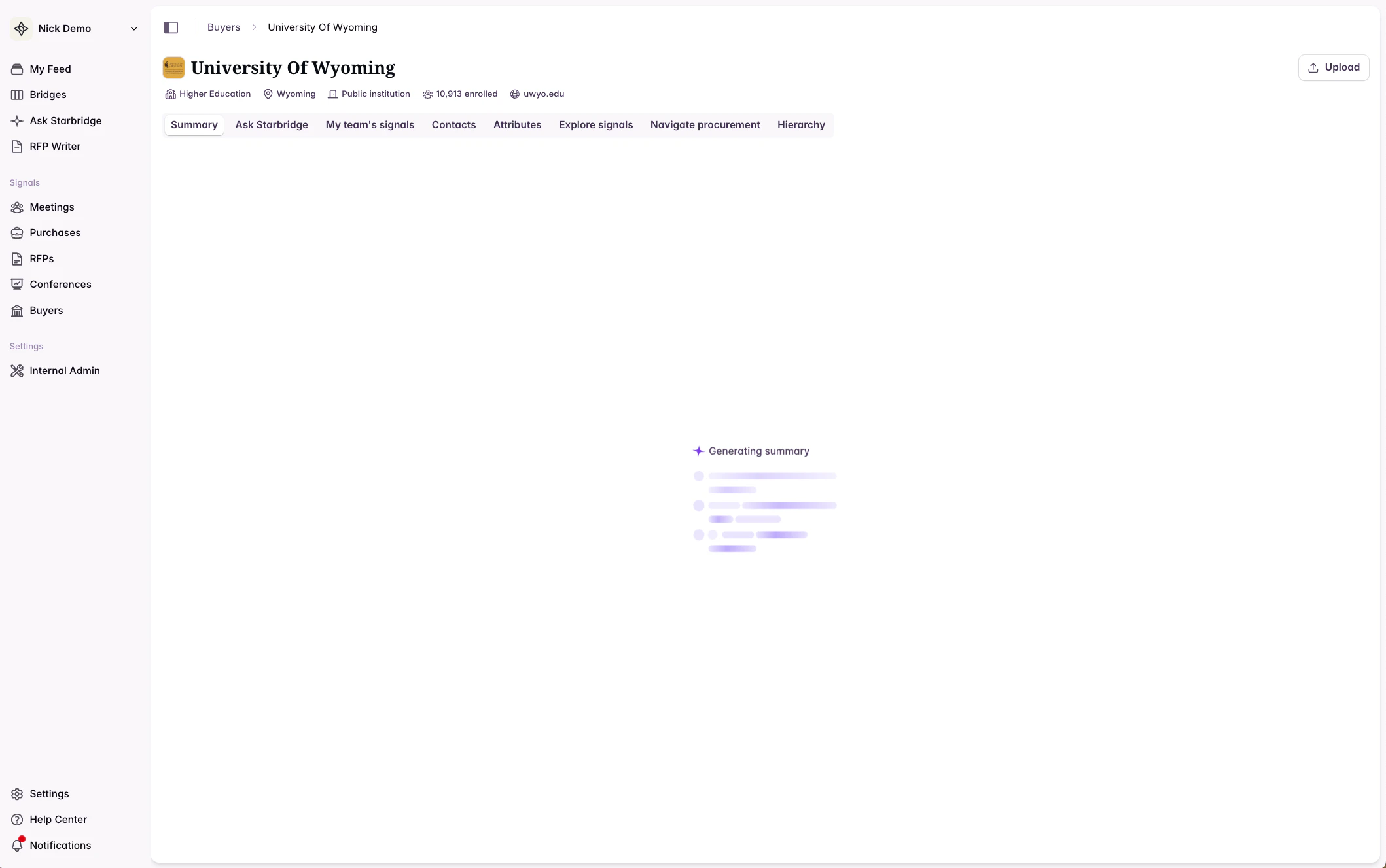
The feed
When a rep clicks into a signal from their home feed to review it, a Buyer Summary tab is available alongside the signal detail. This gives reps broader account context without leaving the feed workflow.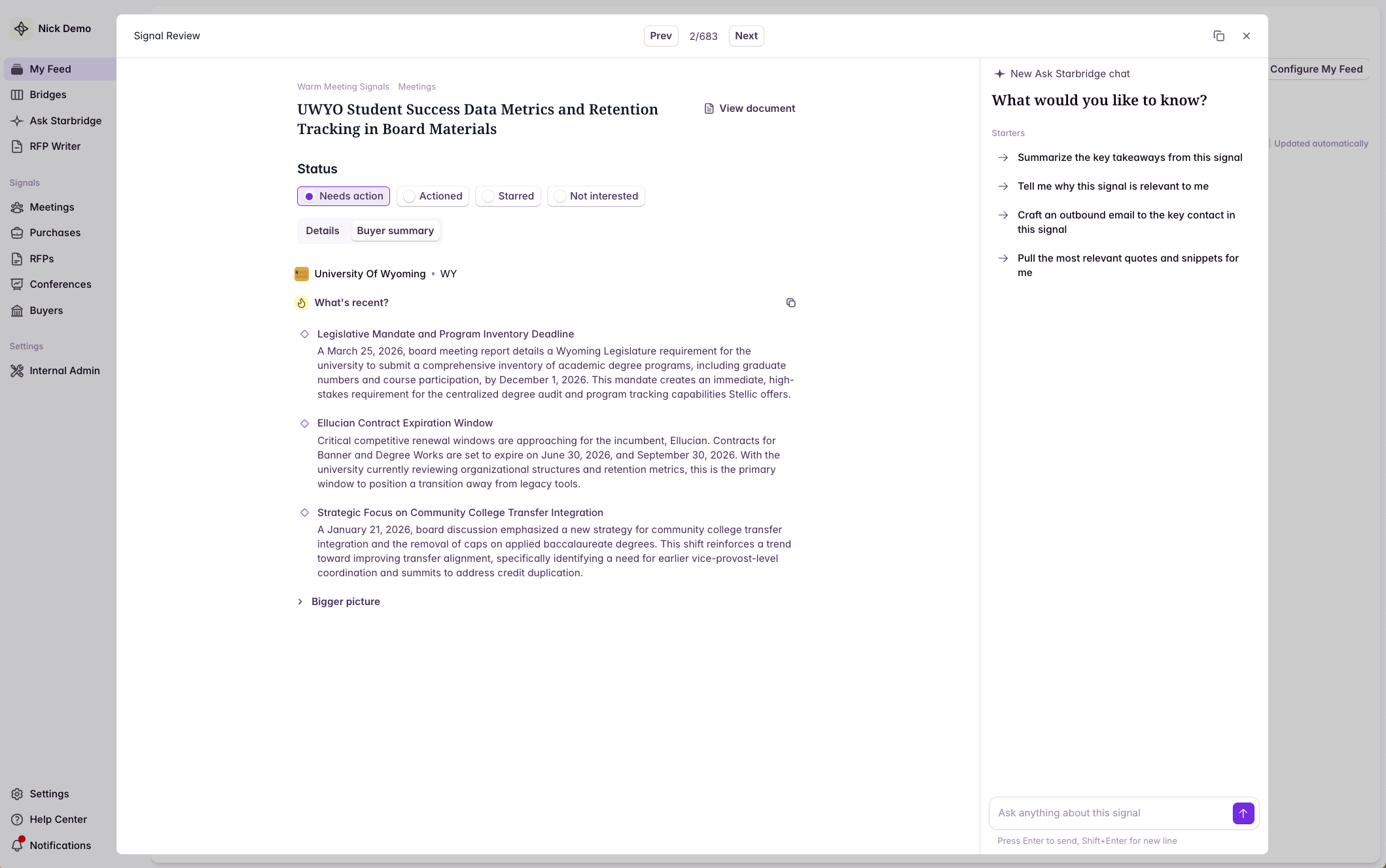
Using Buyer Summary in bridges
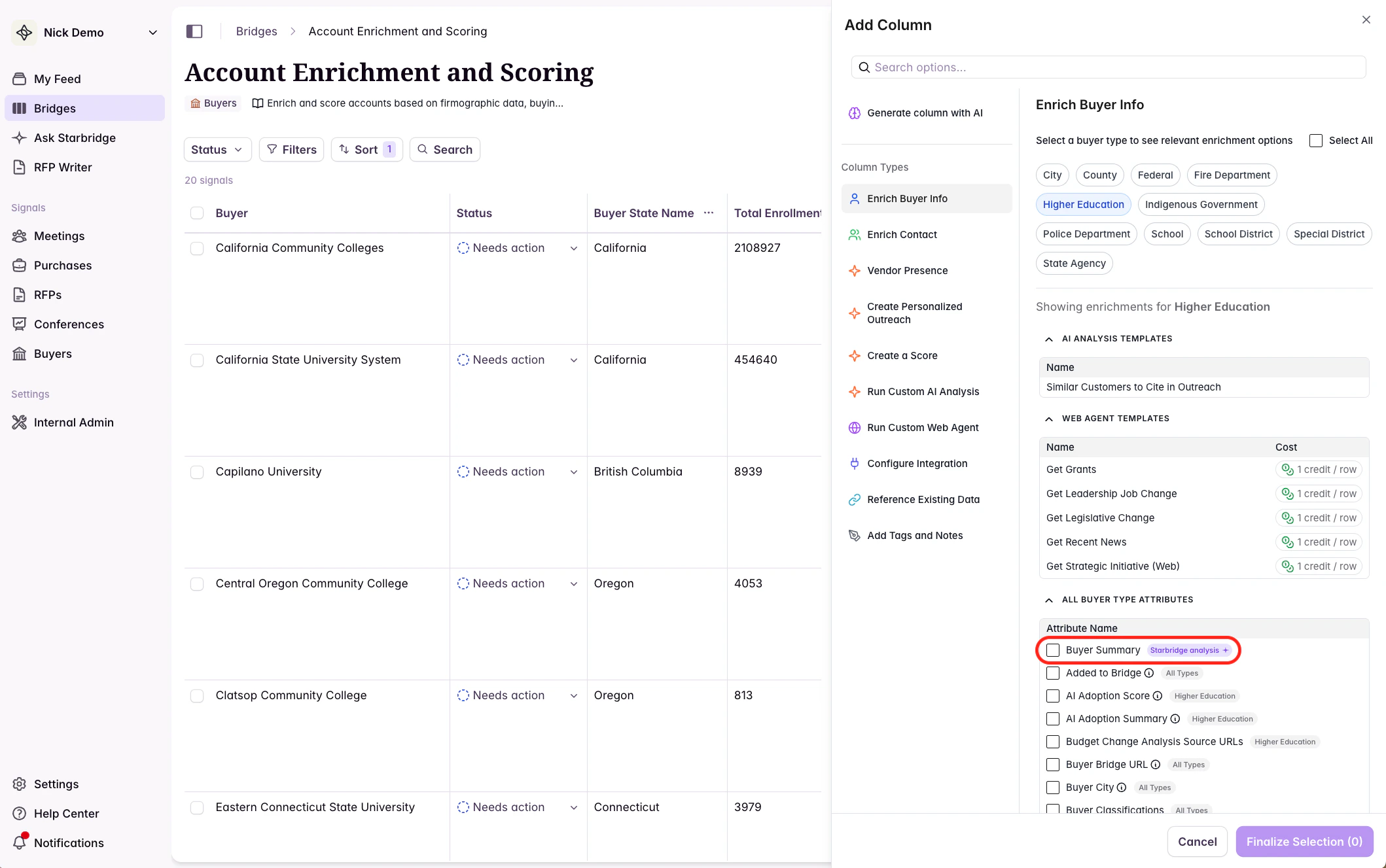
Buyer Summary is available as an Add Column enrichment in any bridge. This lets you extend the summary beyond the Starbridge UI and put it to work in your broader workflows. To add it:- Open any bridge
- Click Add Column
- Select Buyer Summary from the enrichment options
Sync to your CRM
Once added as a column, you can sync Buyer Summary to a field on the Account object in Salesforce or HubSpot. Reps get current account context directly in their CRM record — no need to log back into Starbridge before a call. See Salesforce + HubSpot for setup instructions.Use as input to generated emails
Buyer Summary gives outbound email columns a holistic view of the account — not just a single signal — so personalization can reflect what’s actually happening across all of a buyer’s bridges. See Craft Personalized Outbound Emails for examples.Feed into account scoring
Add Buyer Summary as context in your Buyer bridge to give your account scoring model a fuller picture of each account’s current state. See Account Scoring || Buyer Bridge for setup instructions.Use as input to any AI Analysis column
Because Buyer Summary synthesizes all bridge data for a buyer, it’s a useful input for any AI Analysis column that benefits from broader account context. See AI Analysis Example Prompts for ideas.How Buyer Summary is generated
Buyer Summary draws from all bridge data tied to a buyer, including:- All bridge entries linked to the buyer, dated within the past six months
- Account scoring data from the Buyer bridge, if present
Frequently Asked Questions
How long does it take to generate? A few seconds. A brief animation plays while it loads. Does it update automatically? Yes. The summary re-generates automatically whenever a rep looks at it in a buyer page or their feed. Outside of that, when added to a bridge, the summary re-generates on your specified cadence. What bridges does it draw from? All bridges that contain entries tied to the buyer. Entries markedNot interested are excluded.
Can I customize the prompt for the summary? Not currently. Reach out to your CSA if you have an use case in mind.
What if there’s not much bridge data for a buyer? The summary reflects what’s available. If a section can’t be meaningfully populated from the data, it will say so rather than speculate.
Questions? Reach out to your Customer Solutions Architect or contact support@starbridge.ai.