

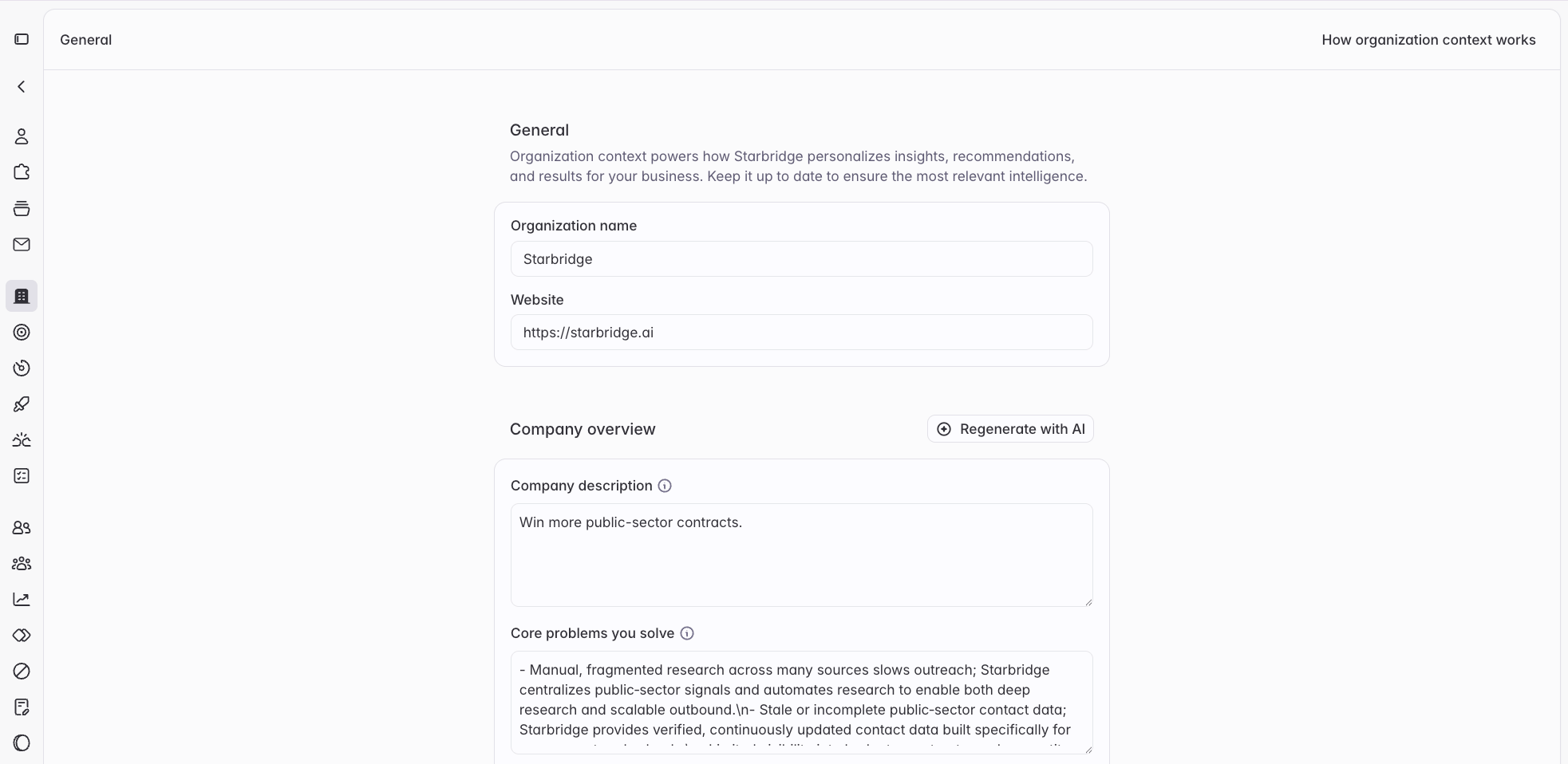
Only Admins can view and edit the Organization Profile. Navigate to Settings → Organization Profile to get started.
Why it matters
Every AI-powered feature in Starbridge uses your Organization Profile to contextualize its outputs. Concretely, that means:- Signals search & scoring - Starbridge scores buyer signals against what’s relevant for your business. If your ICP, competitors, or use cases are missing or wrong, signals get misfiled and buyers get mis-scored.
- Ask Starbridge & Slackbot - When you ask questions like “Who are our best-fit accounts in the mid-market?” or “Summarize why this account is a good fit,” the answer is grounded in your Organization Profile. Thin or inaccurate context produces generic answers.
- AI-generated columns - When you create a column with AI (e.g., “Does this account show signs of legacy infrastructure?”), the prompt is enriched with your company context so the output reflects your positioning, not a generic tech company’s.
- AI-generated emails and content - Starbridge-drafted emails and summaries reference your products, value props, and differentiators. Without accurate context here, generated content will read as off-brand or vague. Message generation preferences give you direct control over how that content is written.
Sections at a glance
The Organization Profile is organized into five main sections. Each field has an info tip explaining what to include — read them before filling in a section, especially for fields like “Core Problems We Solve” and “Product Experience & Value Narrative” that are easy to get wrong.Company & Product Overview
The foundational layer. This is where Starbridge learns what your company actually does.Customers & Competitors
This section anchors Starbridge’s understanding of your market — who you sell to, who you beat, and why you win.Customer Use Cases & Outcomes
This section helps Starbridge surface relevant signals and frame value in the context of what your customers actually achieve.Additional Information
An open-ended field for anything that doesn’t fit elsewhere — niche market context, regulatory environment, go-to-market nuances, etc. Leave it blank if you don’t have something specific to add; don’t pad it with generic information.Message generation preferences
Set this up if you are drafting emails or sequences in Starbridge.
Regenerating your profile
If you’ve made significant changes to your business and want to start fresh, you can regenerate your Organization Profile by clicking Generate with AI on the Organization Profile page.Keeping it accurate
Your Organization Profile should reflect how you’d describe your company to a new hire on their first day - specific enough to be useful, accurate enough to trust. A few situations that should prompt a review:- You’ve launched a new product or expanded into a new segment
- Your ICP or pricing has shifted
- You’ve entered (or exited) a competitive market
- You’ve accumulated a set of new reference customers worth naming
- Ask Starbridge answers are starting to feel off or overly generic
Frequently asked questions
Who can edit the Organization Profile?
Who can edit the Organization Profile?
Admins have access to view and edit the Organization Profile under Settings → Organization Profile.
How do I know if my Organization Profile is affecting my results?
How do I know if my Organization Profile is affecting my results?
The clearest signal is Ask Starbridge. Ask a question like “Why would a [your ICP] care about [your product]?” - if the answer is accurate and specific to your business, your profile is in good shape. If it’s generic or wrong, find the relevant section and update it.
Do I need to fill in every field?
Do I need to fill in every field?
No, but the more complete your profile, the better Starbridge’s outputs will be. At minimum, we recommend filling in Company Overview, Core Problems We Solve, Ideal Customer Profile, and Competitors & Incumbents before building your first Bridge.