

User roles
There are 3 user roles in Starbridge:Consumer
- View and action signals from shared Bridges
- Receive email digests
- Export Bridges as CSVs
- Use Ask Starbridge and Explore
- Full access to RFP actions
Builder
Everything a Consumer can, plus:
- Build, configure, and share Bridges
- Define buyer lists
- Access all Bridges in the org
Admin
Everything a Builder can, plus:
- Add/remove users and assign roles
- Create and manage teams
- Set up integrations, API keys, and SSO
- Configure Bridge credit limits and monitor usage
- Configure feeds on behalf of users
Add users
1
Open the Users settings
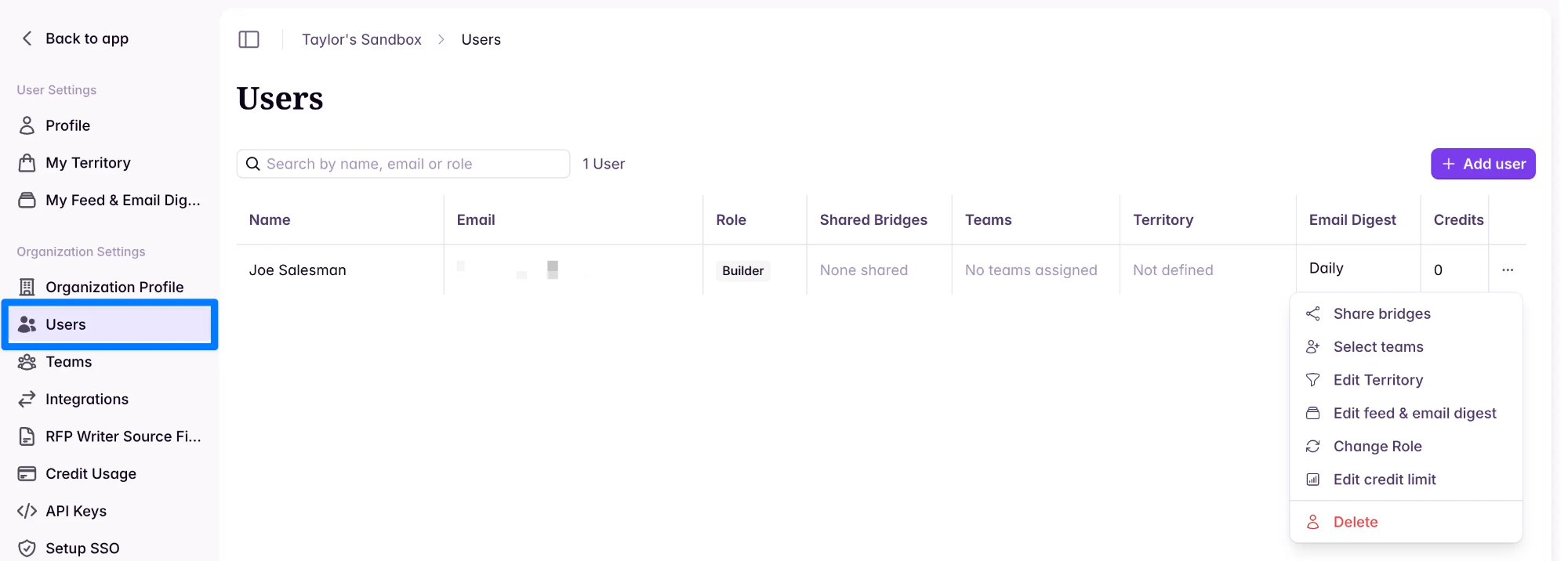
Go to Settings → Organization Settings → Users.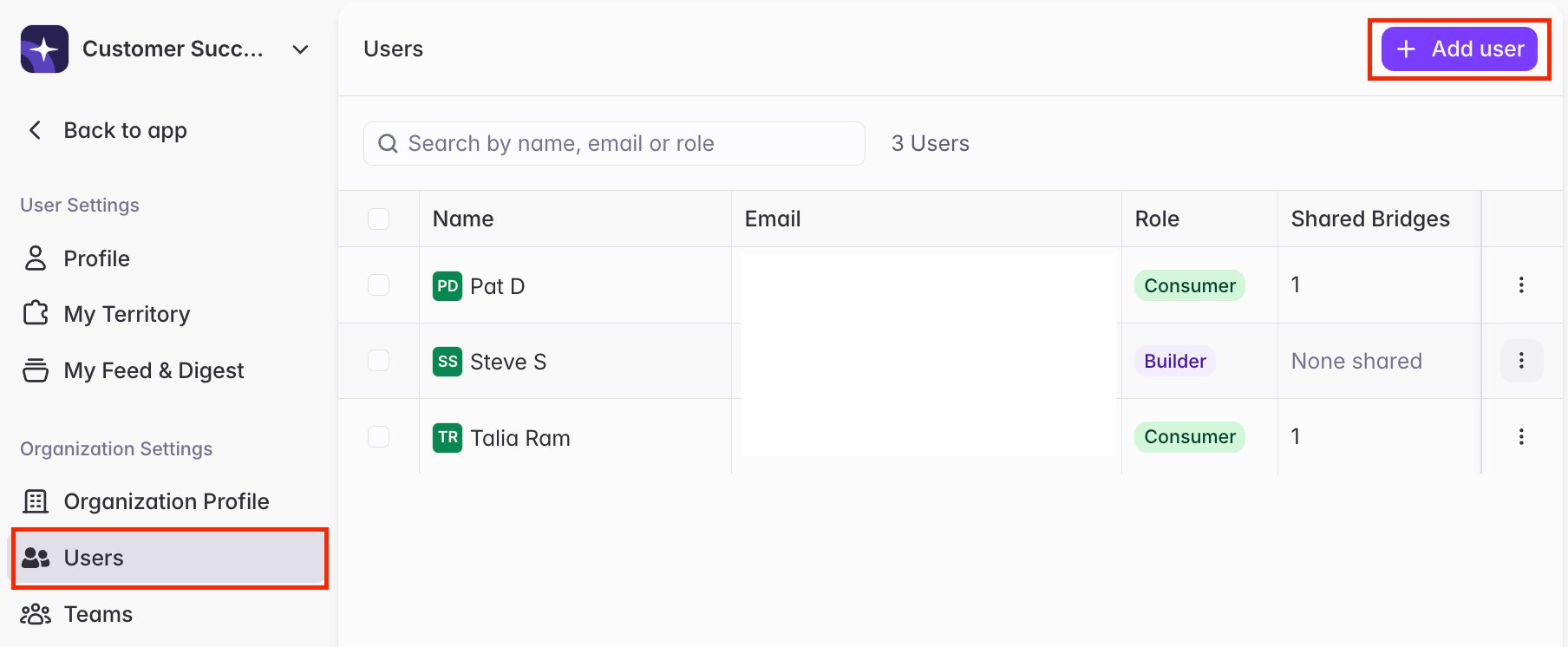
2
Invite a user and assign a role
Click + Add User, then specify the user’s Role.If + Add user is disabled, your organization has used all of its seats. See Seat limits.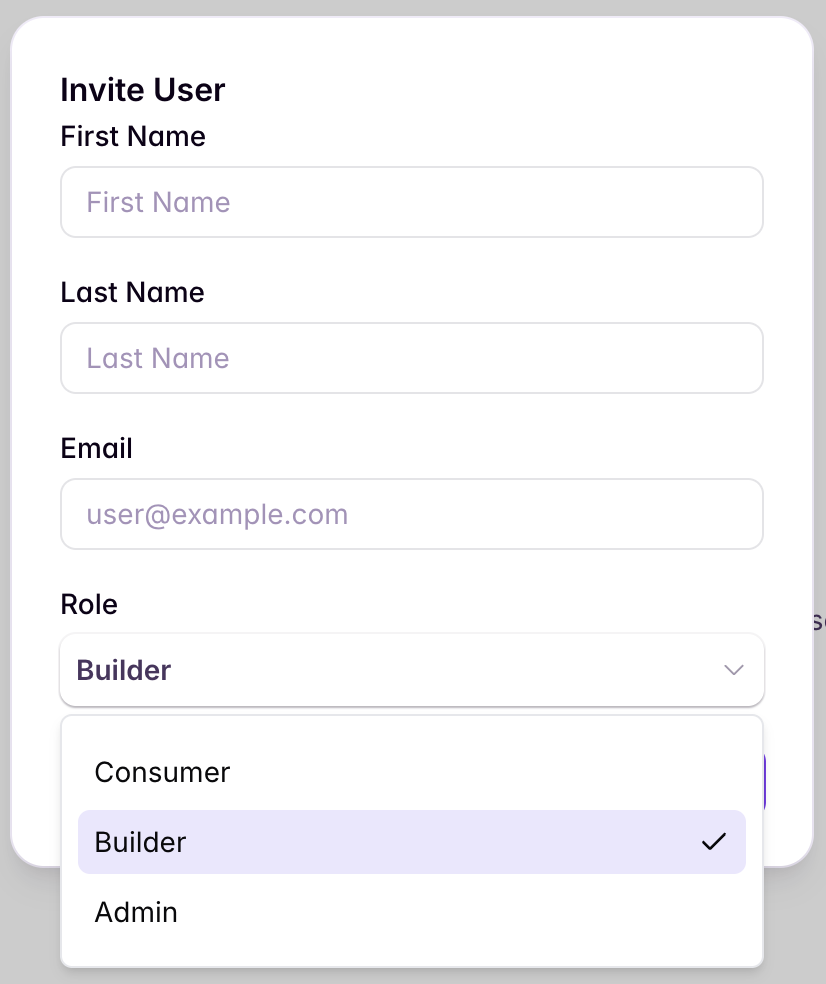
Seat limits
Your plan may include a set number of seats — the maximum number of users your organization can have. If it does, the Users page shows how many seats are in use next to the search bar, for example 12 users out of 15 seats.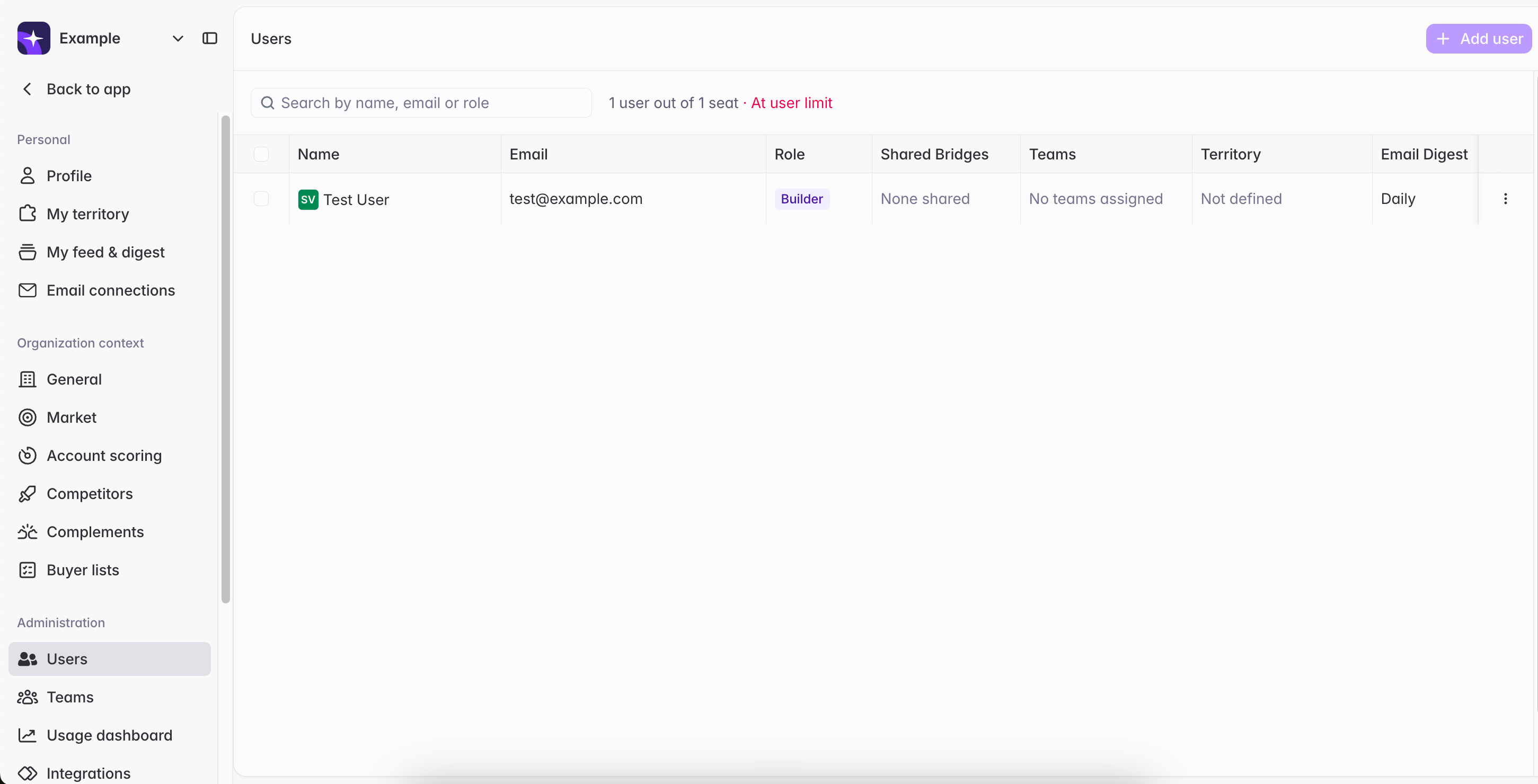
- Free up a seat — click the ⋯ menu next to a user → Delete user.
- Add more seats — reach out to your Starbridge contact or support@starbridge.ai.
Set up teams
Group users into teams so Bridges can be shared with everyone at once — all team members automatically get access to any Bridge shared with their team.1
Open Teams settings
Go to Settings → Teams.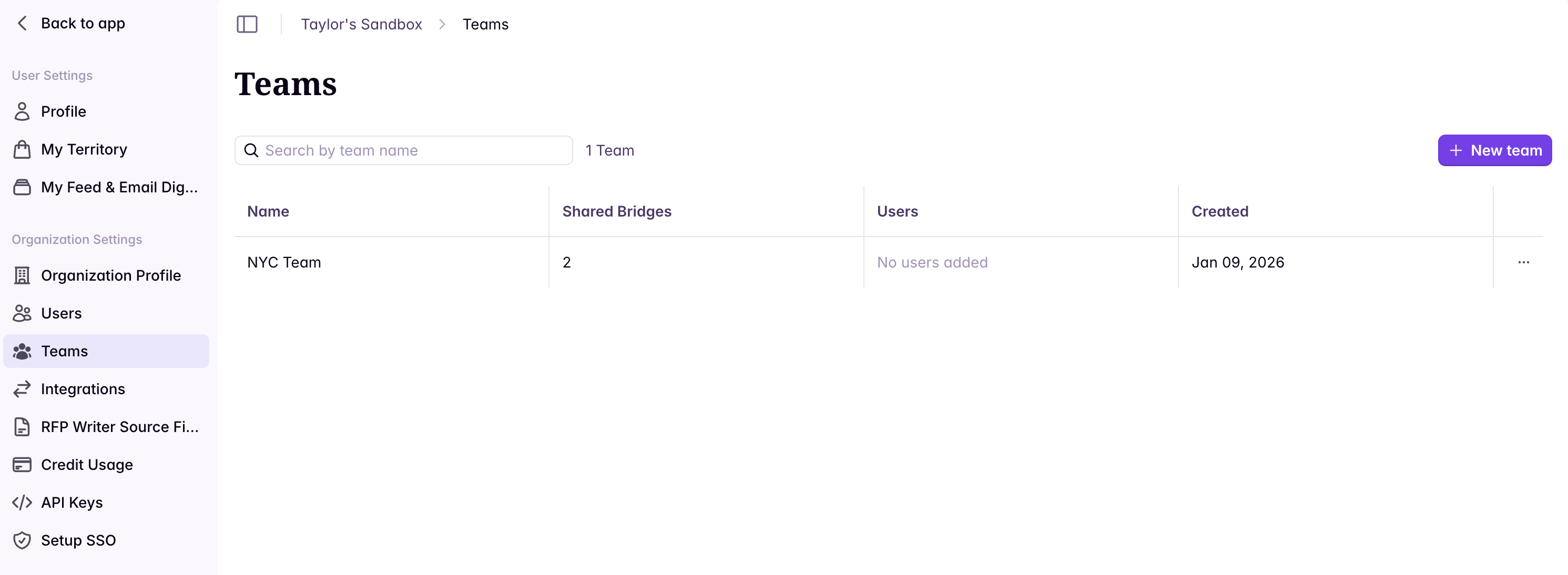
2
Create a new team
Click + New Team, then enter a team name and add users.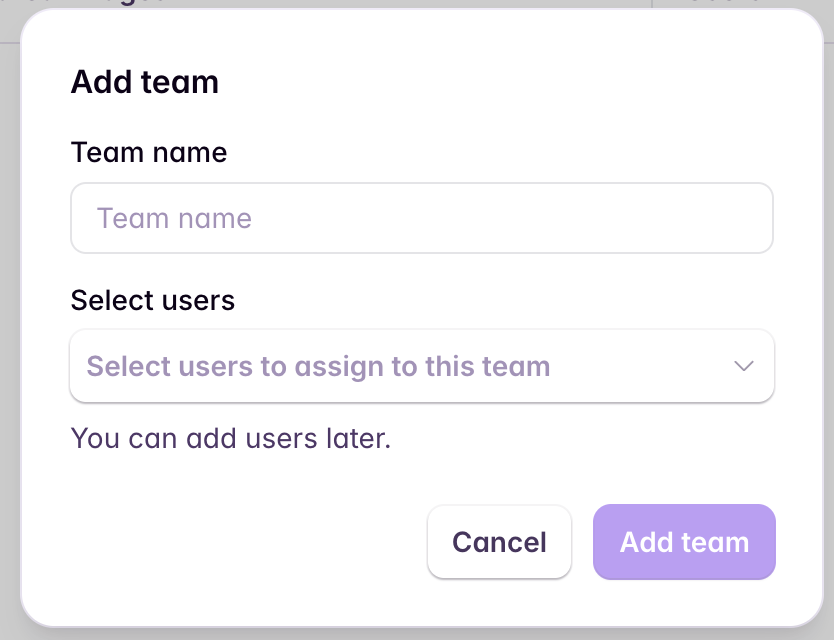
Configure a user’s feed
View and adjust any user’s Bridge subscriptions and email digest settings.1
Open the Users settings
Go to Settings → Organization Settings → Users.
2
Open feed configuration
Click the ⋯ menu next to a user → Configure feed and digest.
3
Adjust feed and digest settings
Toggle Bridges on or off and set the user’s email digest cadence (daily or weekly).
Log in as a user
Log in as any Builder or Consumer in your organization to see Starbridge exactly as they do. Use it to validate a user’s setup — confirm they’re subscribed to the right Bridges and getting the right digests after you configure their feed — or to troubleshoot an issue a user reports.1
Open the Users settings
Go to Settings → Organization Settings → Users.
2
Start a session as the user
Click the ⋯ menu next to the user → Log in as user. You’ll be taken into Starbridge acting as that user.
3
Return to your own account
Click Exit in the banner to end the session and return to your settings.
While you’re in a session, a banner at the top of the screen reads “You are signed in as [user’s name]” so it’s always clear whose account you’re acting in.
Related articles
Admin Video Walk through
See the full admin checklist demo’d in the platform.
Sharing Bridges with Consumers
Once users are set up, learn how to share Bridges with your team.