

Overview
Every other Bridge type in Starbridge searches a structured data source within Starbridge: board meetings, RFPs, purchase orders, conferences. The Custom Web Signals Bridge is different. It lets you define the signal yourself - asking Starbridge to search the open web for any information you want to track across your buyers. Use it when the signal you’re looking for doesn’t fit a standard bridge type: a leadership change in a specific role, a state-level policy update, a newly announced grant, a funding reallocation. If you can describe it in a prompt, Starbridge can search for it.Custom Web Signals Bridges cost 1 credit per buyer searched each time the Bridge runs. See How Do Credits Work? for more detail.
Building your Bridge
The Custom Web Signals Bridge does not use the natural language Search Agent flow. There are no search phrases, match score criteria, or preview to calibrate. Setup is three steps: define who to search over, describe what to search for, and set how often to repeat.1
Choose your buyer list
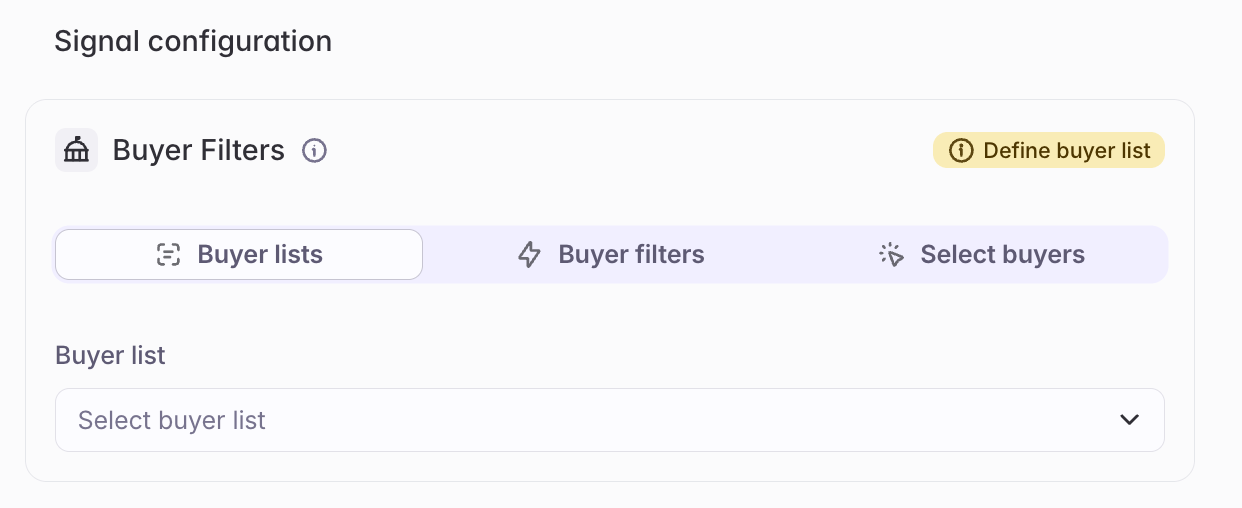
Select the buyer list that defines which accounts Starbridge should search over. This is the most important scoping decision - every buyer in the list will be searched, and credits are consumed per buyer.Start with the narrowest list that covers your target segment. If you don’t have the right buyer list yet, create one first - see How to Create a Buyer List.
2
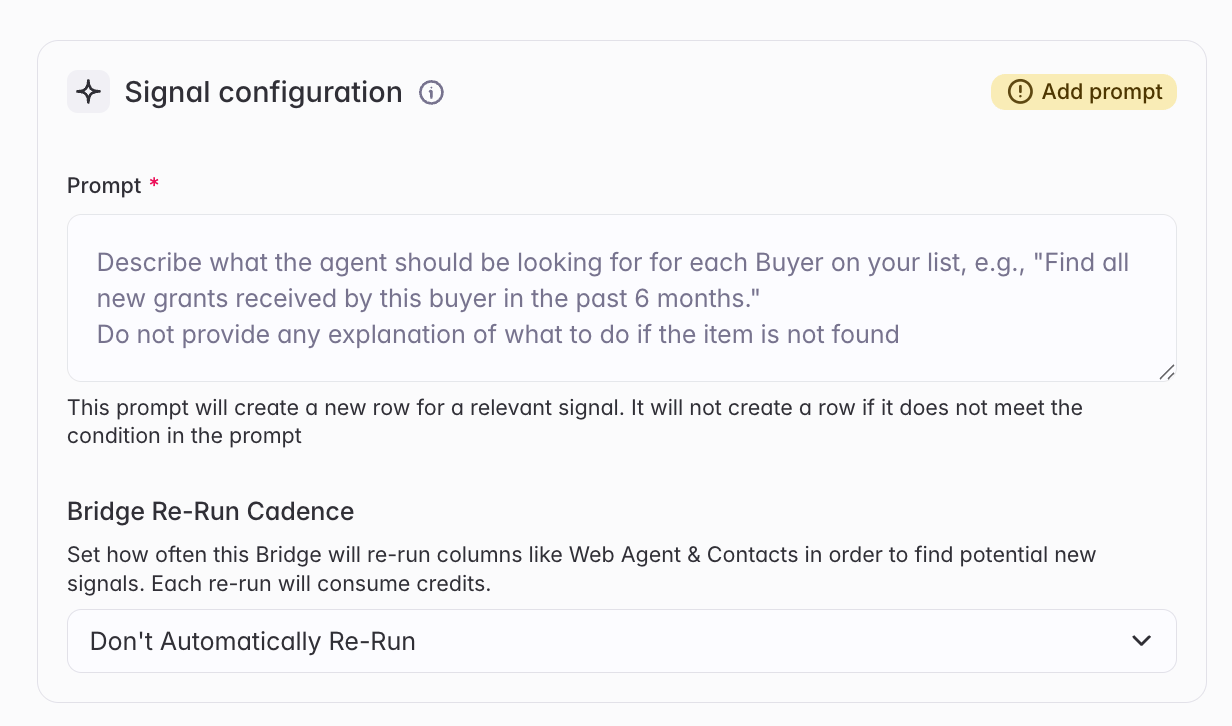
Write your prompt
3
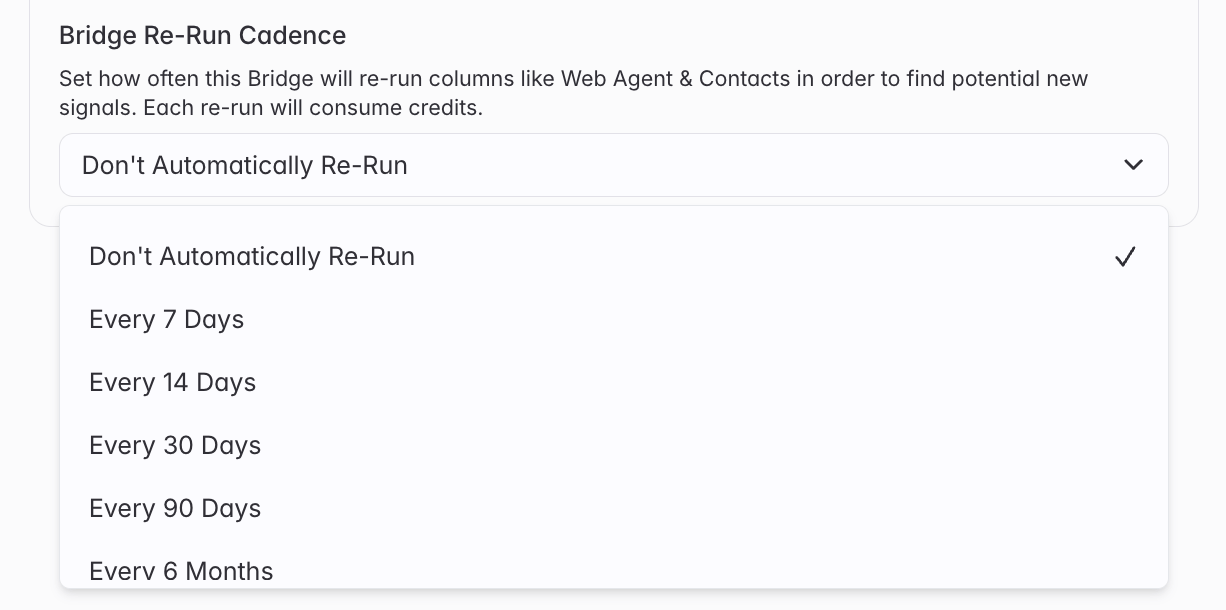
Set a re-run cadence
Writing a good prompt
The prompt is everything. It defines what Starbridge searches for on the web, how it evaluates what it finds, and what it surfaces as a result. A well-written prompt produces a clean, actionable signal. A poorly written one produces noise, gaps, or nothing at all.What to include
A strong prompt has two elements: what to look for and a time window to search within. The time window is critical - without it, Starbridge has no basis to filter out stale results and may surface things that happened years ago. Always specify a recency constraint (“in the last 3 months”, “within the last 6 months”, etc.) that matches how often your Bridge re-runs.What to avoid
Don't redefine the buyers in your prompt
Don't redefine the buyers in your prompt
Your buyer list already tells Starbridge who to search over. Don’t repeat that definition in the prompt — it adds noise and can confuse the search.Instead of:
“Search across K–12 school districts in California for any state or federal grants awarded in the last 6 months that could fund curriculum software…”Write:
“Search for any state or federal grants awarded in the last 6 months that could fund curriculum software purchases.”Starbridge will apply this prompt to each buyer in your list automatically.
Always include a time period
Always include a time period
Without a time constraint, results have no freshness filter and the signal loses its value as something to act on now.Instead of:
“Find any grants awarded to this district.”Write:
“Find any grants awarded to this district in the last 6 months.”Match the time window to your re-run cadence — a weekly bridge should search “in the last 7 days” or “in the last 2 weeks”; a monthly bridge can go back further.
Keep prompts simple
Keep prompts simple
More complexity in a prompt does not mean better results. Overly detailed instructions - multiple layered conditions, long exclusion lists, complex if-then logic - tend to narrow the search too aggressively and produce fewer results than expected.Write the core question clearly and concisely. If you find the results are too broad after reviewing, add one clarifying constraint at a time rather than front-loading every condition you can think of.
Example prompts
The following are ready-to-use prompt templates for common Custom Web Signals Bridge use cases. Replace the bracketed placeholders with your specifics.State-level grants open for application
State-level grants open for application
“Your task is to search across U.S. state government websites, departments of education, and official grants portals to identify announced funding opportunities that school districts can apply for. Limit searches over the last 6 months. The goal is to find grants that could fund [YOUR PRODUCT LINES]. Scope of grants to prioritize: [GRANT TYPES] Eligibility: [RESTRICTIONS ON RELEVANCE]”Useful for surfacing grant funding that buyers could use to purchase your product — before the application window closes.
Grants received (recent awards)
Grants received (recent awards)
“Your task is to search across school district websites, board meeting agendas/minutes, press releases, and local education news to identify cases where school districts have already been awarded state or federal grants or special funding allocations in the last 6 months. The goal is to surface districts that now have available funds that could be applied toward [YOUR PRODUCT LINES]. Priority focus (in order): [PRIORITY GRANT TYPES]”Different from the grants-open prompt — this one finds buyers who have already secured funding and now have budget to spend.
Funding changes (increases, cuts, reallocations)
Funding changes (increases, cuts, reallocations)
“Check if there is any recent news (within the last 6 months) about changes to state-level funding. Focus on funding increases, decreases, or reallocations that could affect [YOUR PRODUCTS/GOALS]. When analyzing, consider: 1) Funding cuts may signal budget pressure that leads districts to freeze purchases. 2) Surplus funding or increases may create opportunities to expand. Check sources such as: state Department of Education budget releases, legislative updates on education funding bills, trusted local/state news outlets, and governor’s office press releases.”
Policy and regulatory updates
Policy and regulatory updates
“Analyze the official website and publicly linked government sources of this state or state education agency. Focus on discussions, policy changes, guidance, or regulatory updates concerning [TOPIC] within the past 3 months. Objective: identify high-relevance, official state-level signals that reflect new or proposed policies or regulations governing [TOPIC].”Useful for tracking regulatory tailwinds or headwinds that affect your buyers’ purchasing decisions — AI policy, accessibility mandates, data privacy requirements, and similar.
Related articles
Custom Web Signals Bridges fill gaps that structured signal sources can’t cover. Combine them with signal-based Bridges for a complete view of your buyers.Meetings Bridge
Track buying signals in board meetings and strategic plans — the earliest indicator that a buyer is moving toward a purchase.
RFP Bridge
Monitor active procurement opportunities across your buyer list as they’re published.
Purchases Bridge
Surface expiring contracts and spend patterns across your target accounts.
Buyer Bridge
Enrich, score, and activate your target account list — and sync key fields to your CRM.