

Overview
Account matching — the process of mapping your CRM accounts to Starbridge buyers — is the foundation that supports every Starbridge feature that touches your CRM: territories synced from your CRM; lists of accounts synced from Salesforce or HubSpot; and account and contact lookups and syncs. This release is a significant investment in our integration to Salesforce and HubSpot. An overhauled account matching experience now guides admins through a structured account mapping flow that leverages Starbridge’s intelligent AI matching to identify right public entity for each of your CRM accounts, and automatically detects and resolves duplicate accounts in your CRM.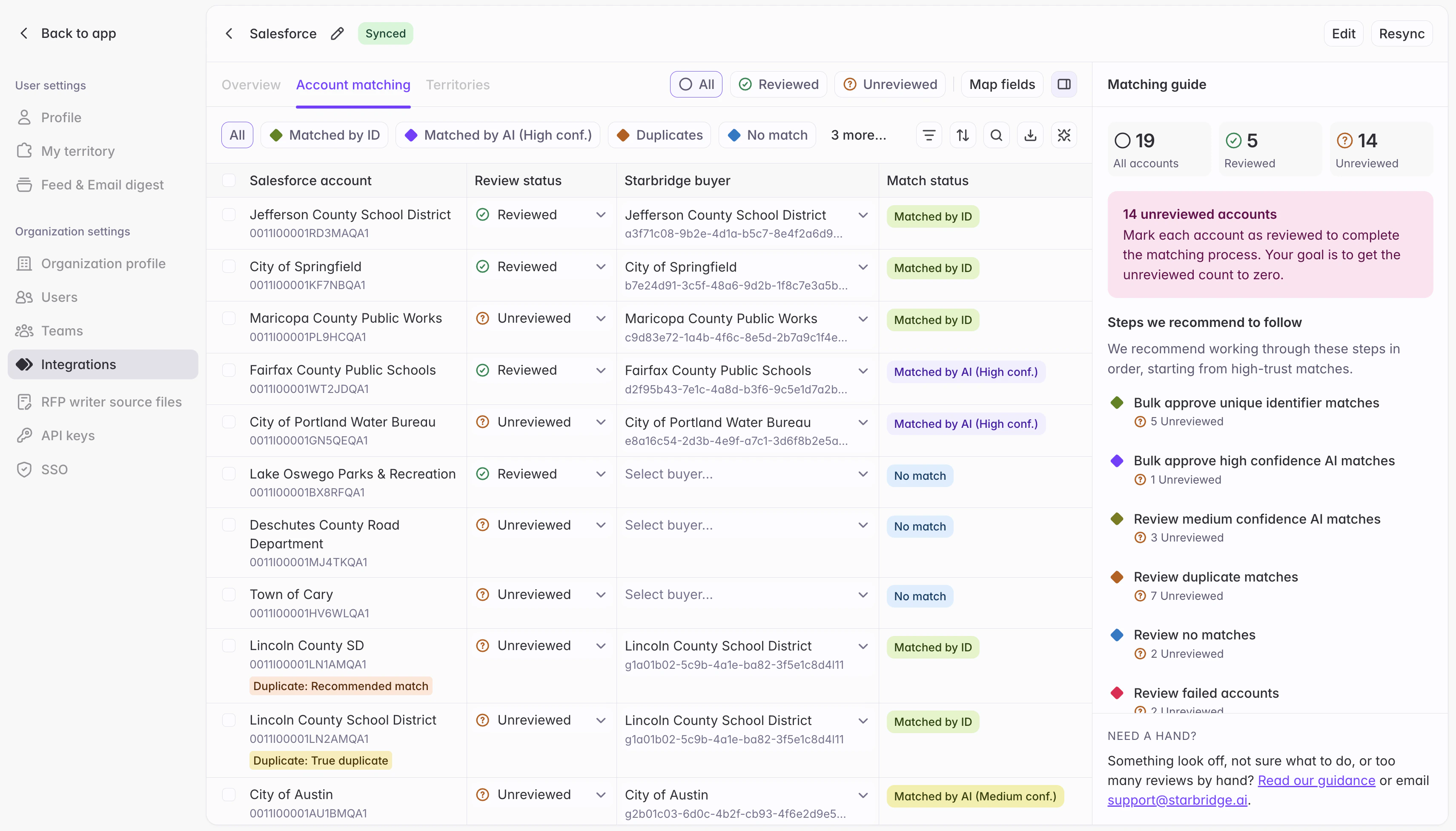
What admins experience
A guided review flow. After Starbridge runs an initial AI matching, the page organizes results into cohorts — Matched by unique ID, Matched by AI, Duplicates, and No match — and recommends where to start based on what needs review. Each cohort has recommended actions: bulk-approve after a quick scroll, fix individual rows inline and then approve the rest, or resolve with Starbridge’s new duplicate account resolution feature. Duplicate resolution, now in Starbridge. Resolving duplicate accounts used to require an offline Python script, Excel workbook, or Claude workflow. That process is now fully native to Starbridge. Clean up duplicate accounts in your CRM: after matching your accounts to its database of public sector entities, Starbridge automatically sub-classifies every set of duplicate accounts using name similarity scoring, domain/URL comparison, and LLM-based classification. Each account in a set of duplicates is labeled one of three ways:- Recommended match — the account Starbridge identifies as the best fit for the Starbridge public sector entity. At most one per group.
- True duplicate — represents the same public sector entity. Starbridge’s recommendation: merge these into a single account record in your CRM.
- Hierarchy child — a distinct sub-entity (a department, foundation, campus, or financing authority) that Starbridge models as part of the parent buyer. Starbridge’s recommendation: model these as child accounts of a parent account in your CRM.