

Overview
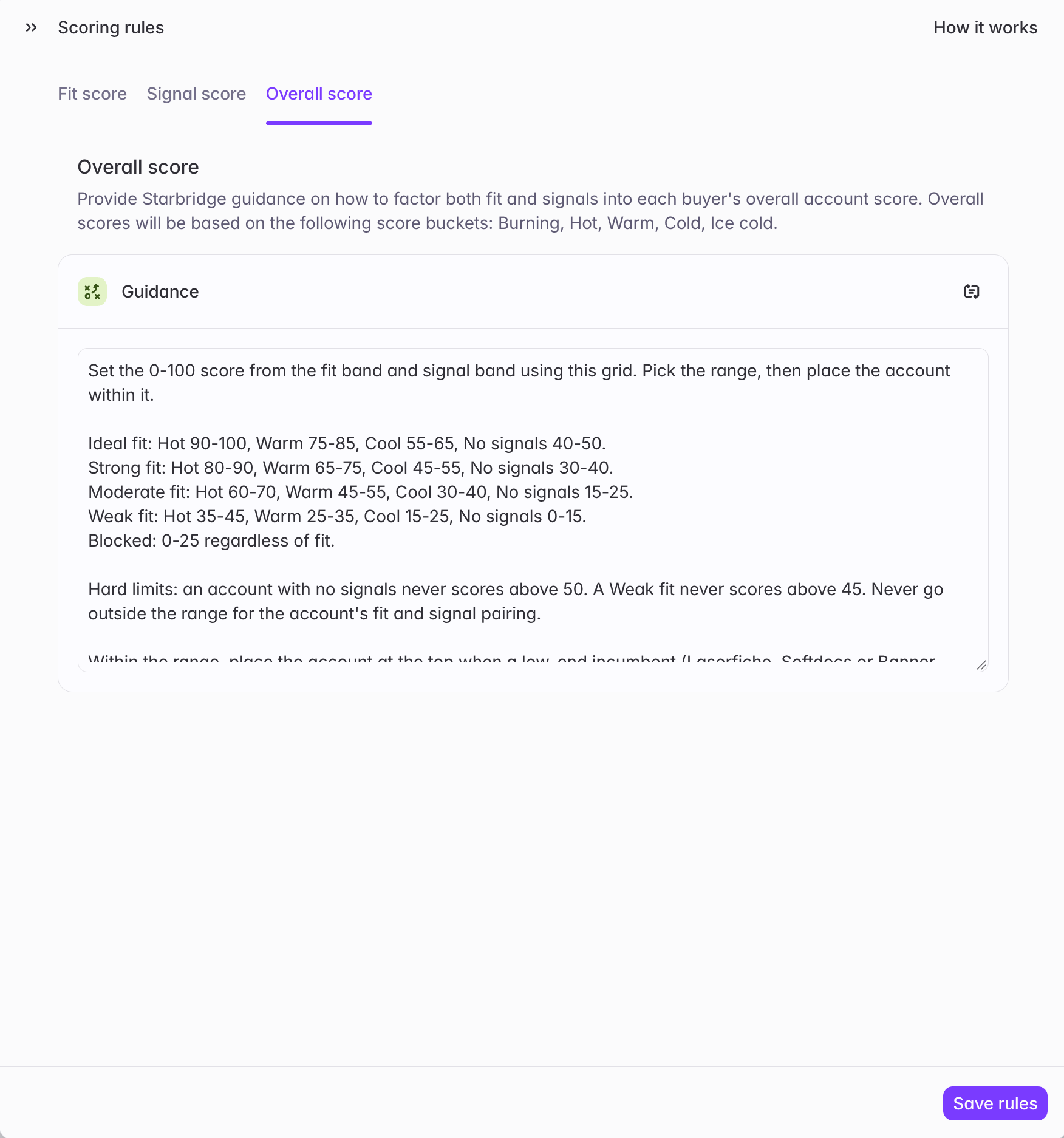
You could already decide what makes a strong Fit attribute and a strong buying signal. Now you can also decide how those two combine. Every account score is built from a Fit score and a Signal score, and the Overall score prompt that blends them into one 1–100 score is now editable. That means you can tailor your scoring logic to how your team actually prioritizes accounts. For example, you might want fit to carry more weight than signals, so your best-fit accounts stay at the top even when they’re quiet. Or you might want a hot signal to lift an account further, even when its fit is only moderate. Write that into the Overall score prompt, re-run scoring, and your scores follow it. Only the logic changes. Scores still use the same 1–100 scale and the same bands you see today (Burning, Hot, Warm, Cold, and Ice cold), so your team reads them the same way on the feed, buyer pages, and Buyers views.What admins experience
Account scoring is configured in Scoring rules on your Account Scoring bridge, which is now organized into three tabs:- Fit score: describe what a strong fit looks like for each Fit attribute. Use Add attribute to add one, or × to remove one from the score.
- Signal score: each signal type now comes with the default prompt Starbridge uses to score it already filled in. Keep it, or edit it to match what a strong signal means for your business.
- Overall score: the default Guidance prompt Starbridge uses to combine Fit and Signals. Edit it to change how much weight each one carries and how they interact. For example, you can map each fit and signal pairing to a score range, or set hard limits such as “an account with no signals never scores above 50.”