Sequences For Reps
Reps can now place individual contacts into sequences from anywhere in Starbridge, and generate a fully personalized sequence from scratch for any contact, leveraging all the intelligence and data Starbridge has to offer. Most teams run two outbound motions. Scaled plays go out to hundreds or thousands of accounts. Surgical outreach is performed by reps in their day-to-day workflow: working through a list of prioritized accounts, finding the right contacts to outbound and multithread. The Sequences beta launched with the first type of sequence: scaled plays. This release adds the second: sequences for reps.

What your reps can do now

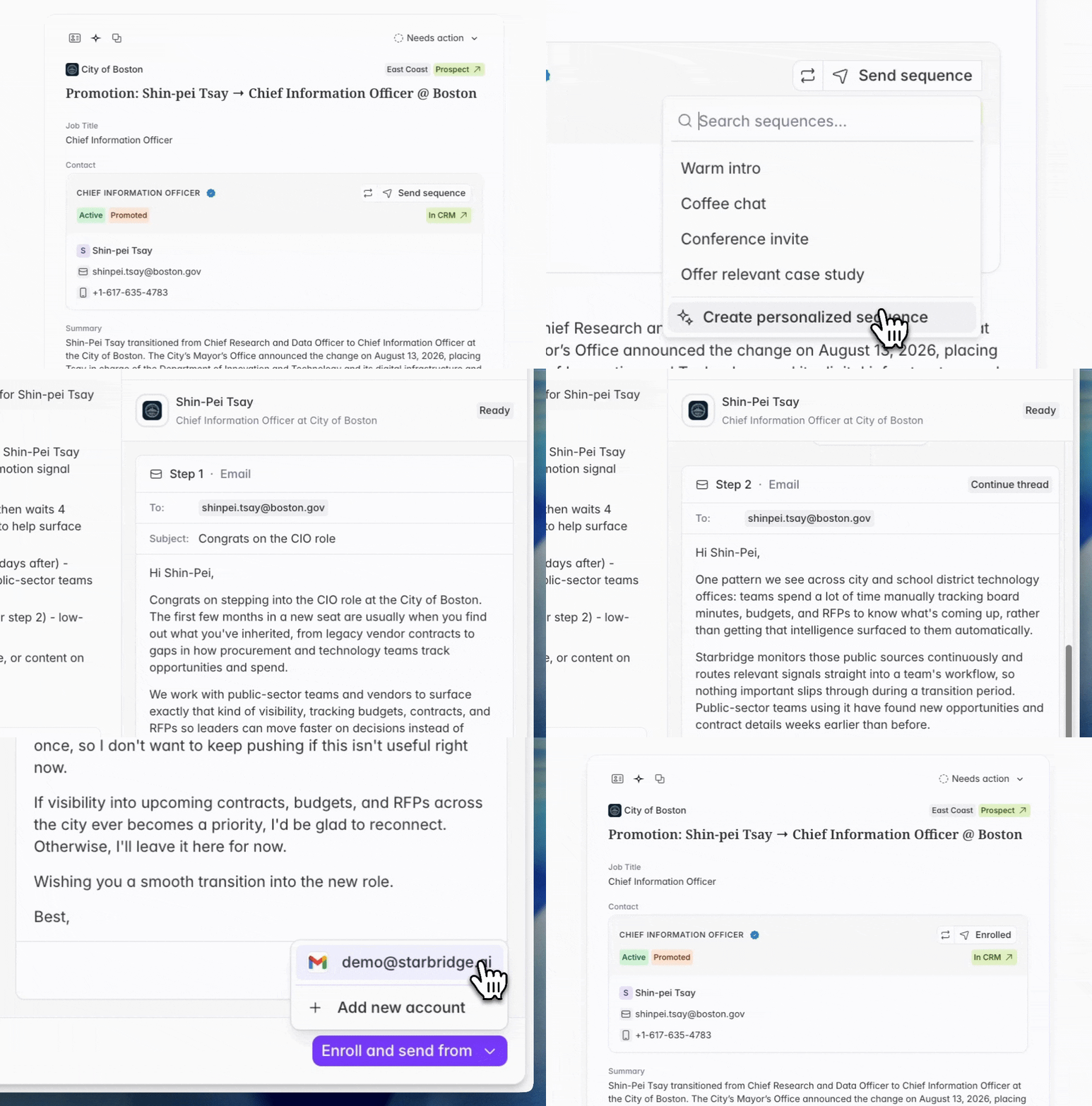
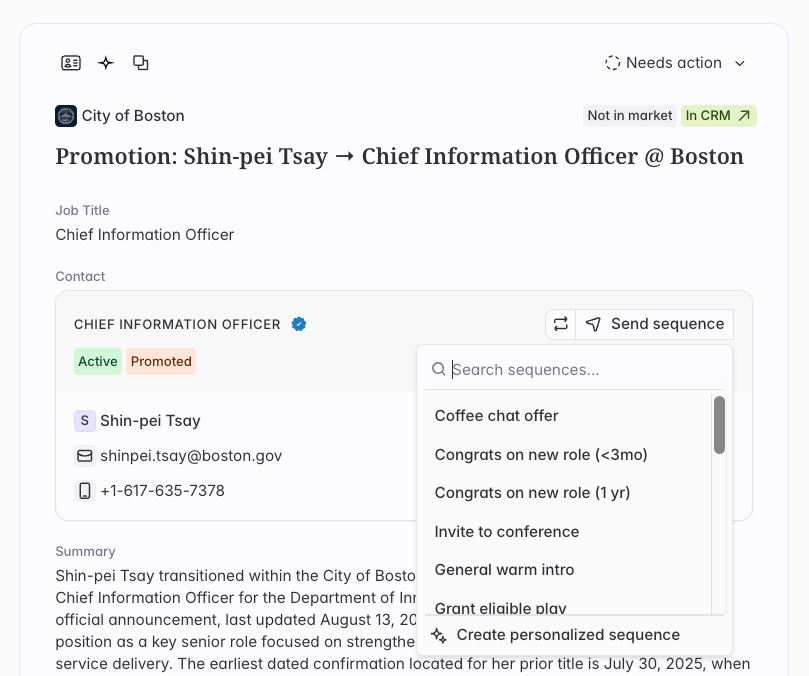
Enroll a contact from anywhere. From any contact card or from Ask Starbridge, a rep can add a contact to a sequence your team has built. Starbridge generates the messages for that contact, the rep reviews and edits them, then enrolls.
Screenshot 2026 08 18 At 5 58 43 PM
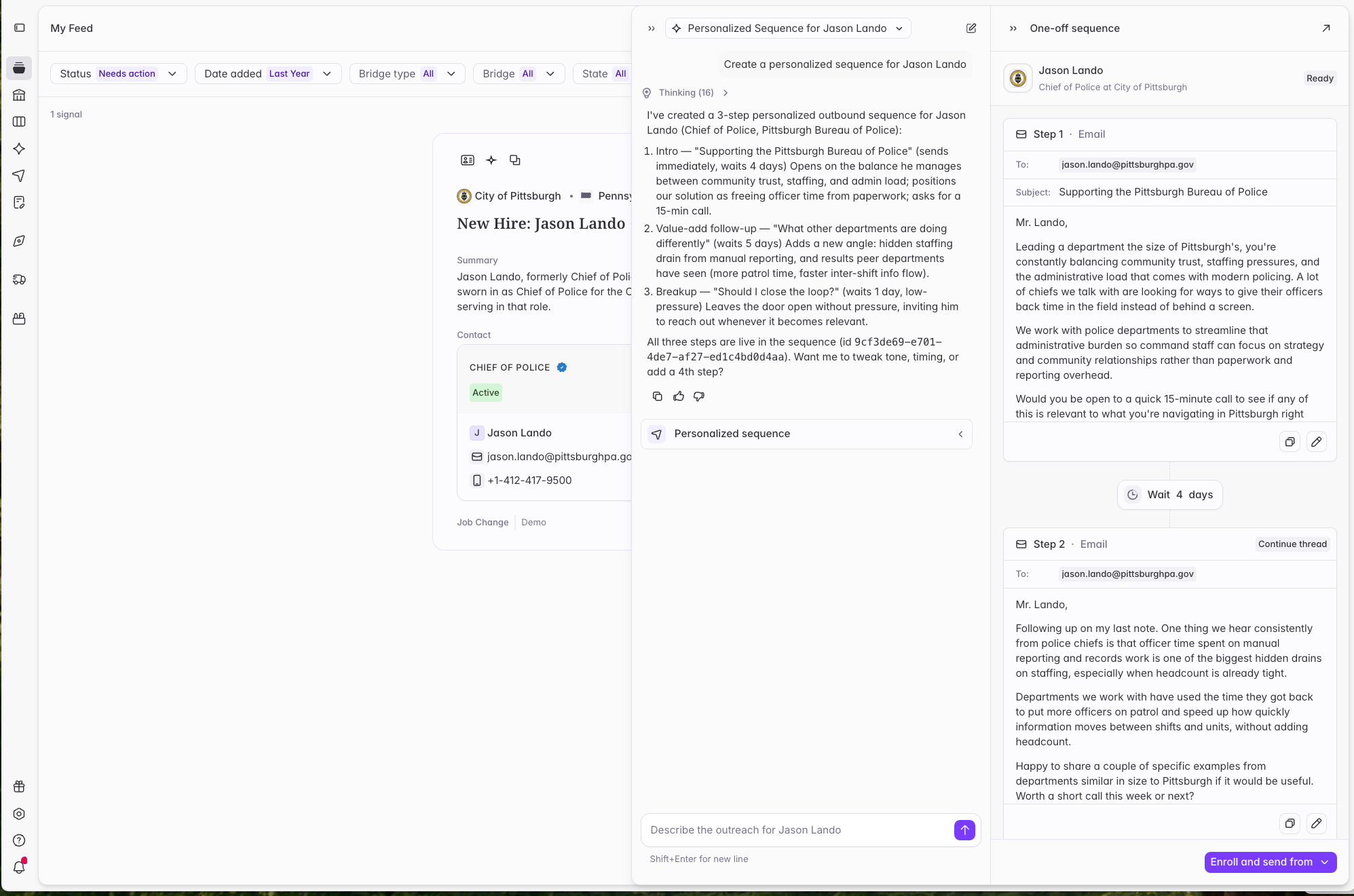
Create a personalized one-off sequence. A rep can ask Starbridge to build a sequence for one specific contact, grounded in that buyer’s buying signals and account context. They can workshop the copy in chat or edit it directly, then enroll the contact in a multi-step, fully personalized sequence sent directly from their inbox via Starbridge.
Screenshot 2026 08 18 At 6 20 28 PM
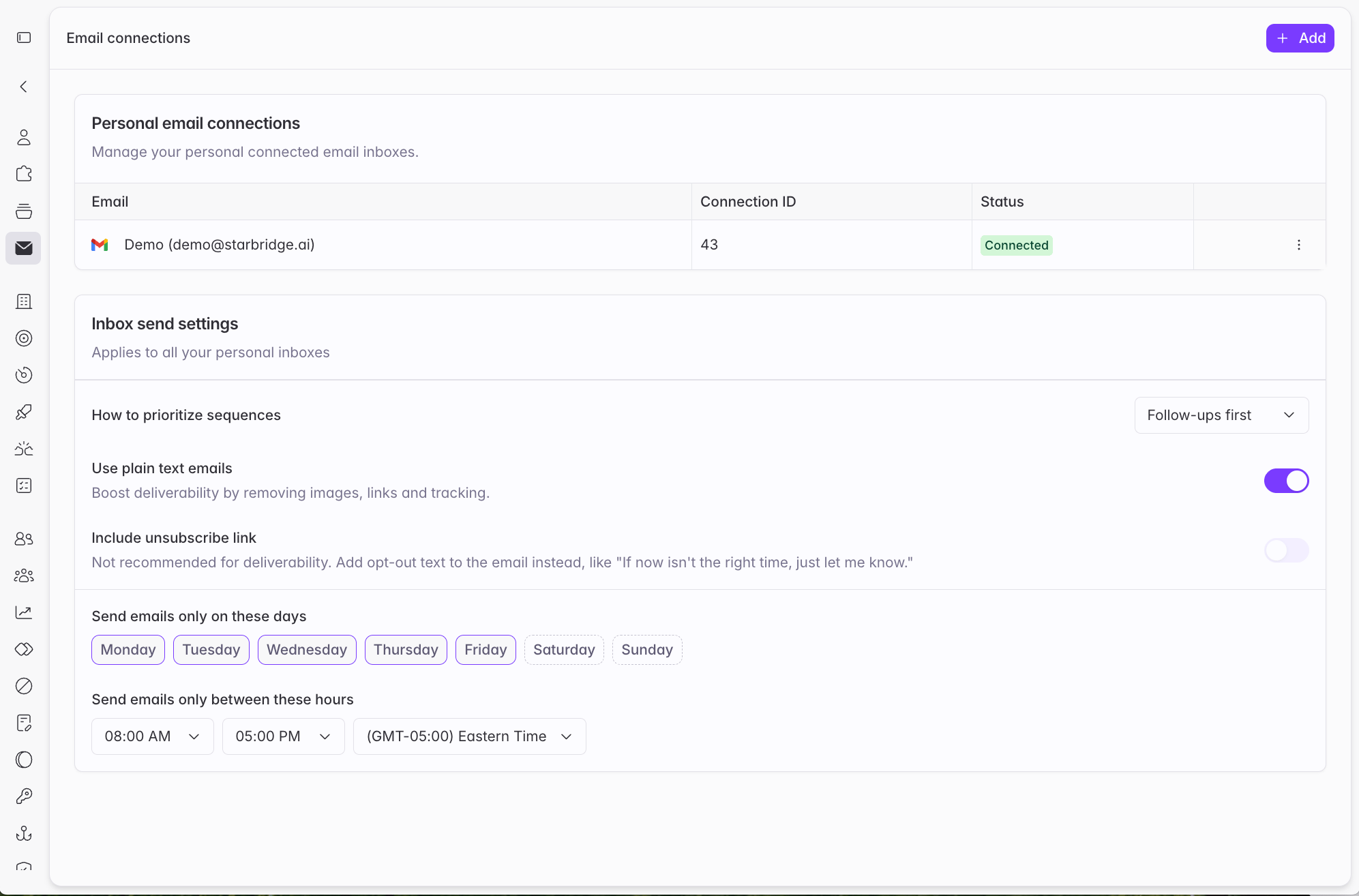
Send from their own inbox. Every user can now connect their own Gmail or Outlook inbox to send sequences via Starbridge.
Screenshot 2026 08 18 At 5 47 11 PM

What builders get

Team sequences. A new sequence type built for rep enrollment. Write the play once, scope it to a kind of signal, and your reps run it one contact at a time. Every rep sends the version you’d want them to send, without drafting it themselves.
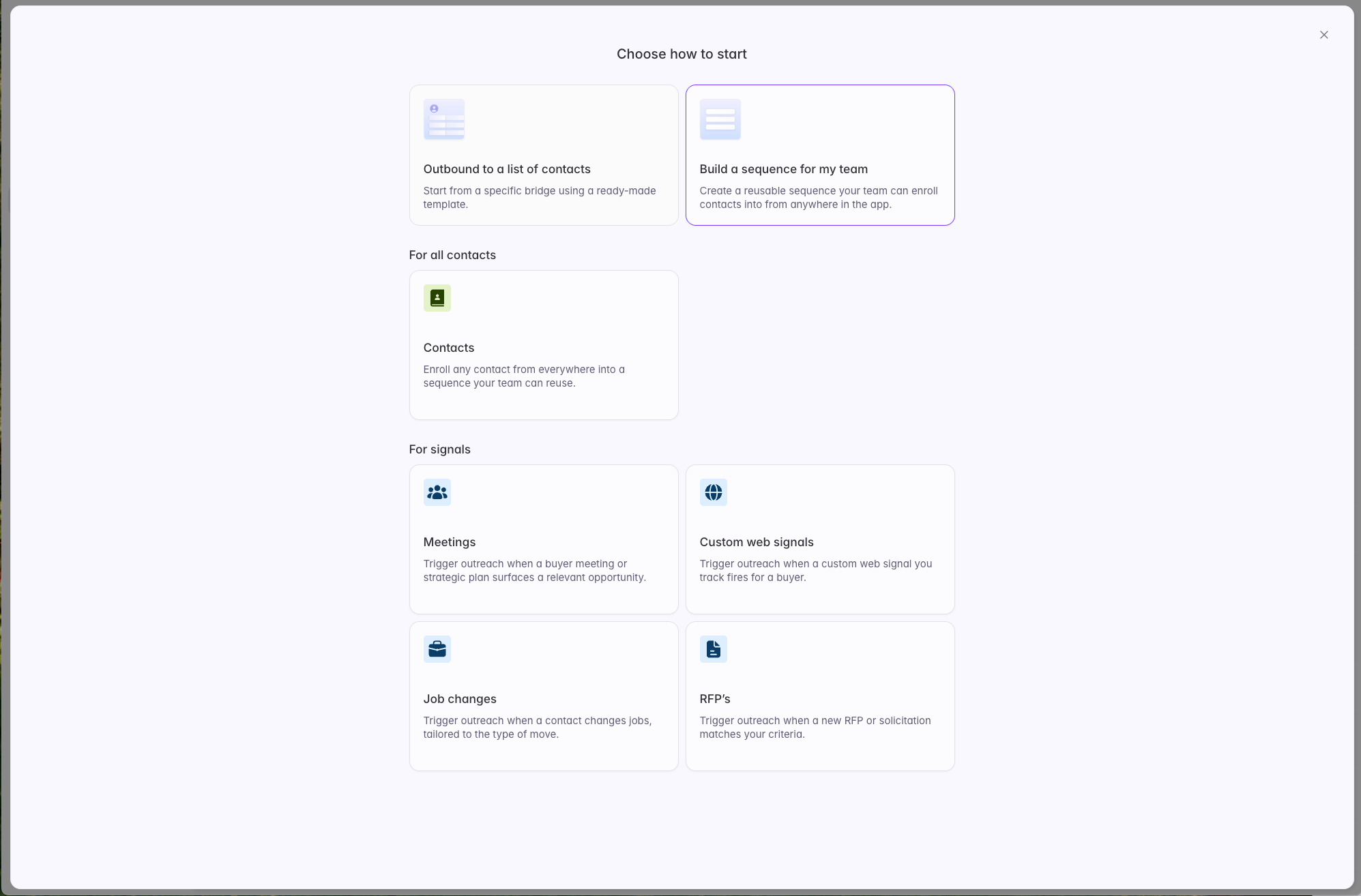
Screenshot 2026 08 18 At 6 34 57 PM
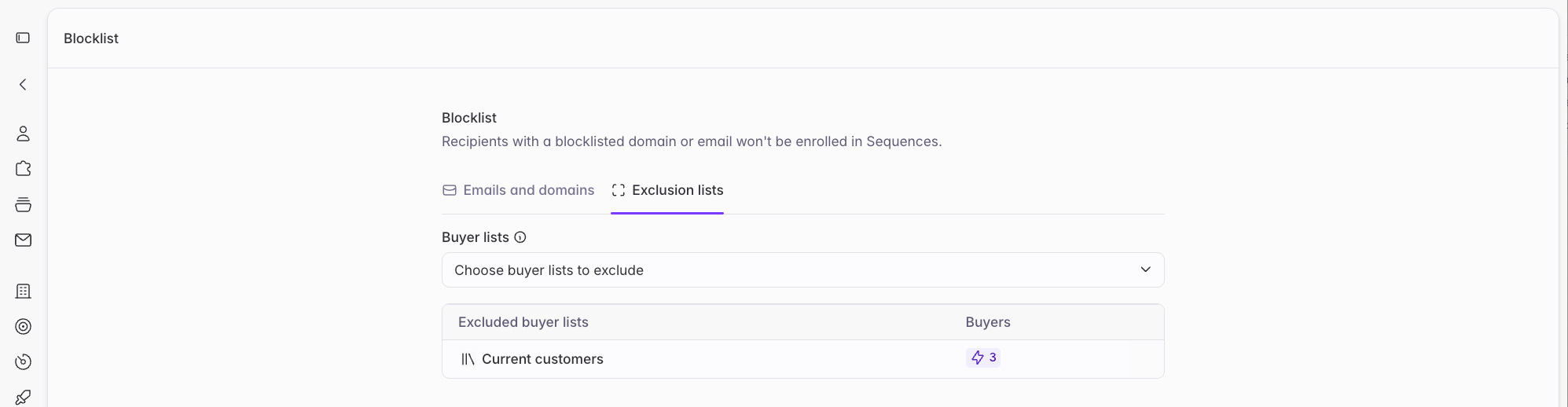
Exclusion lists. Admins can now designate buyer lists as exclusions in Settings → Blocklist → Exclusion lists, and they apply to every sequence by default. The usual setup is syncing your current customers from your CRM, so nobody prospects an account you already serve. Builders can adjust exclusions per sequence.
Screenshot 2026 08 18 At 6 38 32 PM
Live updates or static. Choose whether a Bridge-based sequence keeps pulling in new contacts as its Bridge grows, or works only the contacts it started with. You can switch at any point.

Get started

Full documentation is in the Sequences section of the Help Center. Reach out to your GTME or support@starbridge.ai with any questions.