

Before you start
Connect your inbox. Sequences send from your own inbox, so you need one connected before you can enroll anyone. See Connect your inbox.Enroll from a contact card
Contact cards appear anywhere Starbridge shows you a contact: buyer pages, feed cards, and Ask Starbridge results.1
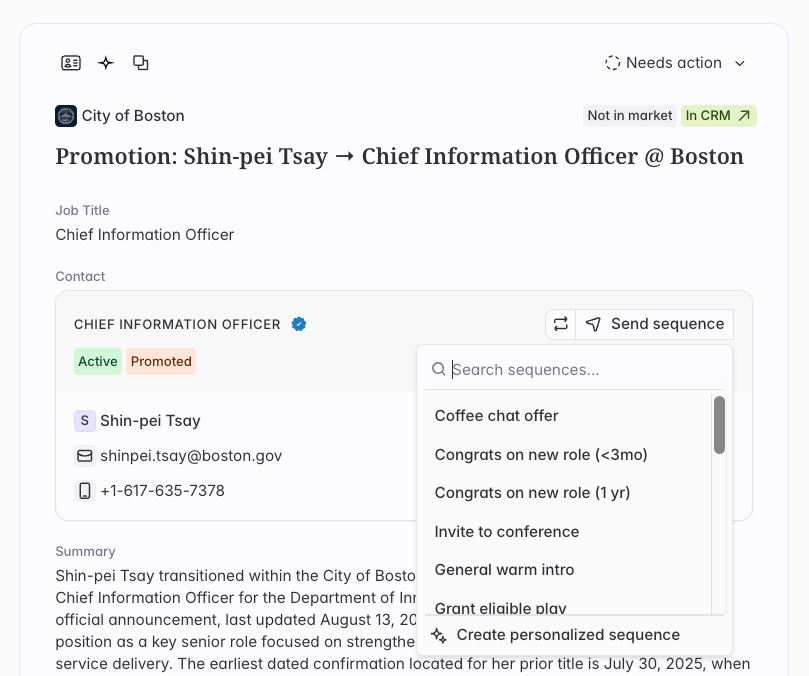
Open the contact card and pick a sequence
You have two options: enroll the contact in a sequence your team has already built, or create a personalized one-off sequence specifically for them.Choose an existing sequence when your team has a play for this situation. Choose a personalized one-off sequence for entirely customized outreach. See One-off sequences for more.
2
Review the generated copy
Starbridge generates every step for this contact using what it knows about them and the account. The contact enters the sequence in Ready status, which means nothing has sent yet and nothing will send until you Enroll them.Read through the steps and edit anything that doesn’t sound just right. Your edits apply to this contact only.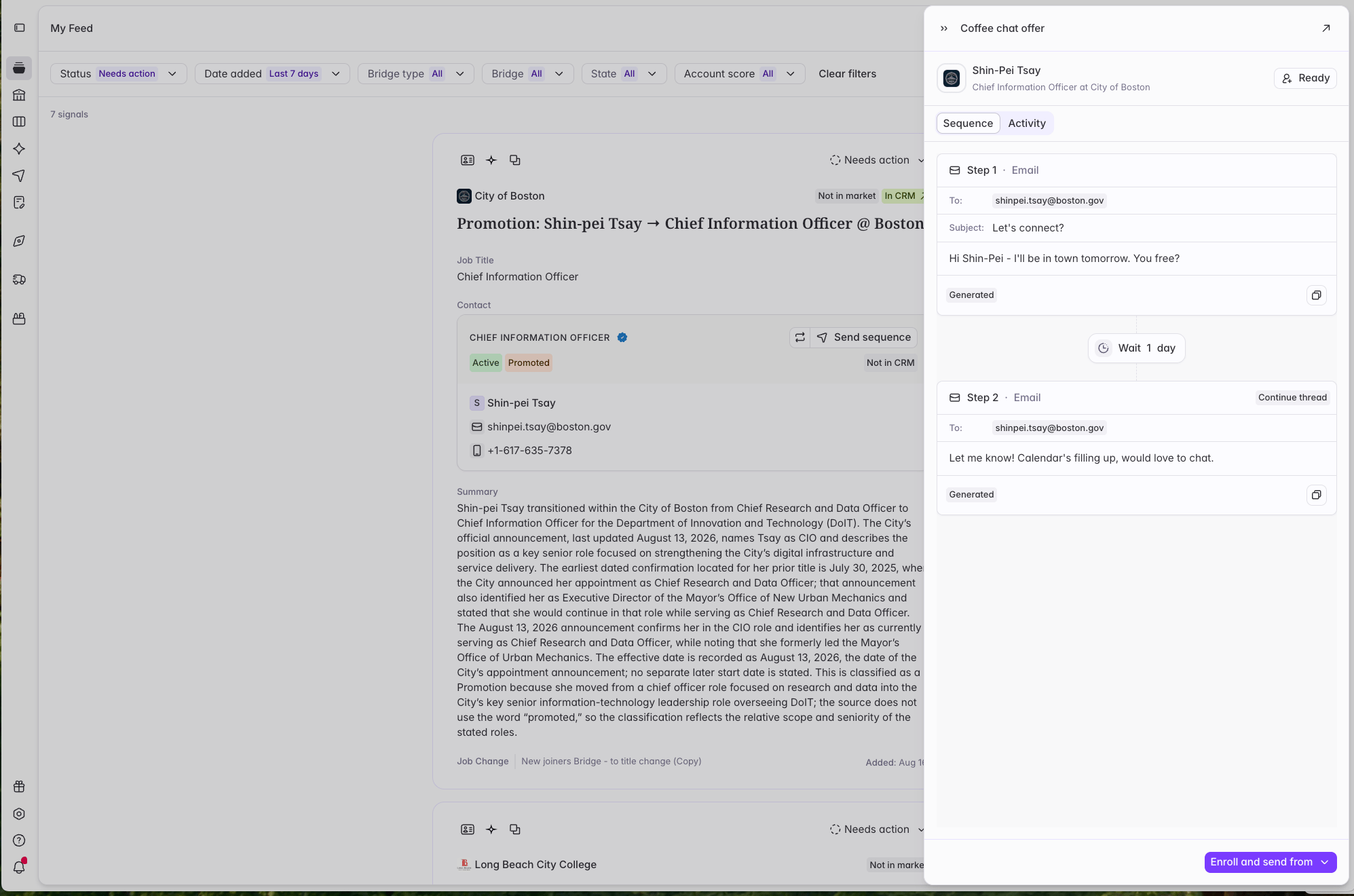
3
Enroll
When the copy is right, enroll the contact. Their status changes to Enrolled and the first step sends on your sequence’s schedule.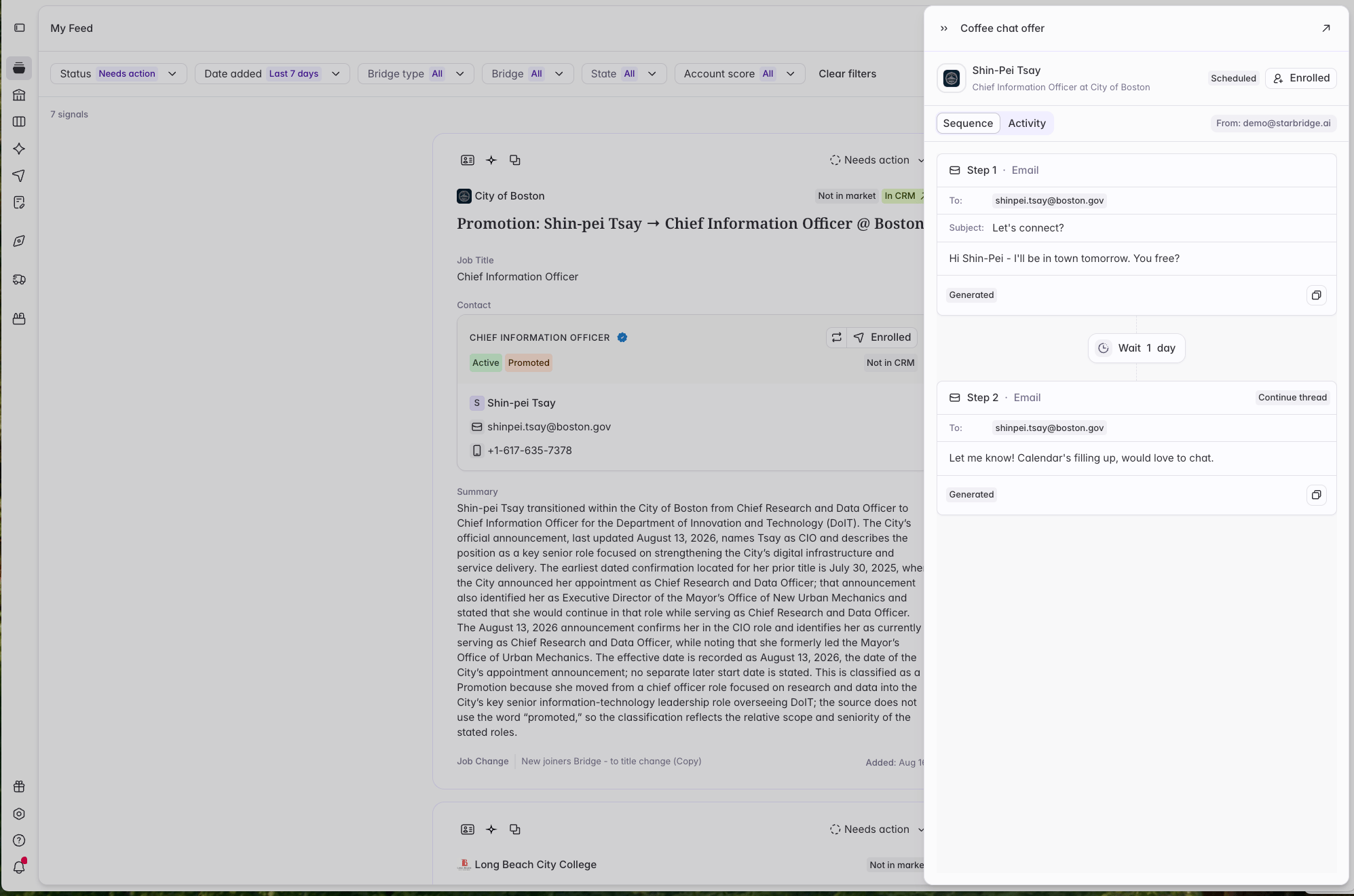
Enroll from Ask Starbridge
Ask Starbridge can enroll contacts directly. Ask it to find contacts at an account, then enroll one from the contact card in the response, or just tell it what you want.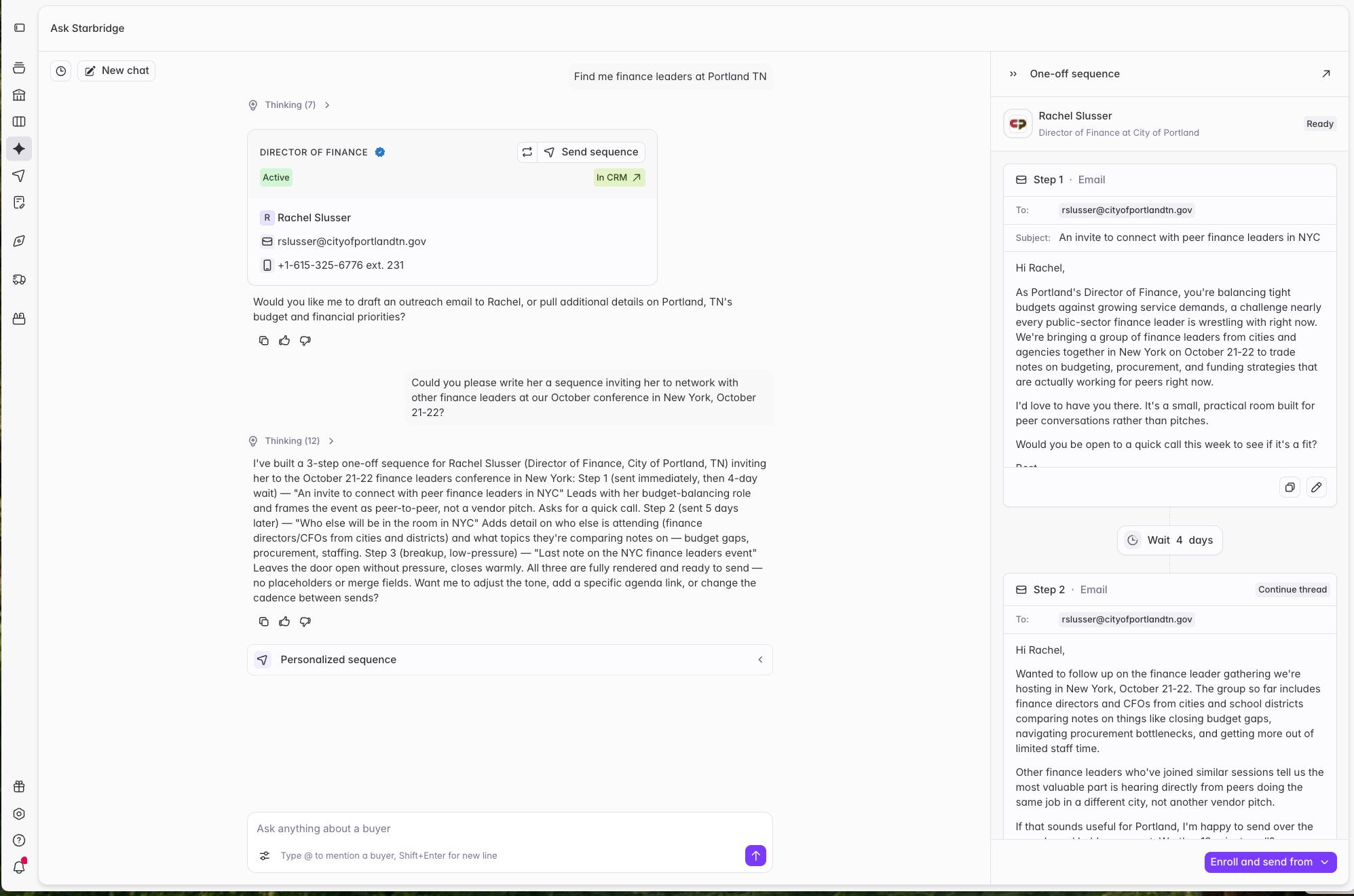
When you can’t enroll someone
The contact is on your blocklist, unsubscribe list, or an exclusion list. Enrollment is disabled and can’t be overridden. Blocklists and unsubscribes exist because someone asked not to be contacted, or your admin decided the domain is off limits. Exclusion lists cover accounts your admin has put out of bounds for outbound, usually current customers. The contact is already enrolled in another sequence. They’ll be added in Removed status and can’t be enrolled here until they finish or are removed from the other one. This stops the same person getting outreach from two directions at once. If you re-enroll a contact later, their sequence restarts from step 1. You don’t have an inbox connected. The contact stays in Ready status until you connect one, then you can enroll them. The contact isn’t Starbridge-verified. Only verified contacts can be added to a sequence. Unverified contacts extracted from documents aren’t eligible, and won’t offer an enroll action at all. The contact is locked. Unlock them for 2 credits, then enroll.After you enroll
Find everything you’ve enrolled under Sequences in the sidebar. You can watch each contact’s progress, read replies, and remove anyone at any time. Replies stop the sequence automatically, so you won’t keep emailing someone who already wrote back. Their status changes to Completed, and you can continue the conversation from your inbox.Where to go next
One-off sequences
Build a sequence from scratch for a single contact.
Managing sequences
What Ready, Enrolled, Completed, and Removed mean.