Complete your application so Starbridge can list your products on the co-ops you want to sell through.
Onboarding is how your products get onto contract vehicles. You sign the paperwork that lets Starbridge represent you, tell the cooperatives who you are, and pick the co-ops you want to sell through.
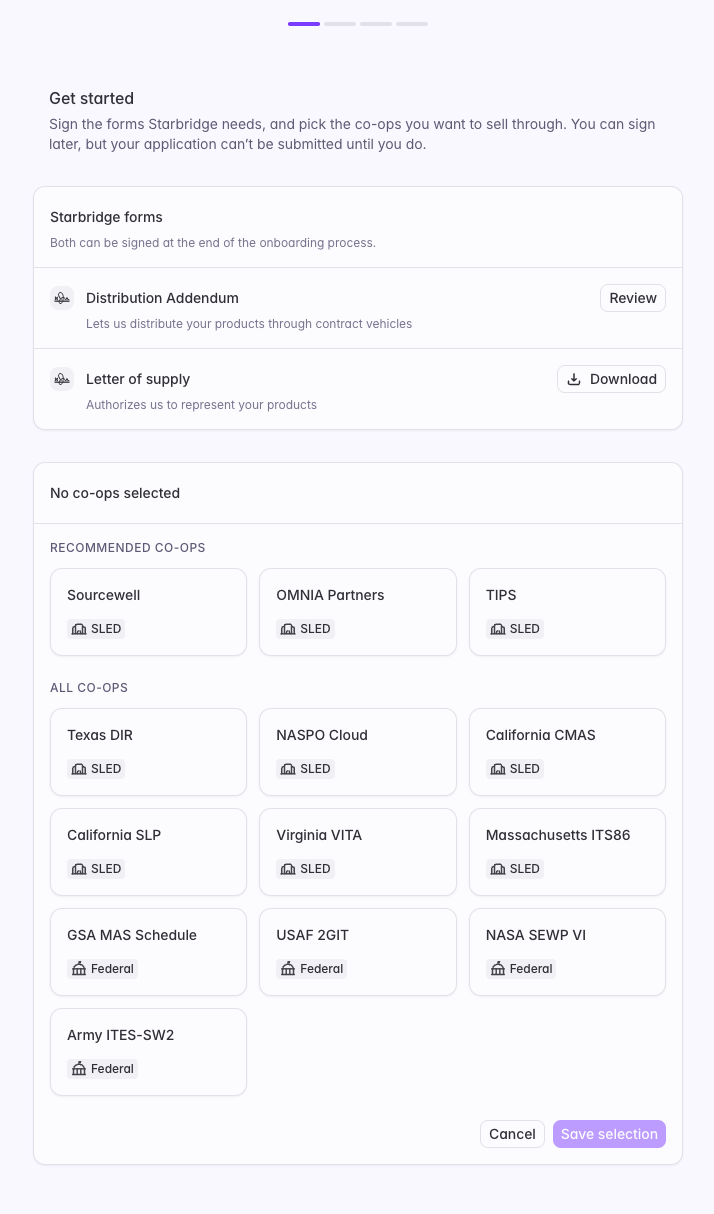
Sign the two Starbridge forms, then pick the co-ops you want to sell through.
The first step asks for the two Starbridge forms and your co-op selection.
Form
What it does
Distribution Addendum
An addendum to your existing Starbridge agreement. Lets us distribute your products through contract vehicles. Click “Review” to read it.
Letter of supply
What the cooperatives need from you. Authorizes Starbridge to represent your products. Click “Download” to get the template.
If needed, both can be signed later as a last step at the end of onboarding.
For questions on the Distribution Addendum, or anything you want to redline, reach out to your GTME.
What the Letter of supply commits you to
Cooperatives require a letter of supply from the manufacturer before a distributor can offer its products on their contracts. The commitments in it come from them, not from Starbridge, and they’re standard for any vendor selling through these vehicles.The letter goes on your company letterhead and is signed by an authorized signatory. In it you agree to:
Supply for the life of the contract. Enough of your products and services to meet the government customer’s needs for the duration of the contract and any extensions.
Sell commercial items. Products of a type customarily sold, leased, or licensed to the general public, and newly manufactured where that applies. This is the standard that makes your products eligible for these contracts.
Give 30 days’ notice. Before you cut a commercial list price, decrease your standard discount practices to resellers or distributors, run a temporary price reduction or promotion, or discontinue anything sitting on a government contract.
Stand behind your commercial terms. Modified as needed to comply with government procurement law.
Sourcewell, OMNIA Partners, and TIPS sit under “Recommended co-ops” for three reasons:
Coverage. Between them they cover most customer deals.
Speed. They’re typically the fastest to get onto.
Simplicity. Their applications ask the least of you.
Everything else carries a longer lead time and comes with additional paperwork, so those are worth adding when a vehicle comes up a lot in your sales cycle. If you’re unsure, stick to the core three.Click “Save selection” when you’re done.
All co-ops you can select
SLED: Sourcewell, OMNIA Partners, TIPS, Texas DIR, NASPO Cloud, California CMAS, California SLP, Virginia VITA, Massachusetts ITS86.Federal: GSA MAS Schedule, USAF 2GIT, NASA SEWP VI, Army ITES-SW2.
2
About your company
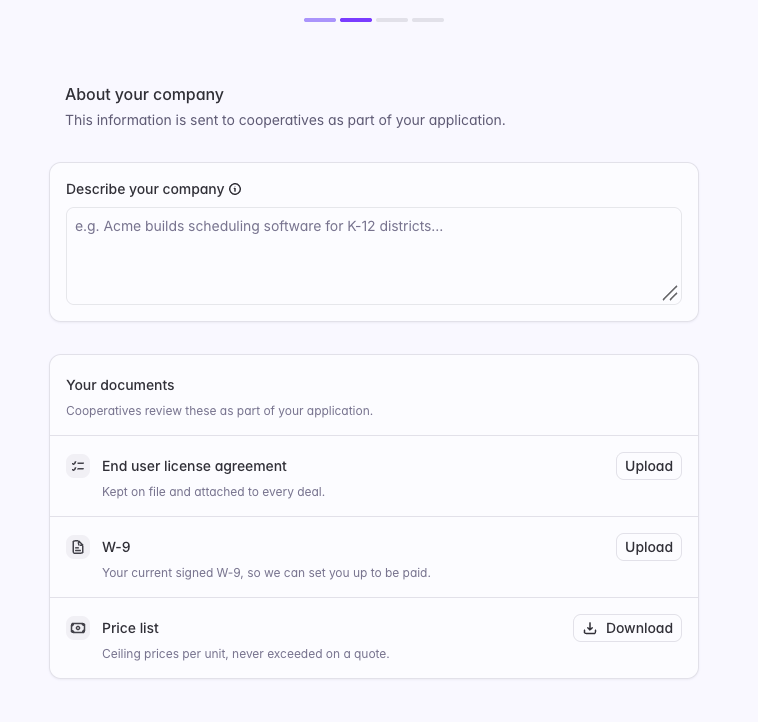
Describe your company and upload your documents. This is what the cooperatives read when they review your application.
This step is pre-filled from your organization information in Settings. Everything here is editable, so change whatever you want the cooperatives to read differently.
The company description and document uploads that cooperatives review.
Write the description the way you’d explain your product to a buyer who’s never heard of you, not the way you’d pitch an investor.Three documents sit under “Your documents”:
Document
What to provide
End user license agreement
Your default EULA, attached to every deal. You can upload a quote-specific one when a deal needs it.
W-9
Your current signed W-9, so we can set you up to be paid.
Price list
Download the template, fill it in, and upload the finished file.
The prices here become ceilings: we quote against this list and apply your discount on top, which is what keeps each transaction compliant. Set them too low and you’re stuck until you file new paperwork.Changing it later: decreases and new products can go in any time, increases need 30 days’ written notice, and changes take effect on the vehicle’s next submission cycle, typically two to four weeks.
How to fill in the price list
Download the template. Two tabs need your input.Your details. Ten questions you answer once. They fill the country of origin, cloud, UNSPSC, product family, Section 889, and ITAR columns on every row, so you never repeat them row by row. Two are worth care: country of origin is where your software is developed and distributed from, not where your company is headquartered, and the legal entity name is your exact legal name with punctuation, not a brand or DBA.Price list. One row per invoiceable item, software and services. Line 1 is your whole platform with every module switched on and line 16 is your most complete services package, with the lines beneath each one being the individual pieces sold on their own. You fill three cells per row: description, price, and unit.Price is the most you’d ever charge for one unit, in USD, and quantity is always 1. Price per something (/student,/user, $/hour) rather than as a whole-deal total. Set the ceiling at the rate your smallest buyer pays, because per-unit rates fall as volume rises. Don’t add rows for volume tiers, since discounting happens per deal.
Answering No to the Section 889 question is what makes the “Section 889 Compliant?” column read Yes. That’s correct, not an error.
Include anything launching while the contract is live. Adding a product later means new paperwork.
3
Who we contact
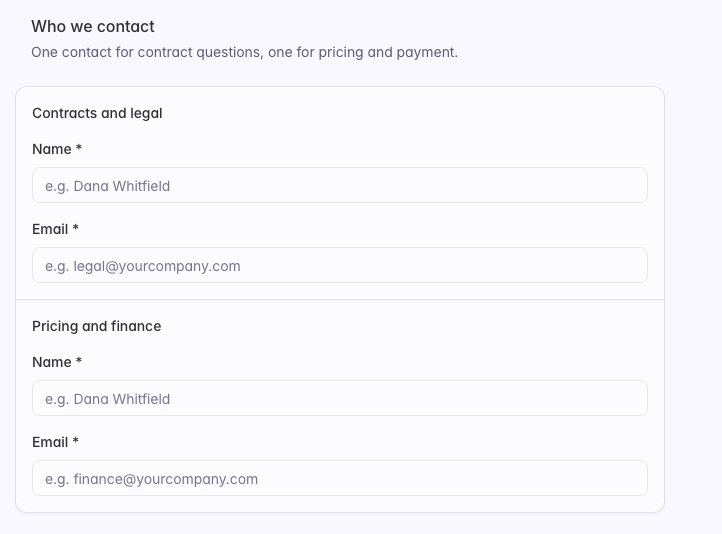
Add two people, because contract questions and pricing questions rarely go to the same person. Name and email are required for both.
Two contacts are required: one for contracts and legal, one for pricing and finance.
4
Co-op forms (only if your selection requires them)
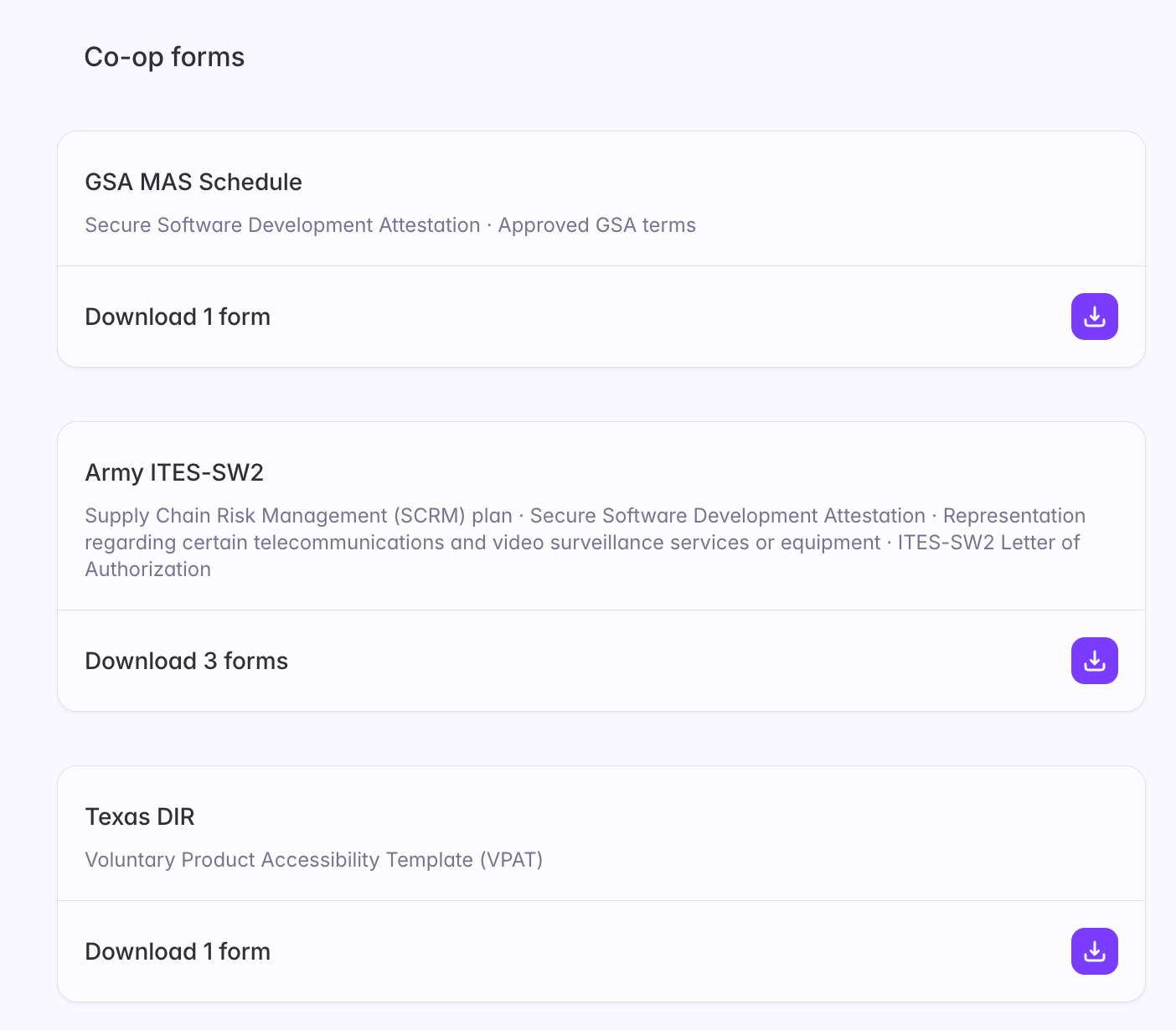
Some co-ops want their own paperwork on top of the Starbridge forms, and some don’t. You’ll only see this step if a co-op you selected asks for something extra, and it lists forms for those co-ops only.
Each co-op that requires extra paperwork lists its forms, with a download button per co-op.