

Examples on this page are illustrative — built in Starbridge’s real style (real Bridge types, real vendor names, real public-sector categories) to clearly demonstrate what each use case does, rather than pulled verbatim from one live account. Institution names, contacts, and figures are composites; nothing here should be read as an actual customer, buyer, or individual’s record.
- Sales leaders
- SDRs/BDRs
- RevOps
- Marketing
- Account executives
- Customer success
Visualize a Bridge
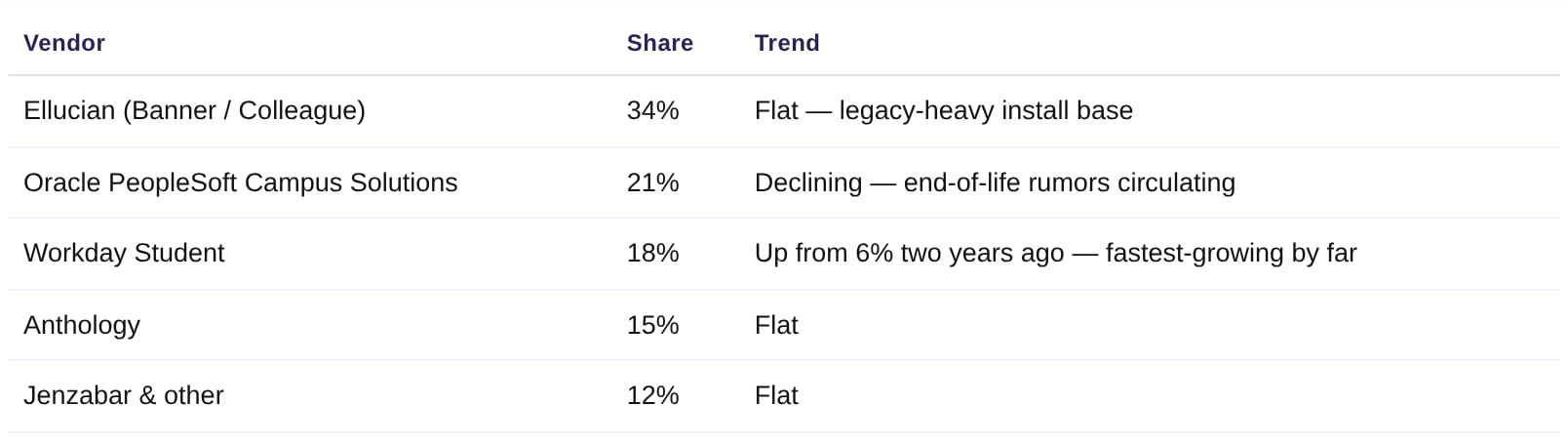
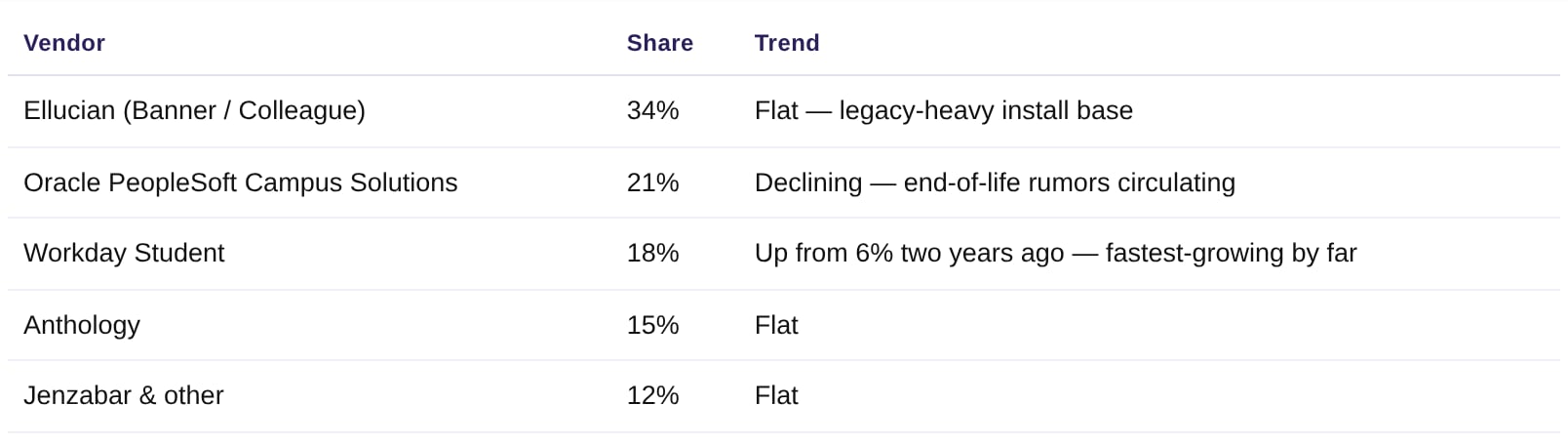
Who: Sales leaders, RevOps, Marketing.Pull Bridge data into a tool that can chart it — vendor-presence breakdowns, attribute distributions, or territory views — without an export or a BI tool in the loop.“Pull the Higher-Ed ERP & SIS bridge and build a bar chart of vendor share across our tracked buyers — and flag whichever vendor is gaining share fastest.”
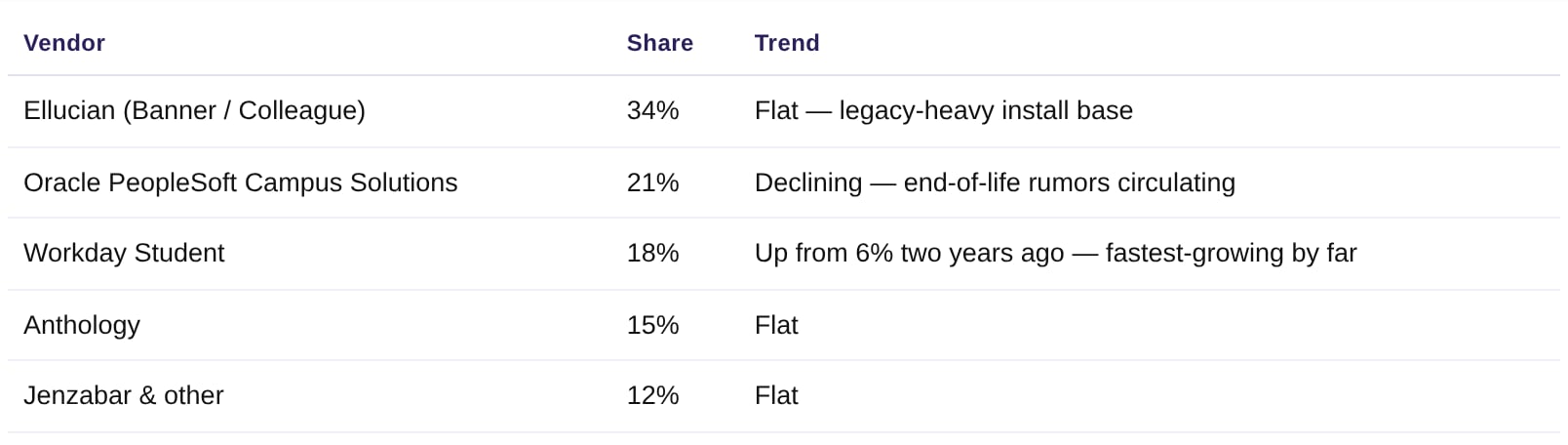
Illustrative example — modeled on real Starbridge Bridge output for a vendor-tally view.
Competitor-density map
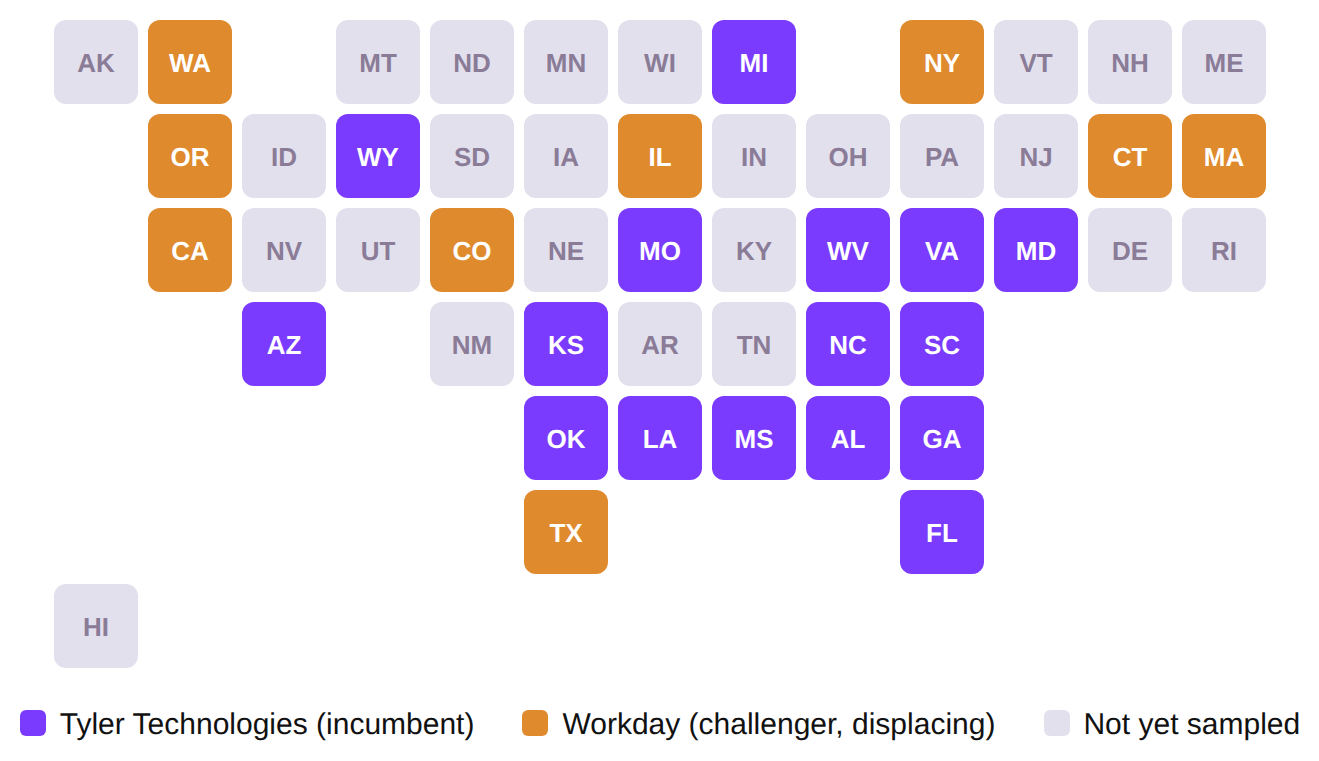
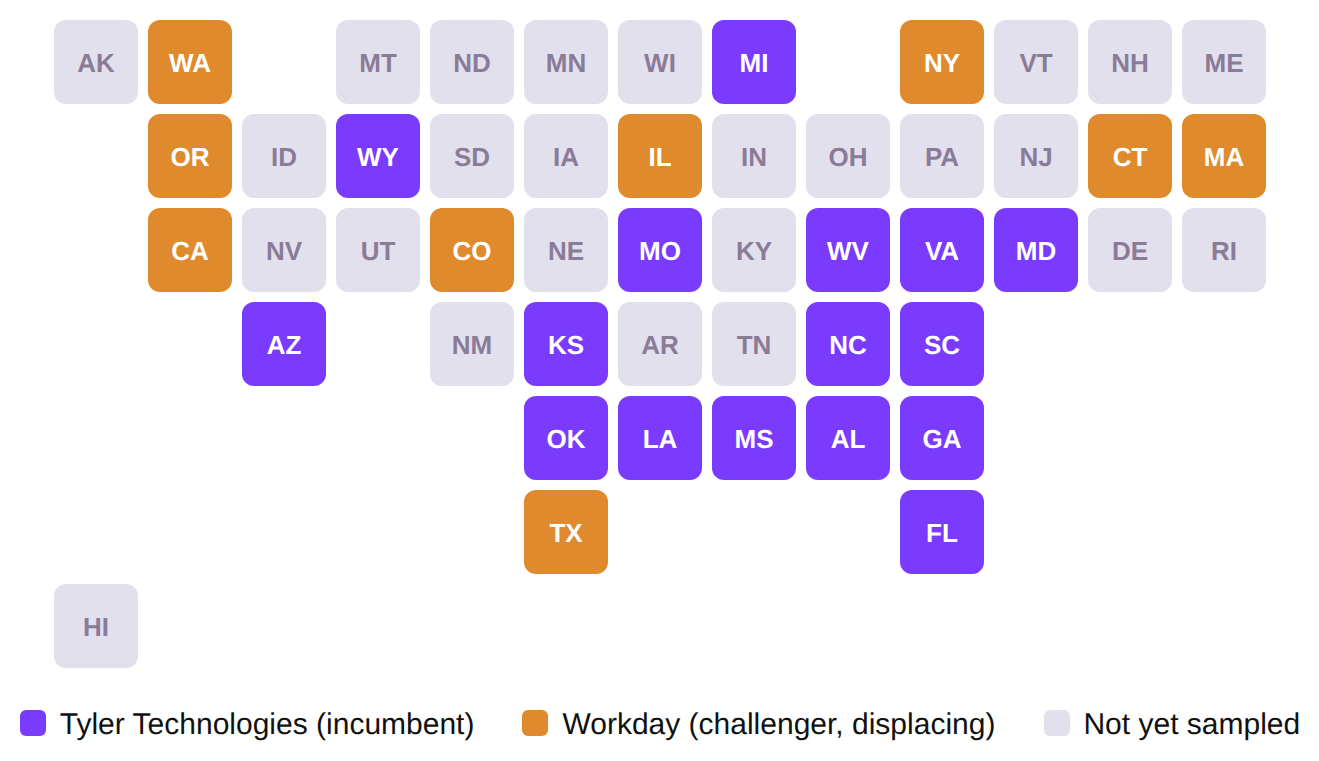
Who: Sales leaders, RevOps, Marketing.See who owns the local-government ERP market state by state — and exactly where the incumbent is already getting displaced — as a map, not a spreadsheet.“Using the Local Government ERP bridge, tell me which states each vendor is active in, and show it to me as a map.”
17 states where Tyler Technologies is the incumbent local-gov ERP · 8 states where Workday has already displaced them, concentrated on the coasts · 25 states with an active vendor signal in this sample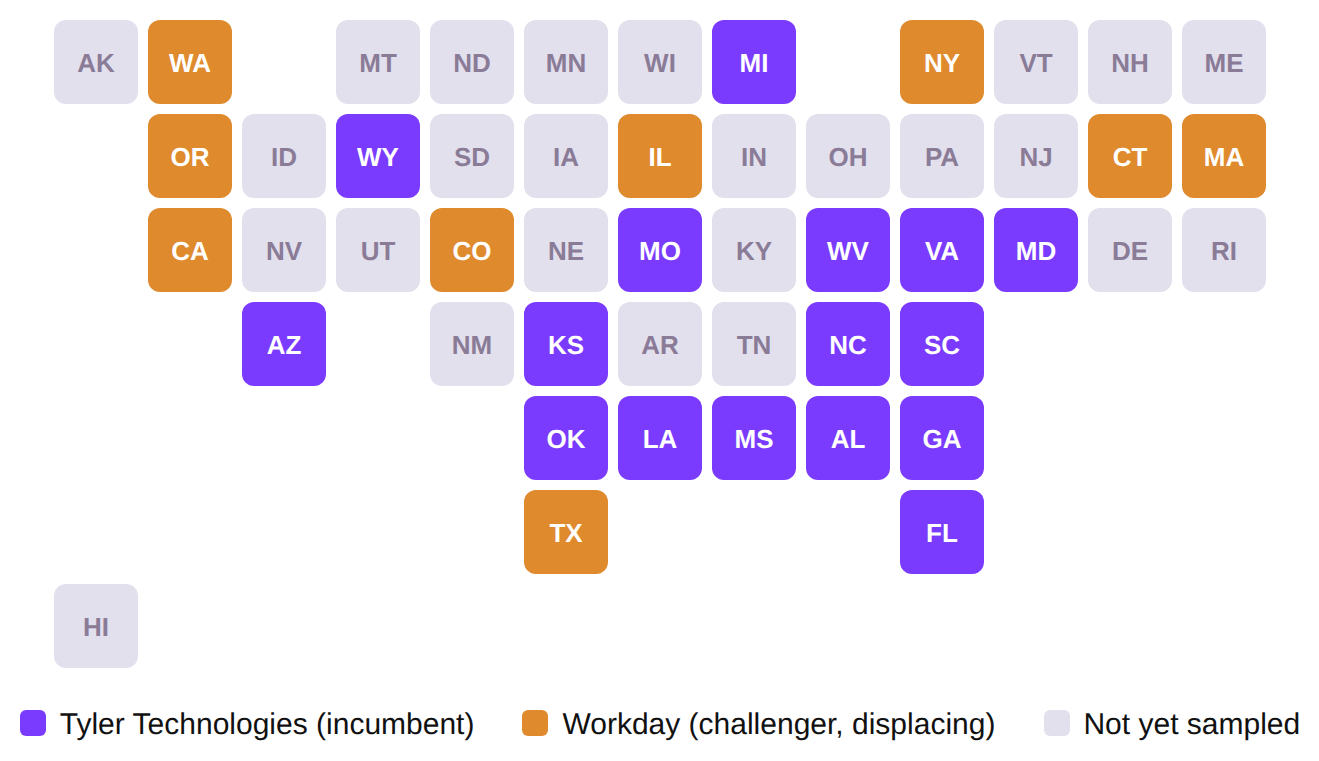
Illustrative example — schematic tile-grid layout (each state is an equal-size tile, not to scale), built to show the shape of an incumbent-vs-challenger story at a glance.
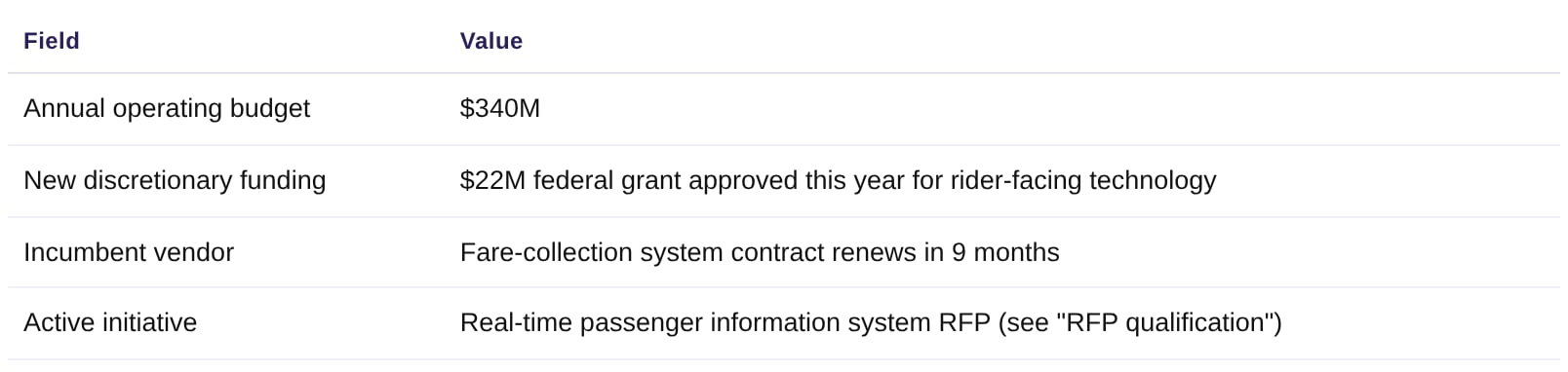
RFP qualification
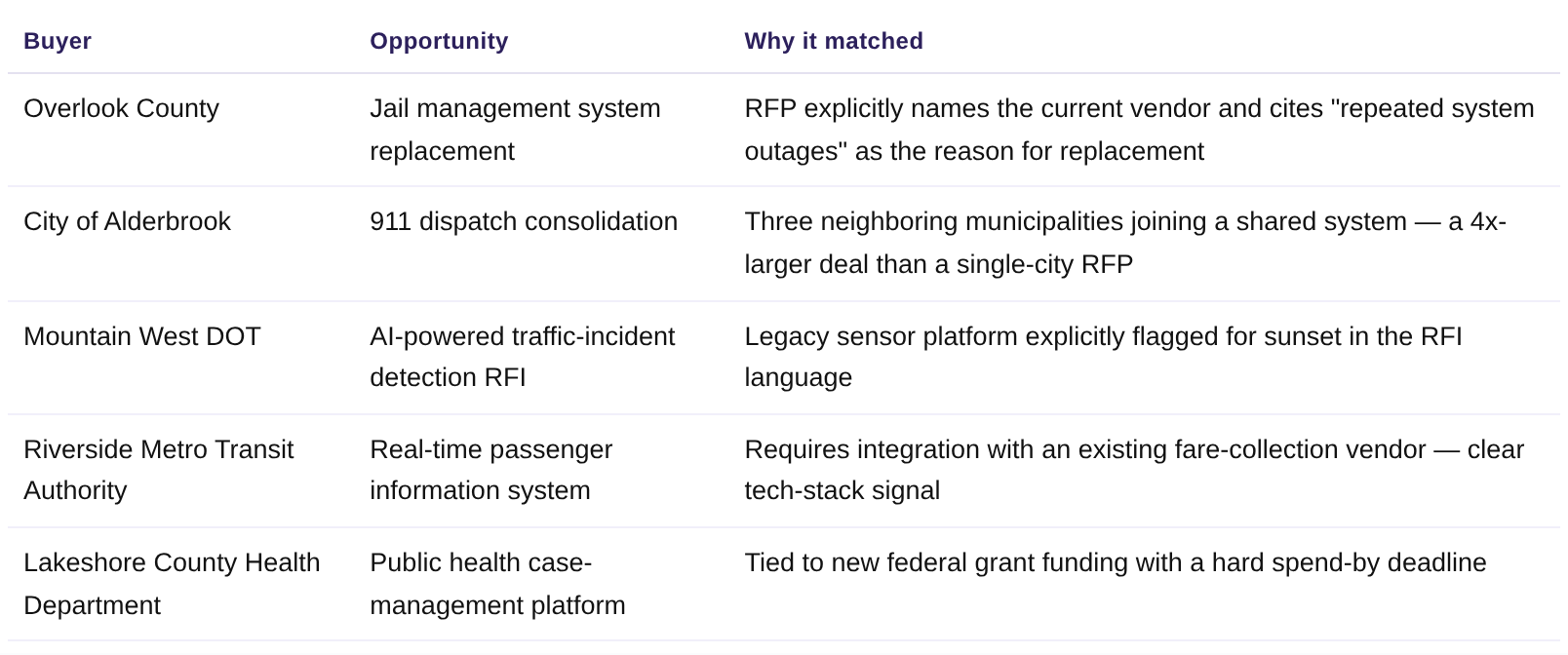
Who: Sales leaders, AE, RevOps.Skip the RFP graveyard — get matched, scored opportunities instead of a raw procurement-portal feed.“Show me our highest-scoring active RFPs, with a one-line reason each one matched.”
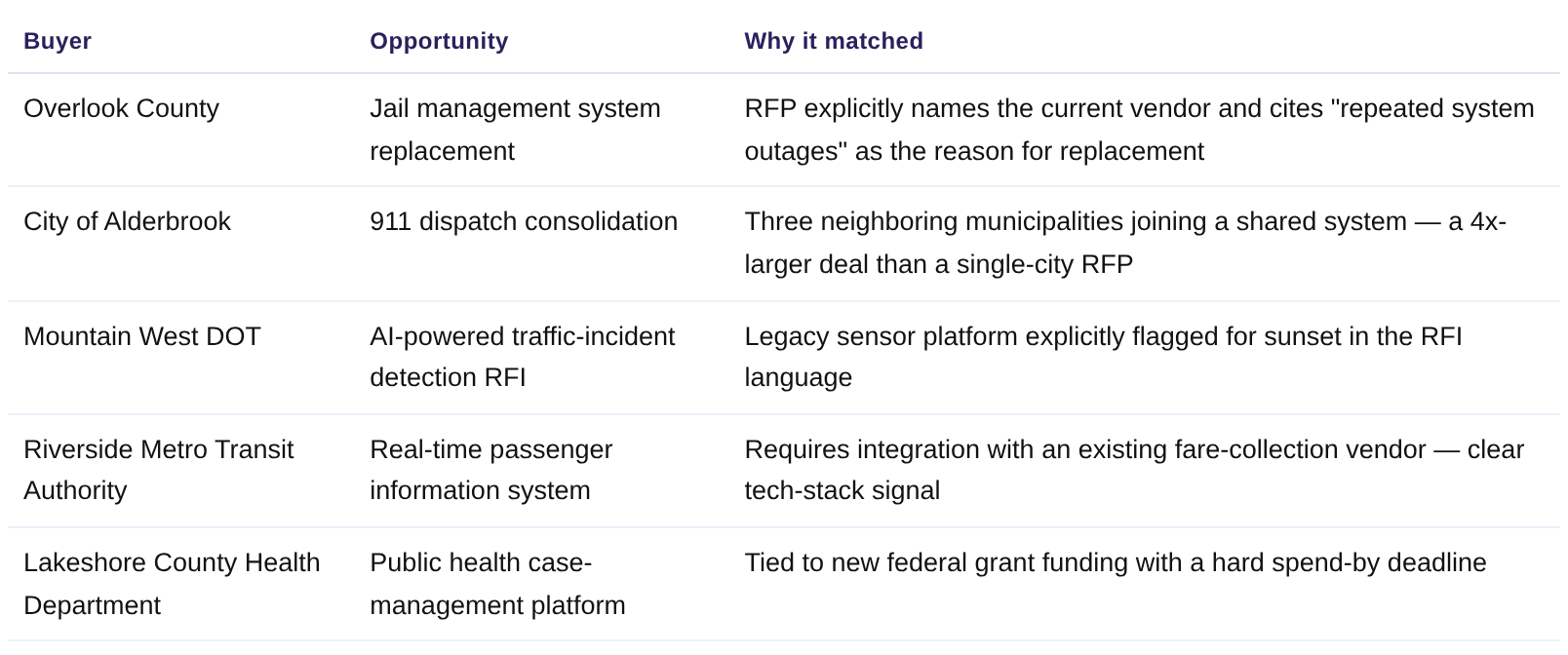
Illustrative example — modeled on real Starbridge Active RFPs bridge output.
Scheduled Slack digest
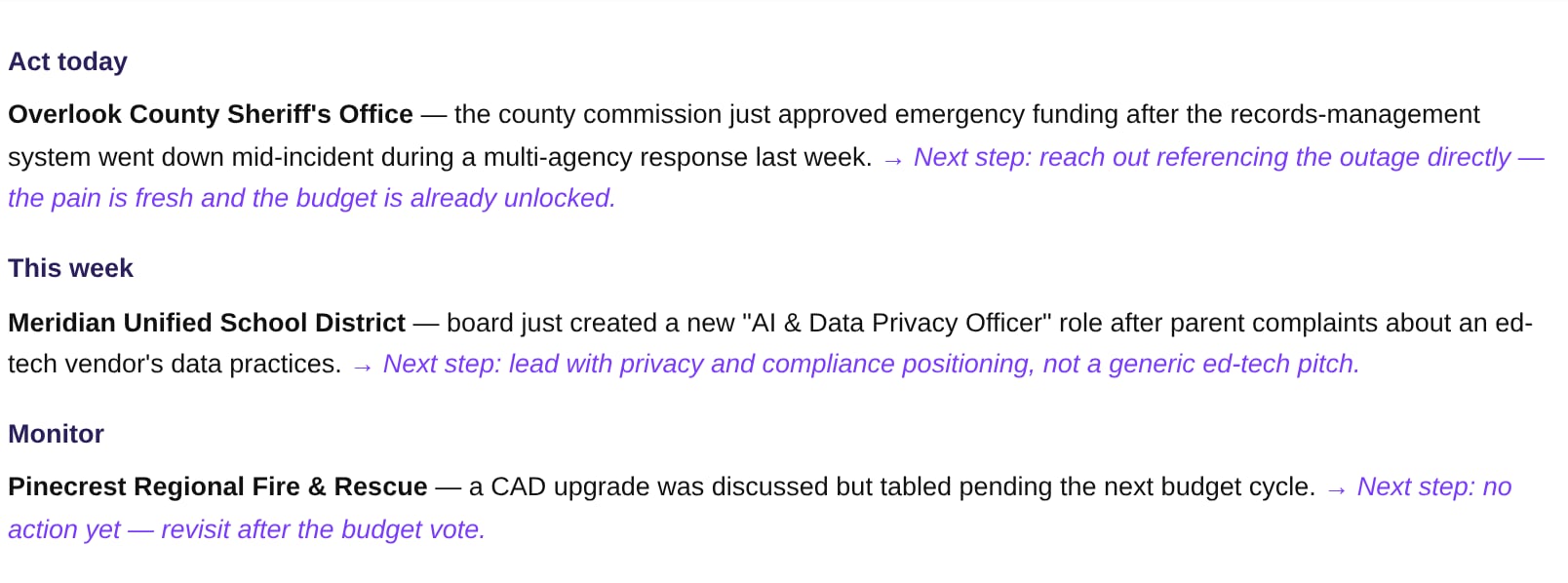
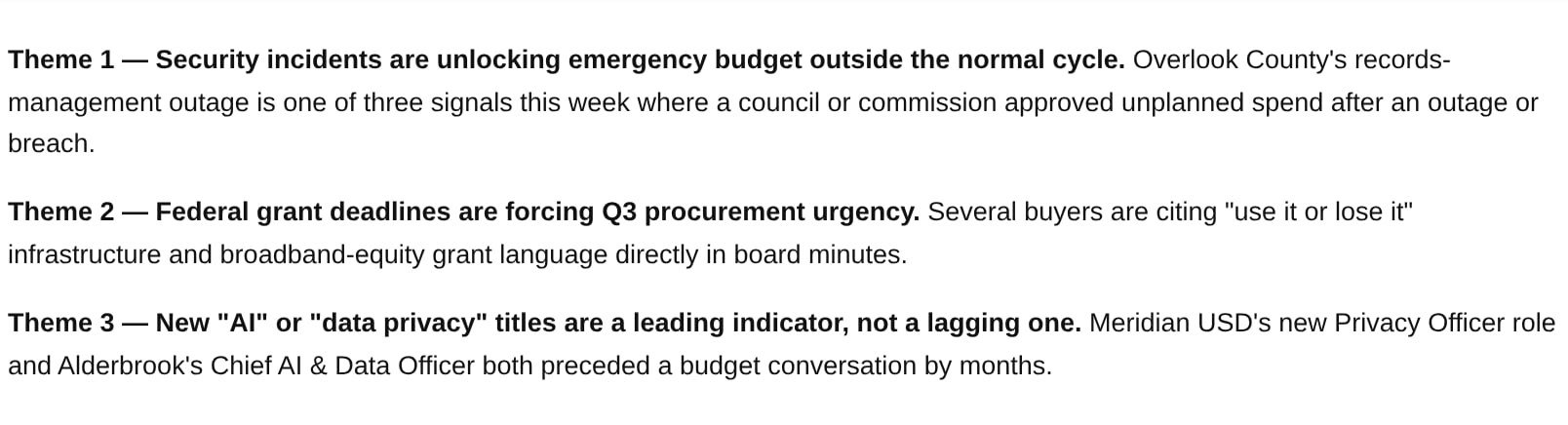
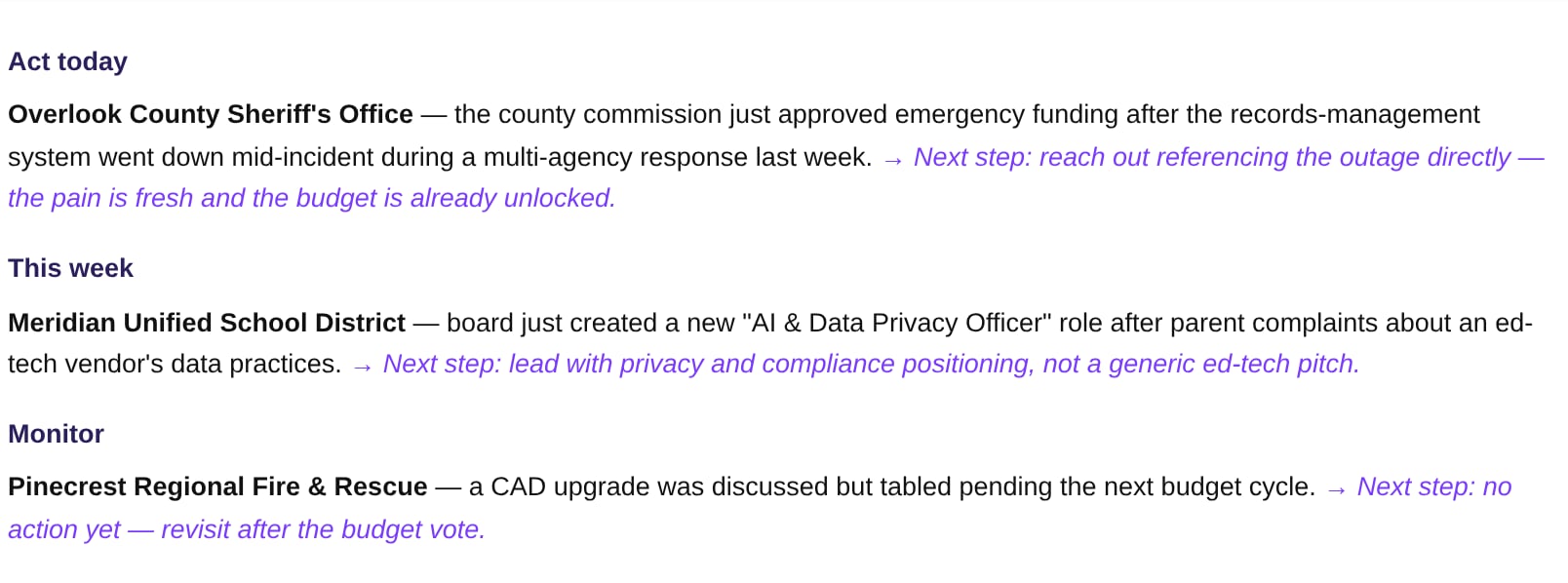
Who: Sales leaders, RevOps.The same triage as “morning triage” — except nobody has to remember to ask for it.“Every weekday at 7am, post a Starbridge Feed digest to #sales-signals: top 3 signals grouped by urgency.”
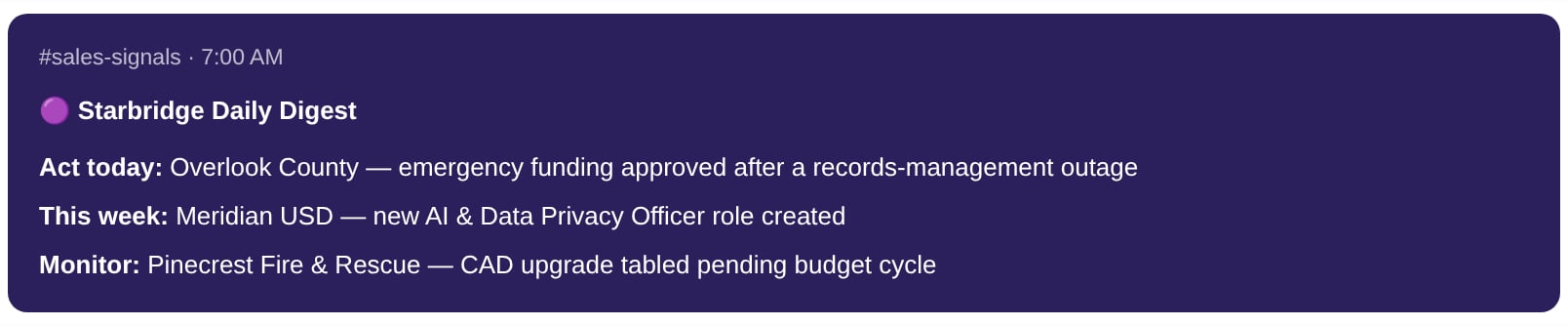
Illustrative rendering of a scheduled digest built from the same Feed data as 'Morning triage.'
AI adoption & propensity scoring
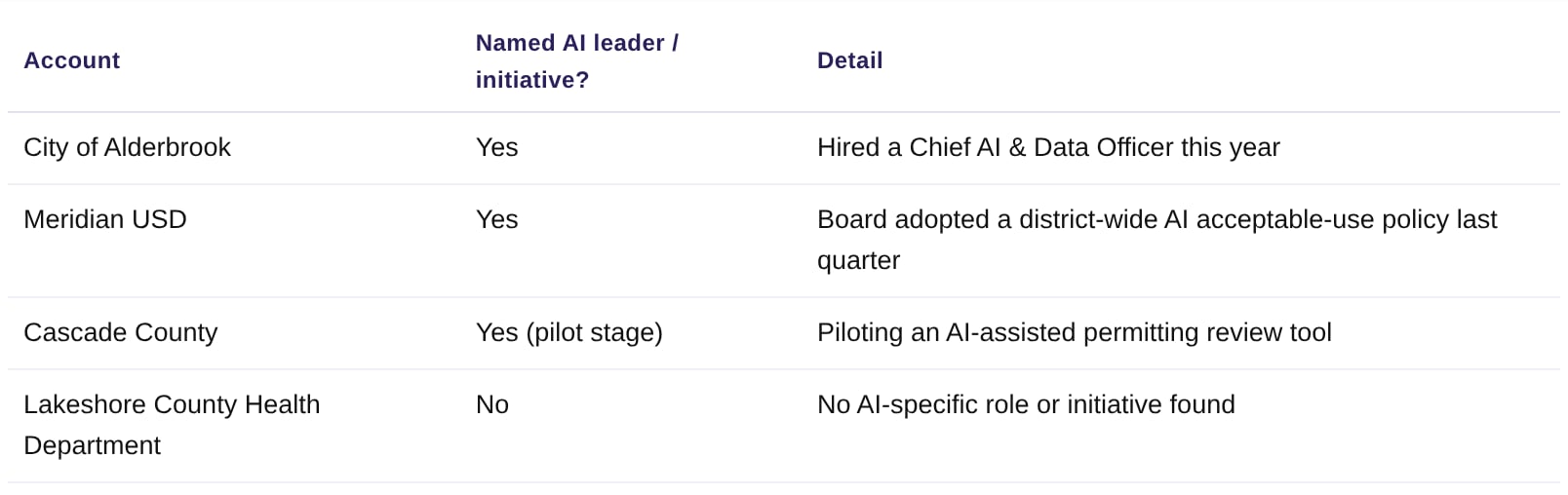
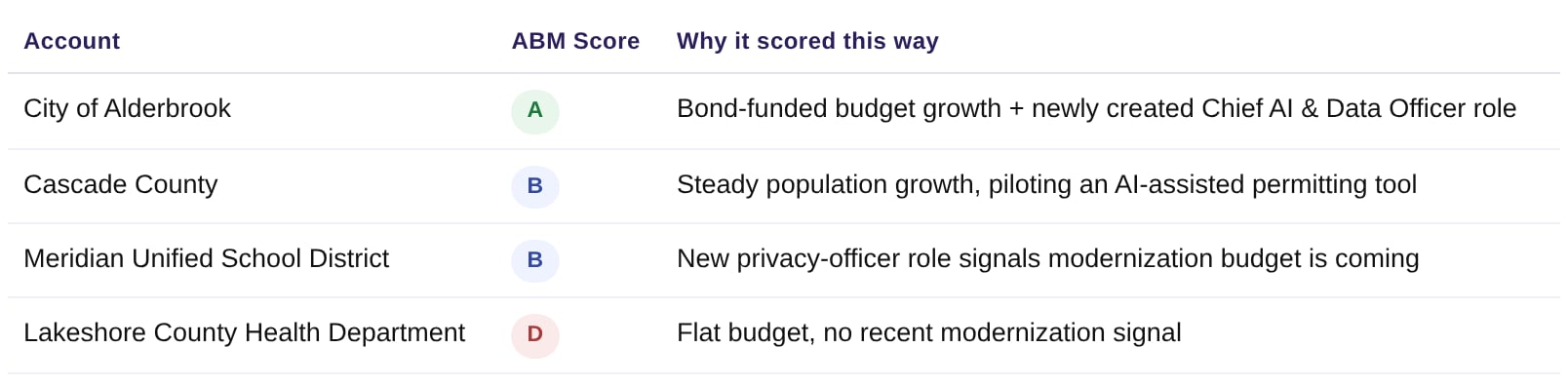
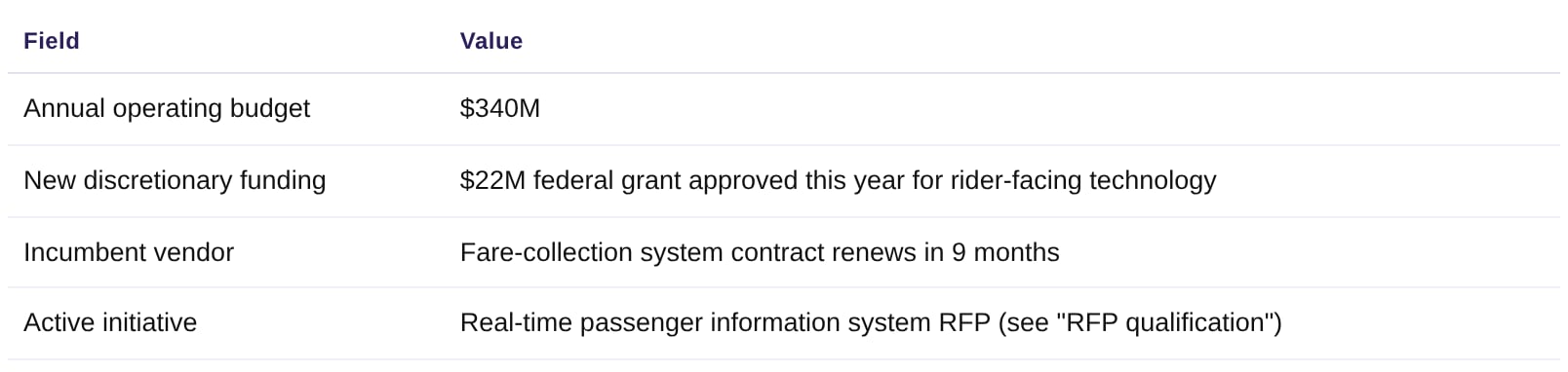
Who: Sales leaders, RevOps.Use Starbridge’s pre-computed scores to prioritize a list, instead of scoring accounts by hand from news and meeting minutes.“Which of my accounts already have a named AI leader or a documented AI initiative?”
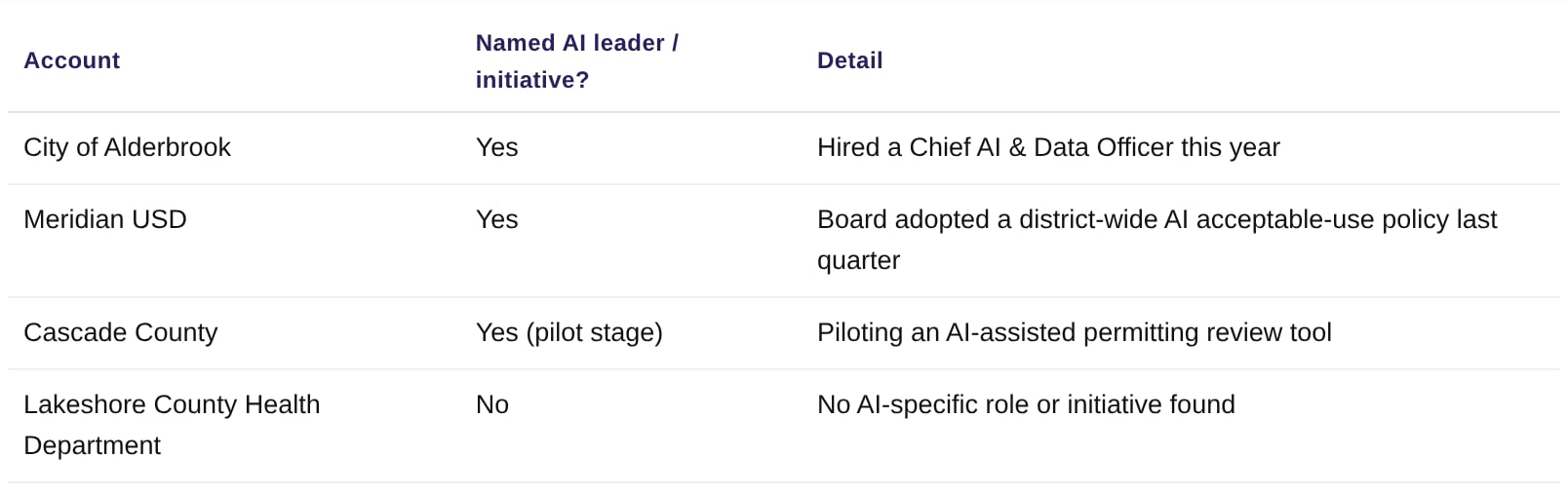
Illustrative example — modeled on a real Starbridge computed-attribute pull; 'AI initiative' is a Starbridge-tracked field, not manually researched per account.








Getting the best results
- Name the buyer or Bridge precisely: a specific district, county, or agency name — or “the Competitor Contracts bridge” — beats vague references.
- Ask for structure: tables, one-page briefs, and word limits get cleaner output.
- Chain steps in one prompt: “Pull X, then draft Y” works better than separate asks.
- Pair with scheduled tasks for anything recurring (digests, morning triage) so Starbridge comes to you.
- Turn repeatable tasks into a Skill so your team can run the same grounded workflow with one command.
Related articles
Overview and Installation
What the Starbridge MCP is, what it supports, and how to connect it.
Ask Starbridge Chat
The full guide to researching accounts through chat.