

Contact Search via CSV Upload
Easily import raw contact lists into Starbridge and leverage enrichment features to pull verified contact information. Sample Use Case: A sales rep attends a conference and receives an attendee list that’s incomplete. Starbridge can enrich contacts using only the attendee names and their associated accounts. Starbridge uses these name–account pairs to return verified emails and other contact details.How to Enrich Contacts via CSV Upload
1
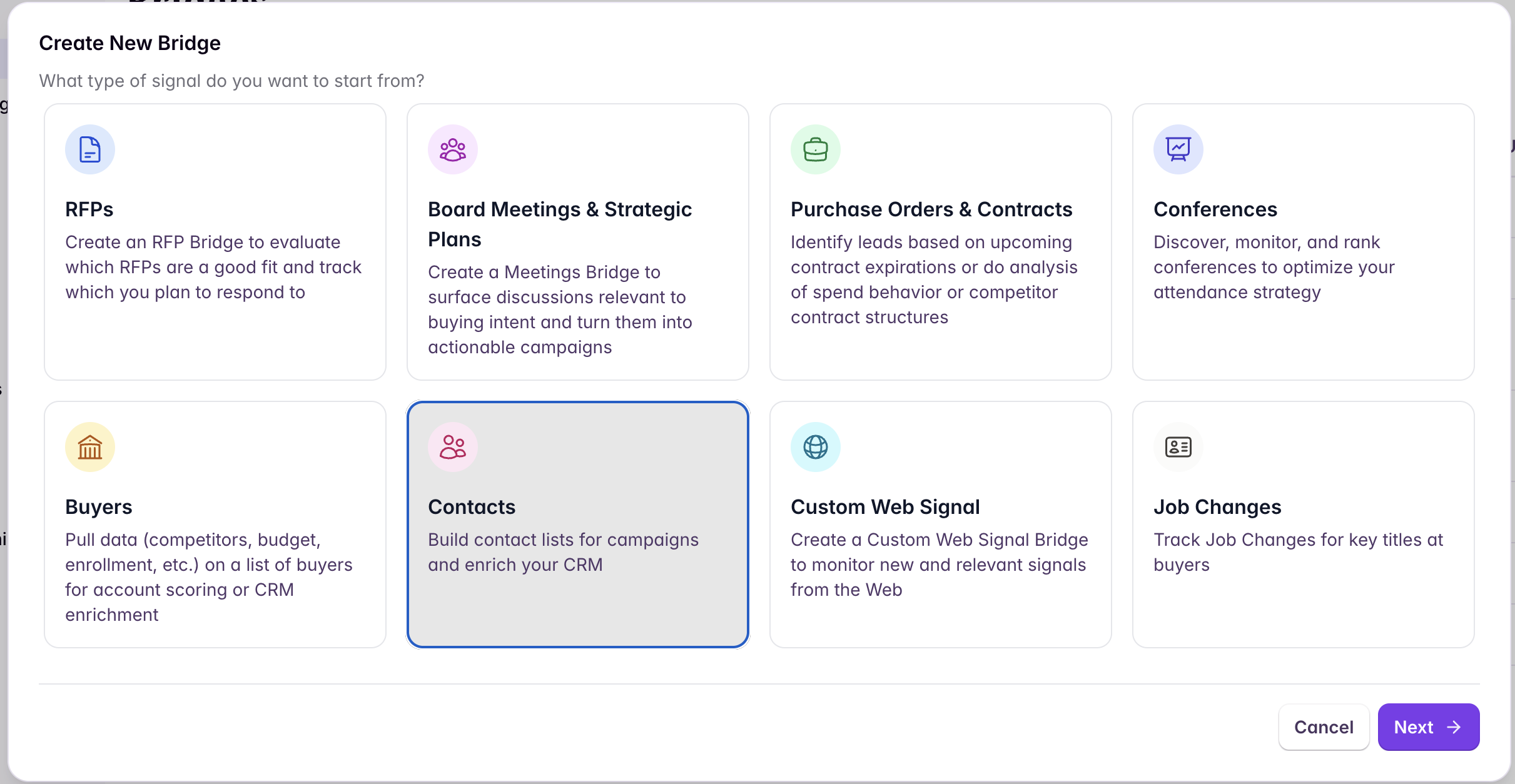
Create a Contacts Bridge
2
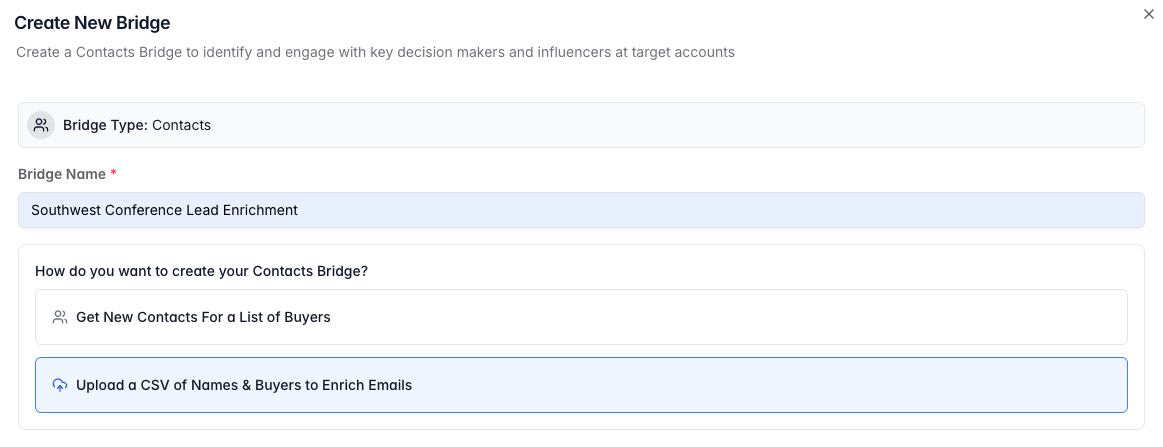
Choose 'Upload a CSV of Names and Buyers to Enrich Emails'
3
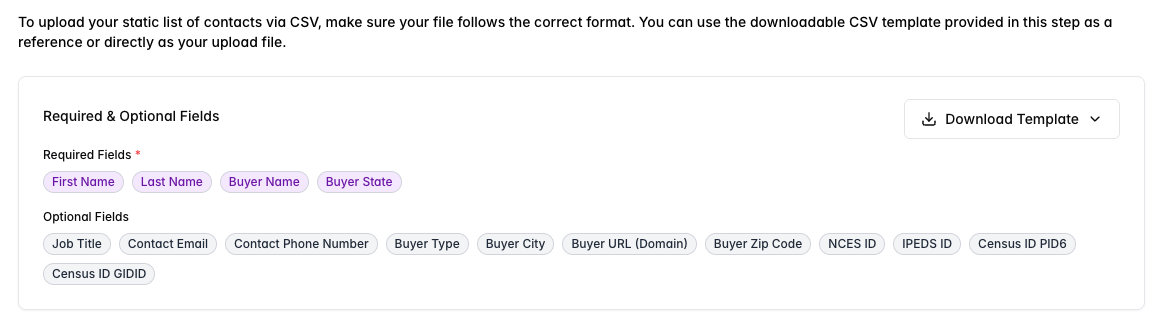
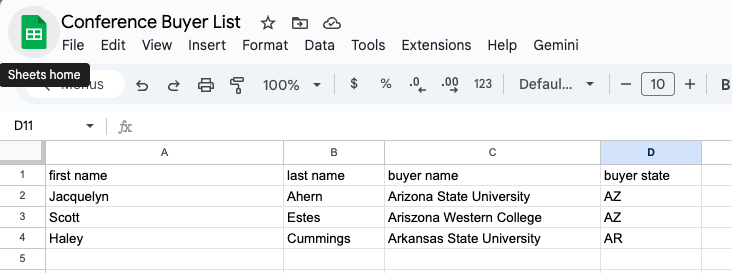
Download the template and fill it with your conference leads
4
Select the Buyer Type that matches your list
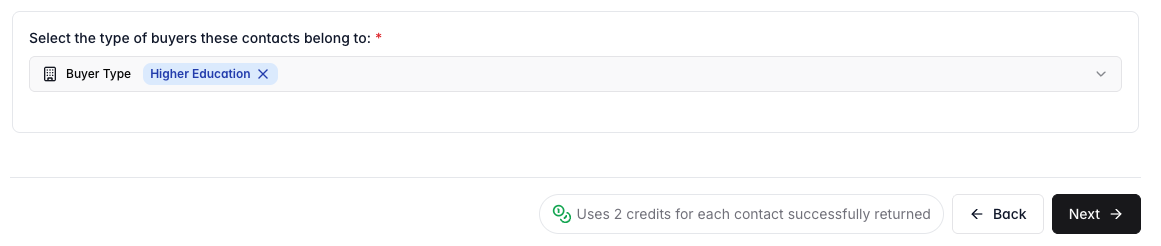
5
Upload your CSV and confirm mapping
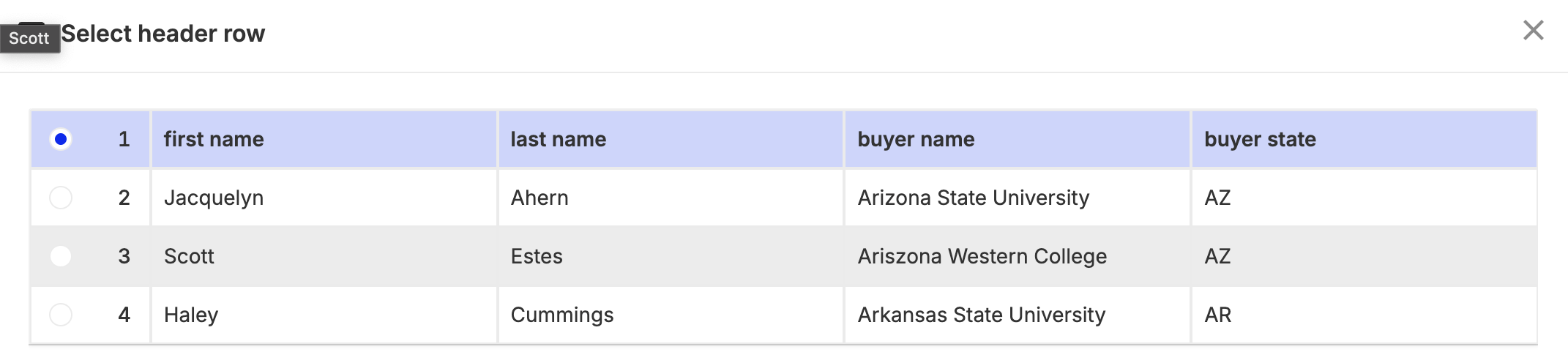
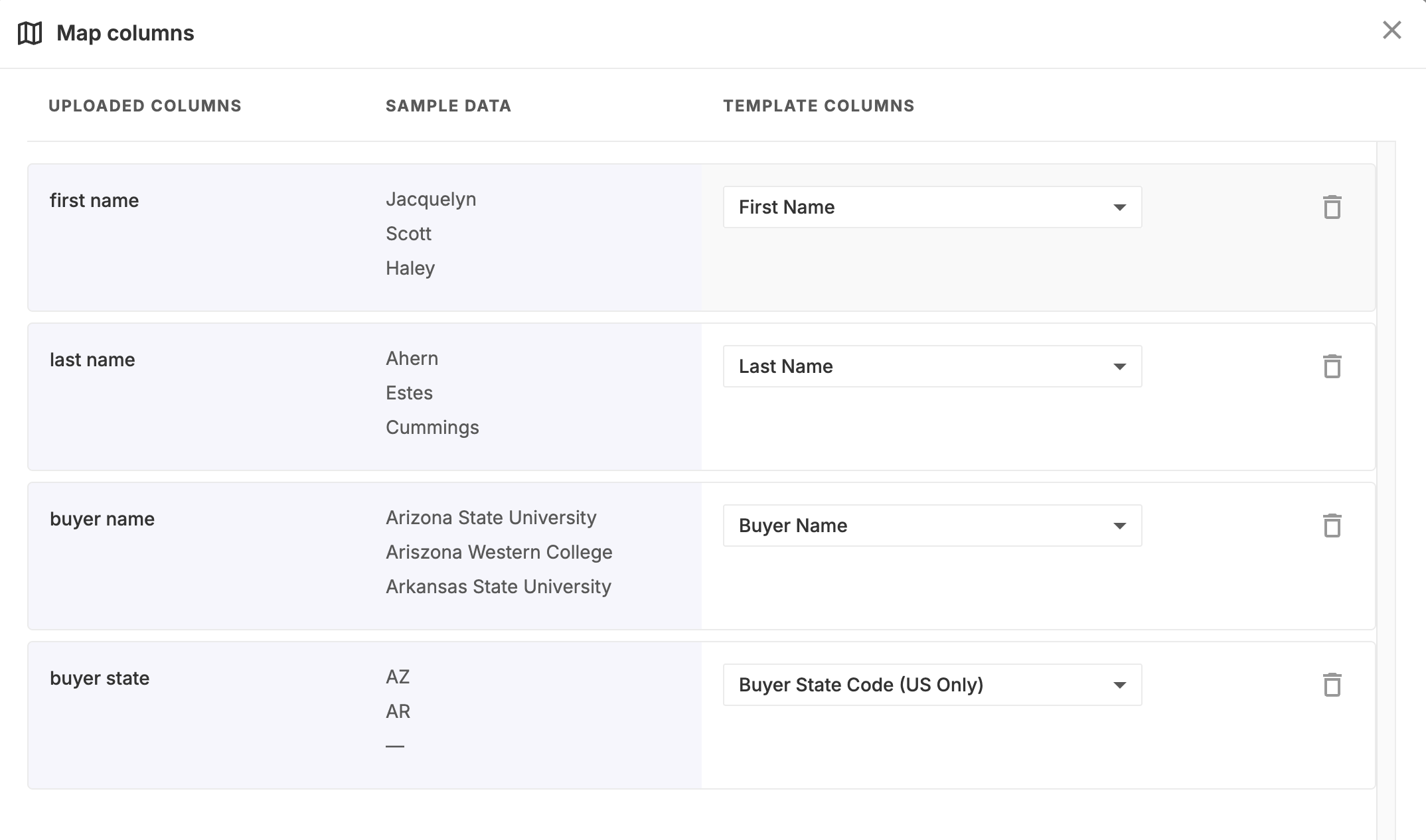
6
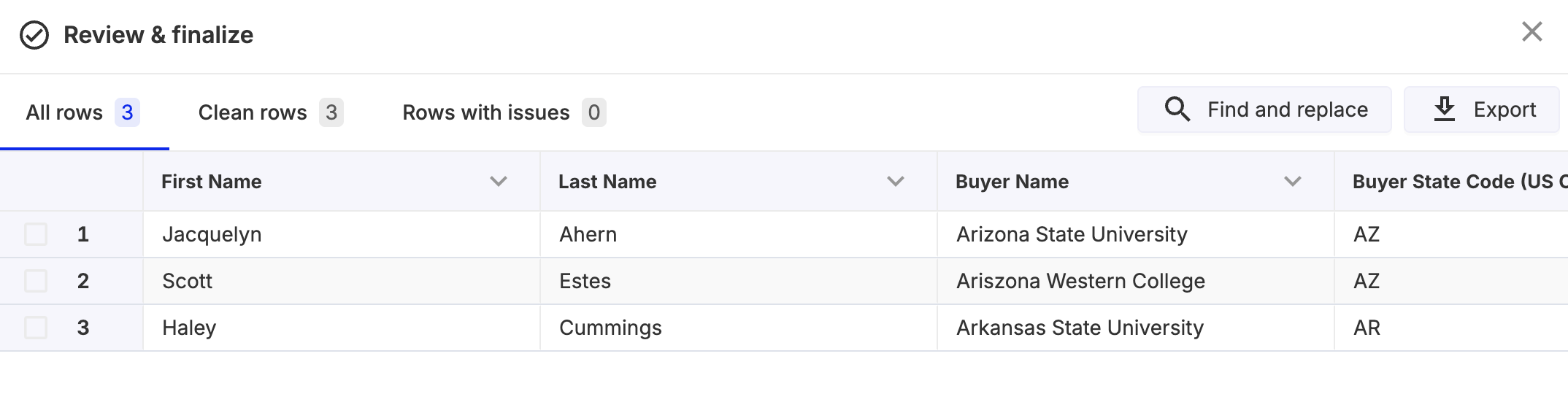
Create the list after mapping is complete
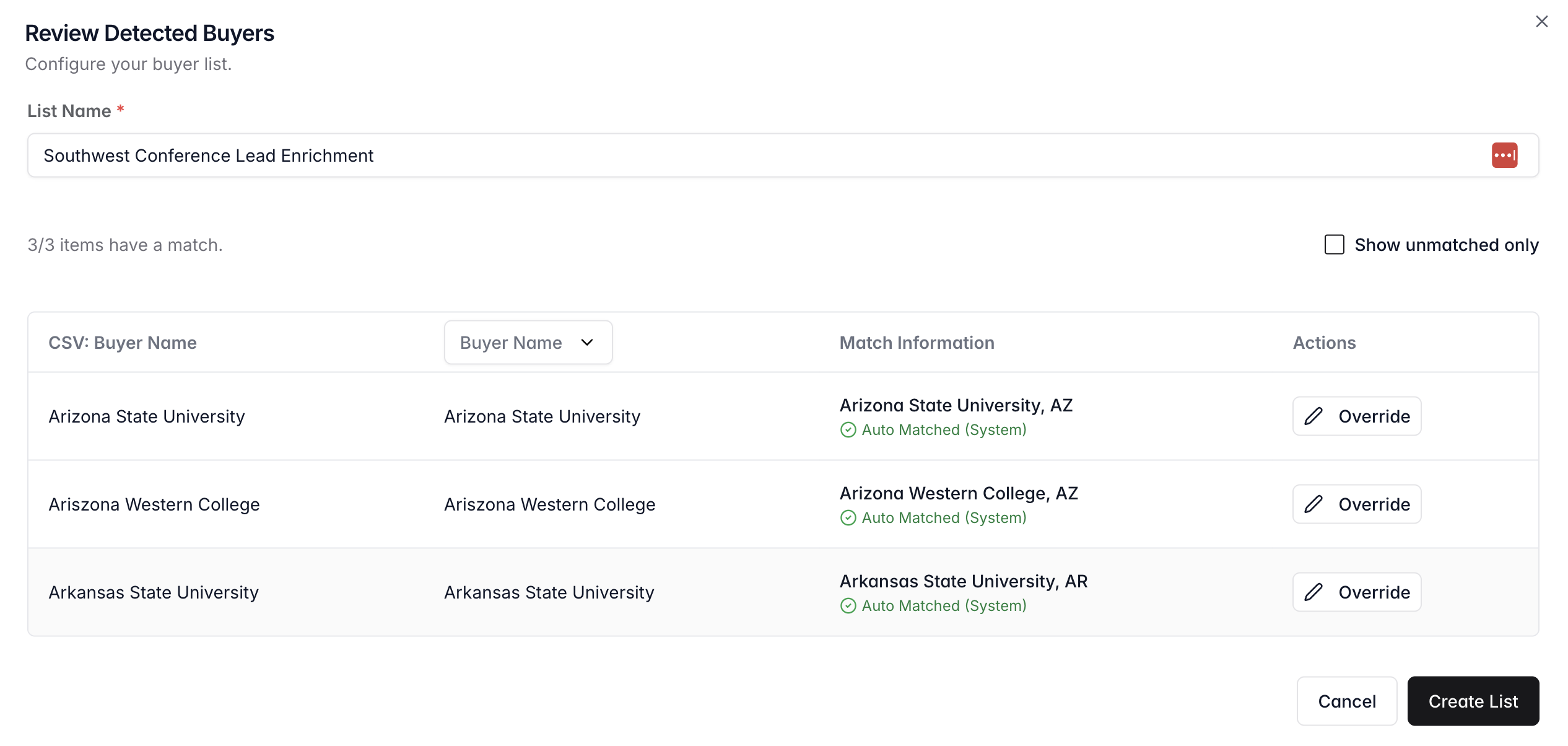
7
Review your completed bridge with enriched contacts
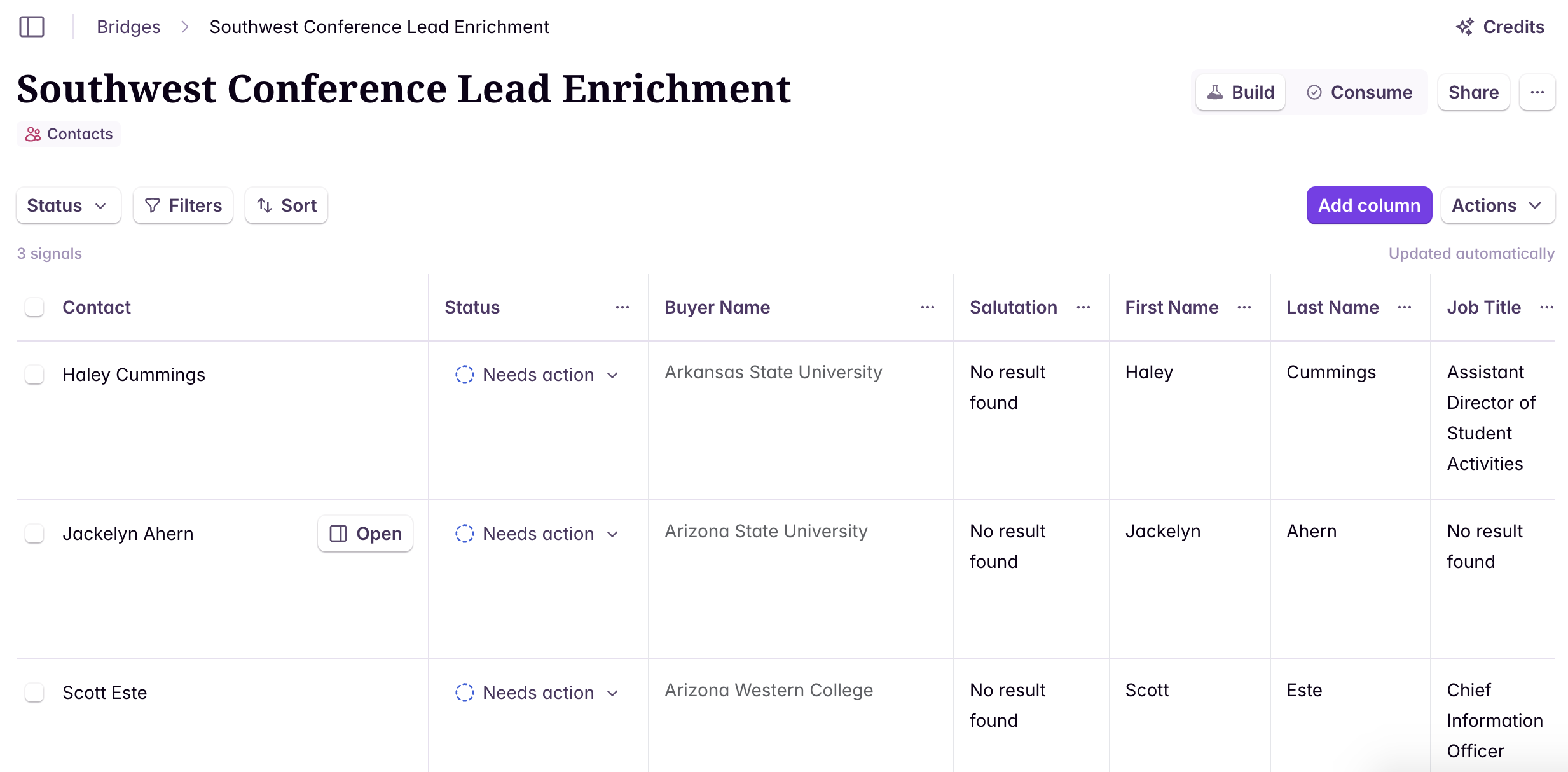
Advanced Use Case: Decision Maker Contact Identification
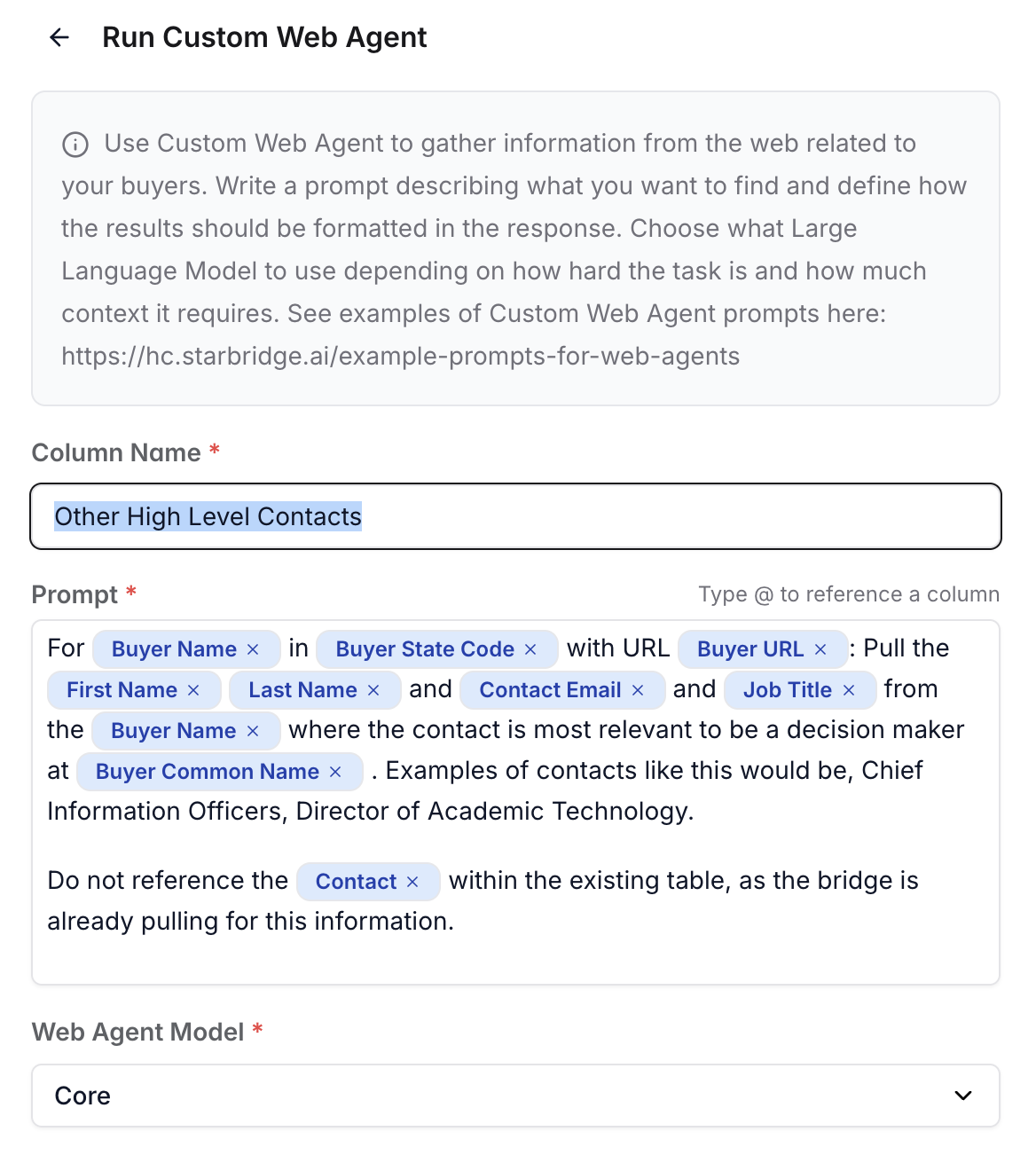
Another valuable enrichment use case is leveraging the buyer name from the original contact to identify additional high-level decision-makers at that same organization. To do this, create a new Custom Web Agent Column and prompt it to pull the names, emails, and job titles of the most relevant contacts for that buyer. Appropriate titles might include roles such as Superintendent or Director of Information Technology.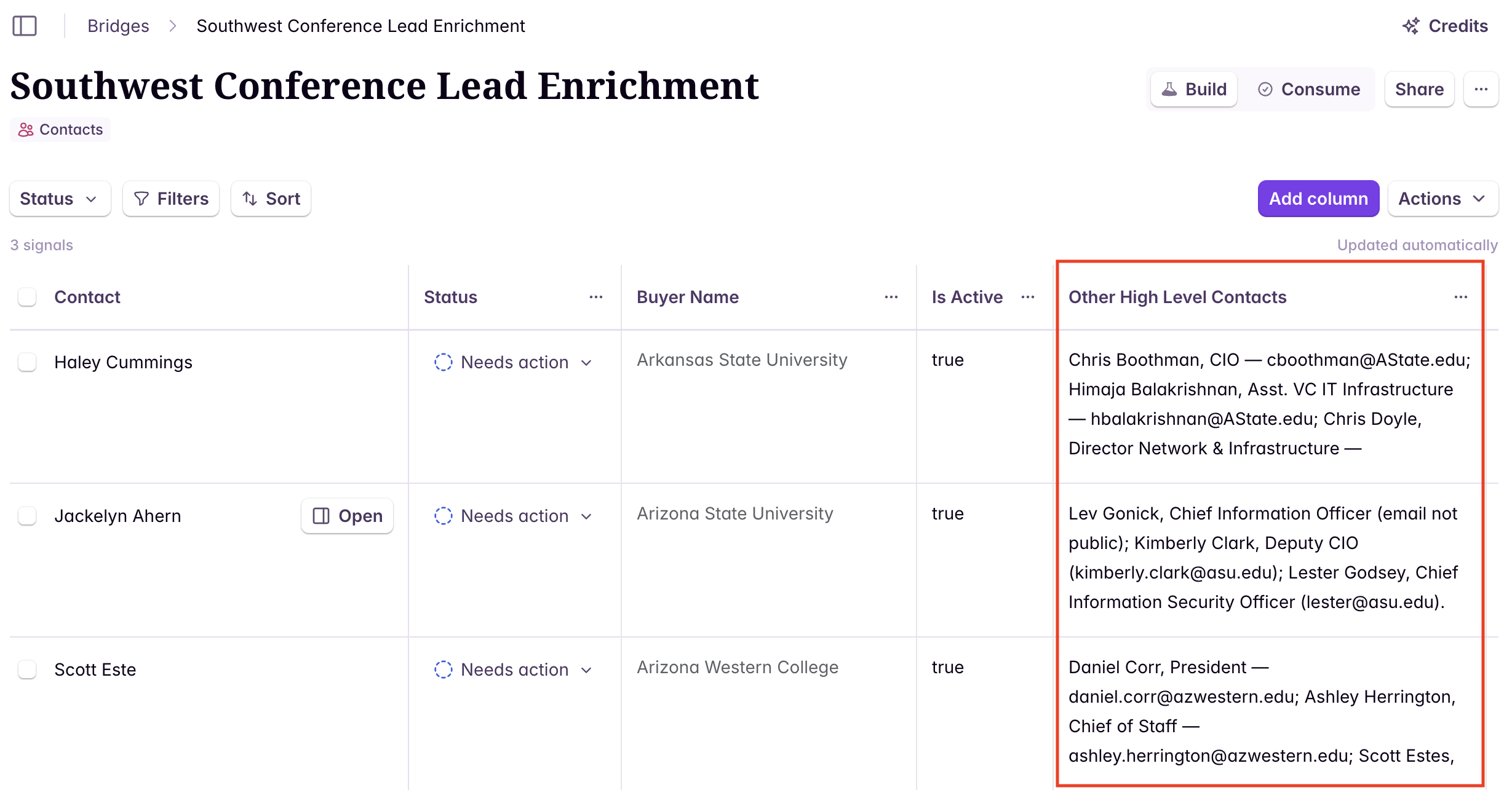
Next steps
Sync contacts to Salesforce or HubSpot
Push enriched contacts directly to your CRM.
Track job changes
Starbridge keeps your enriched contacts up to date — also get alerted when contacts in your CRM change roles or employers.