Introduction
If you know the contacts you want to reach, a Contacts Bridge can enrich your existing leads or contacts to verify their current title, employment status, and email. This is the most common starting point for teams enriching a lead list for outreach ahead of a conference, or verifying existing contacts in their CRM.How to enrich an existing contact list
Create a Contacts Bridge
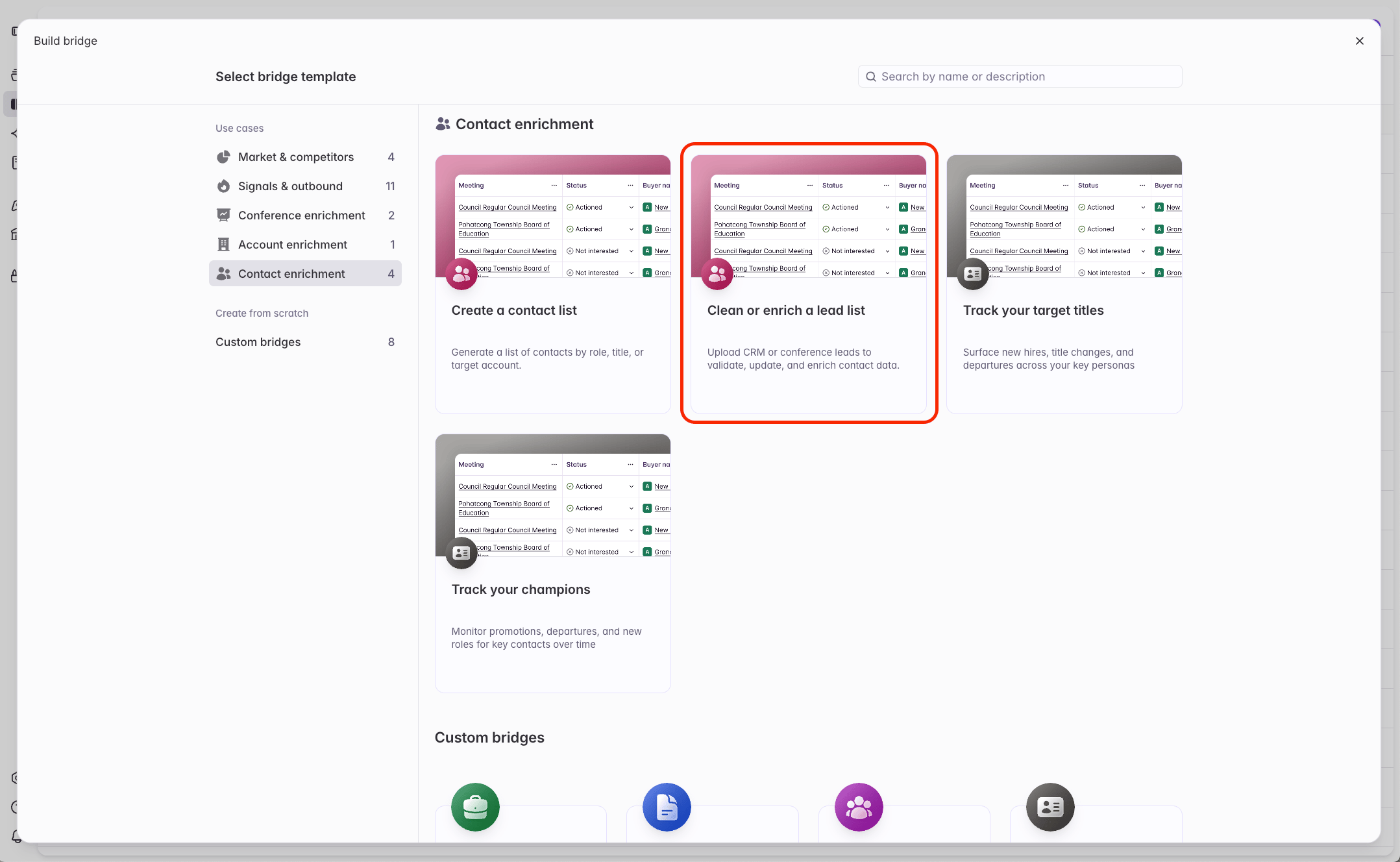
Choose 'Upload a CSV of names and buyers'
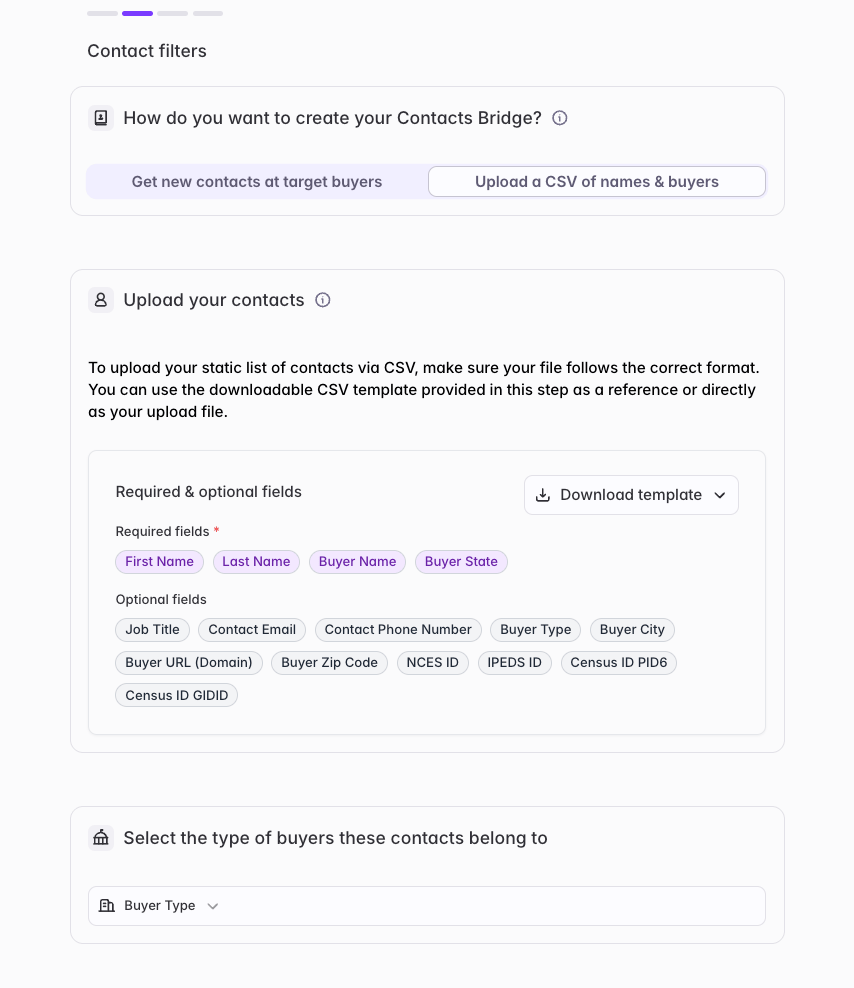
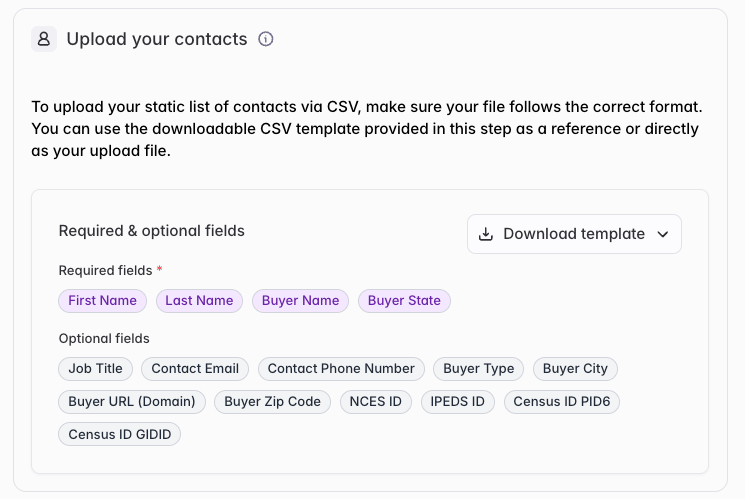
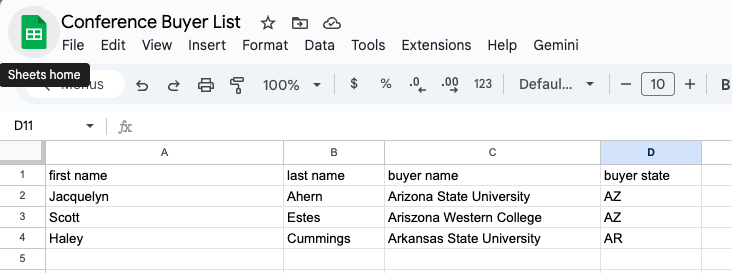
Download the template and fill it with your conference leads
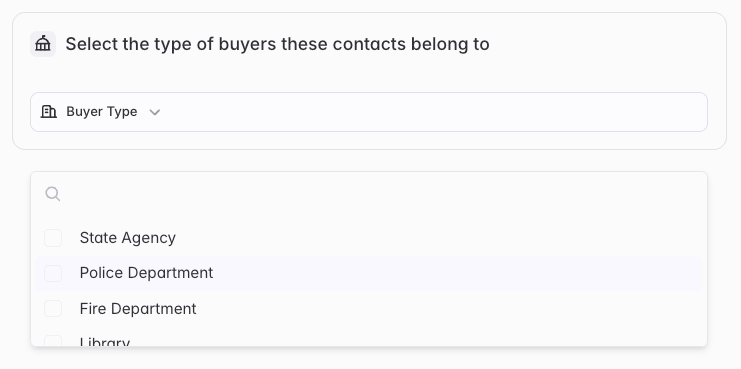
Select the buyer types represented in your list
Upload your CSV and confirm mapping
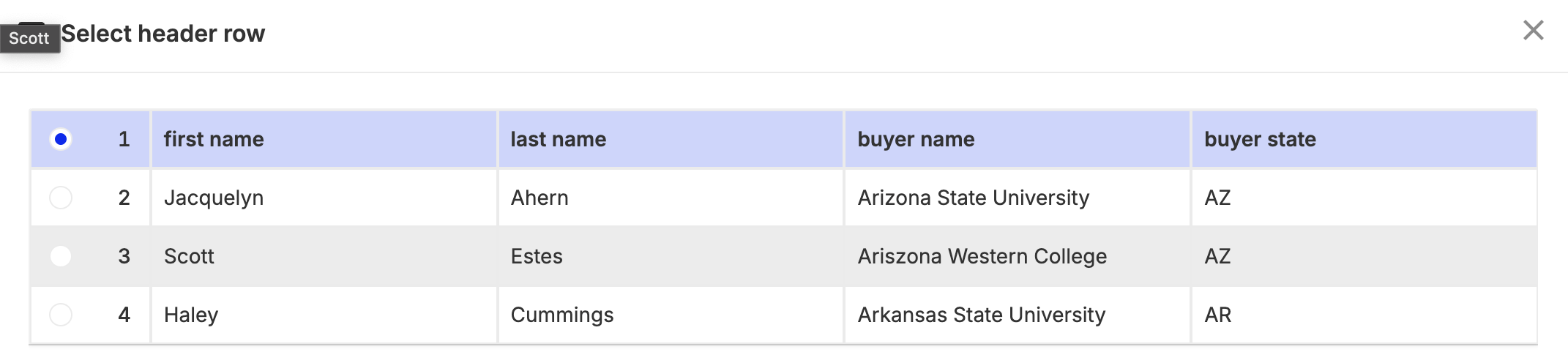
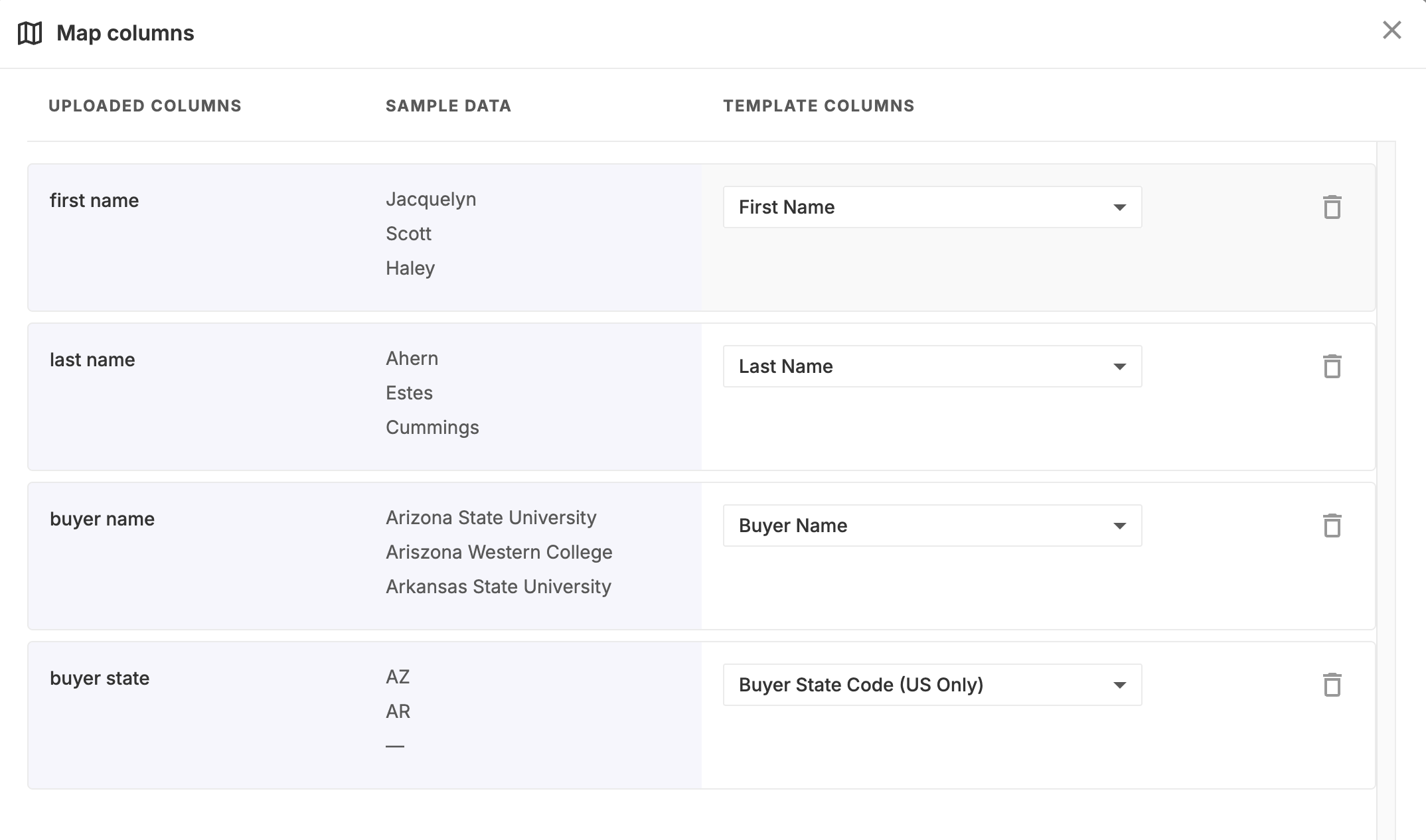
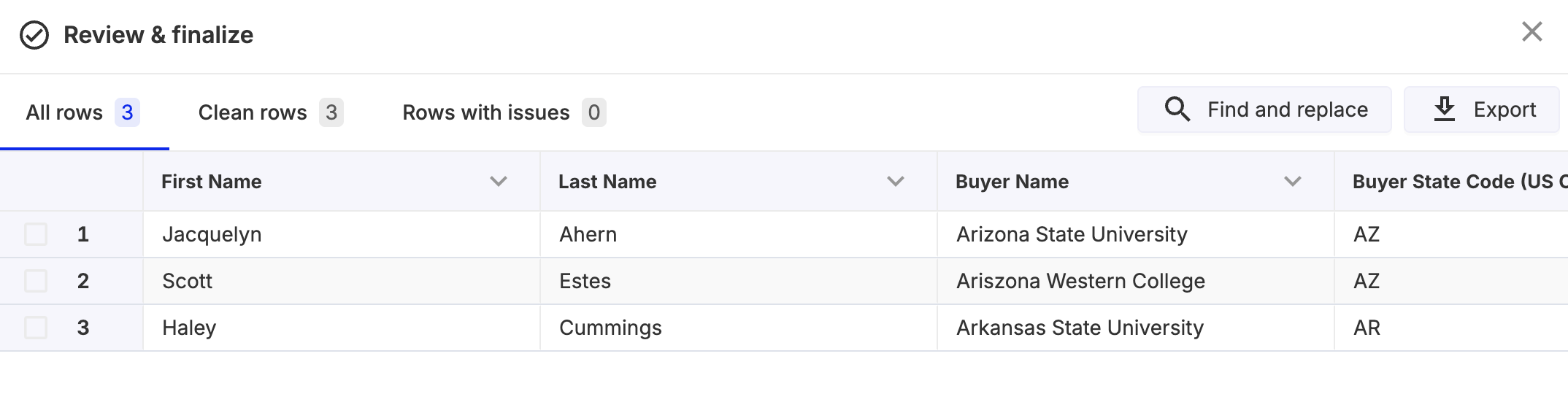
Create the list after mapping is complete
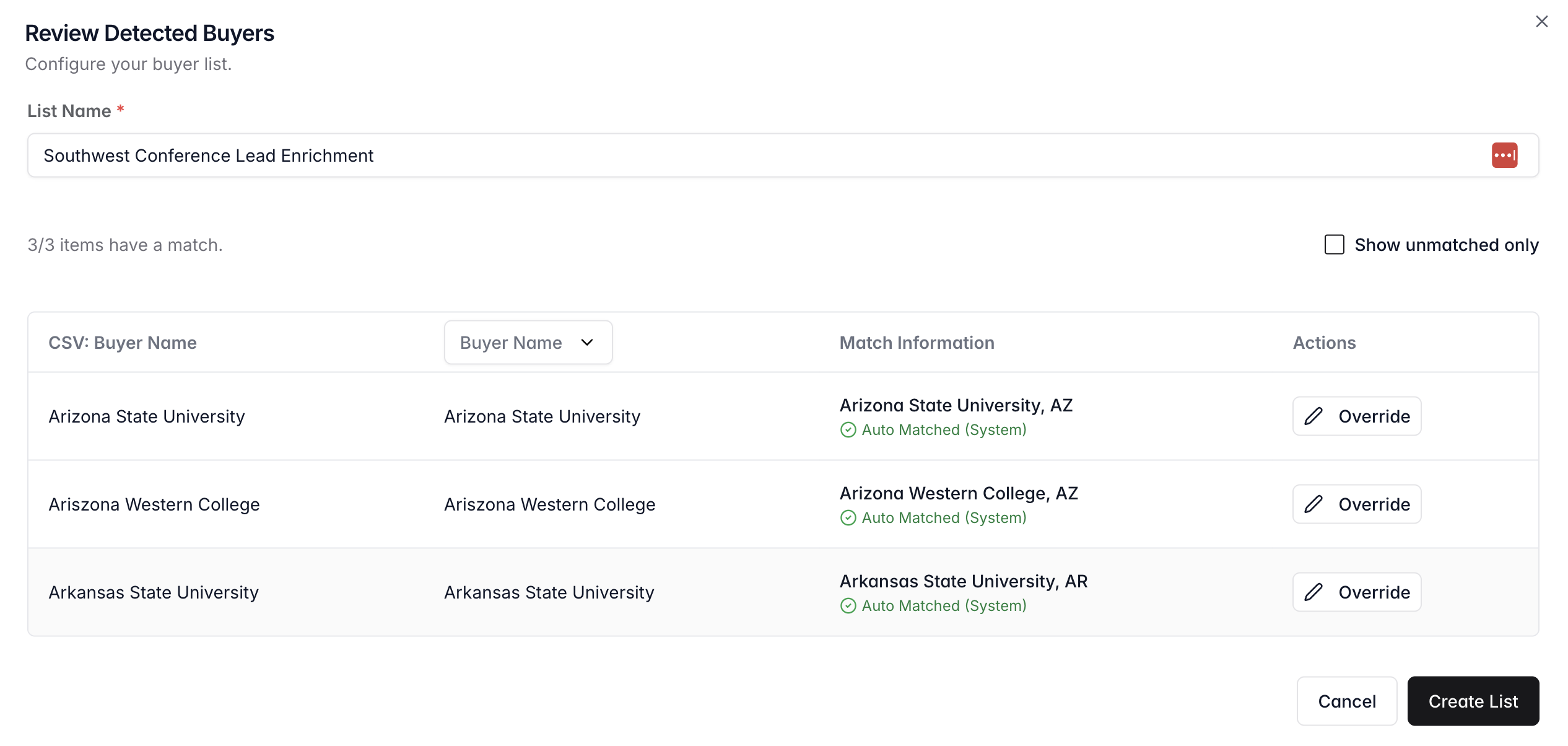
Review your completed bridge with enriched contacts
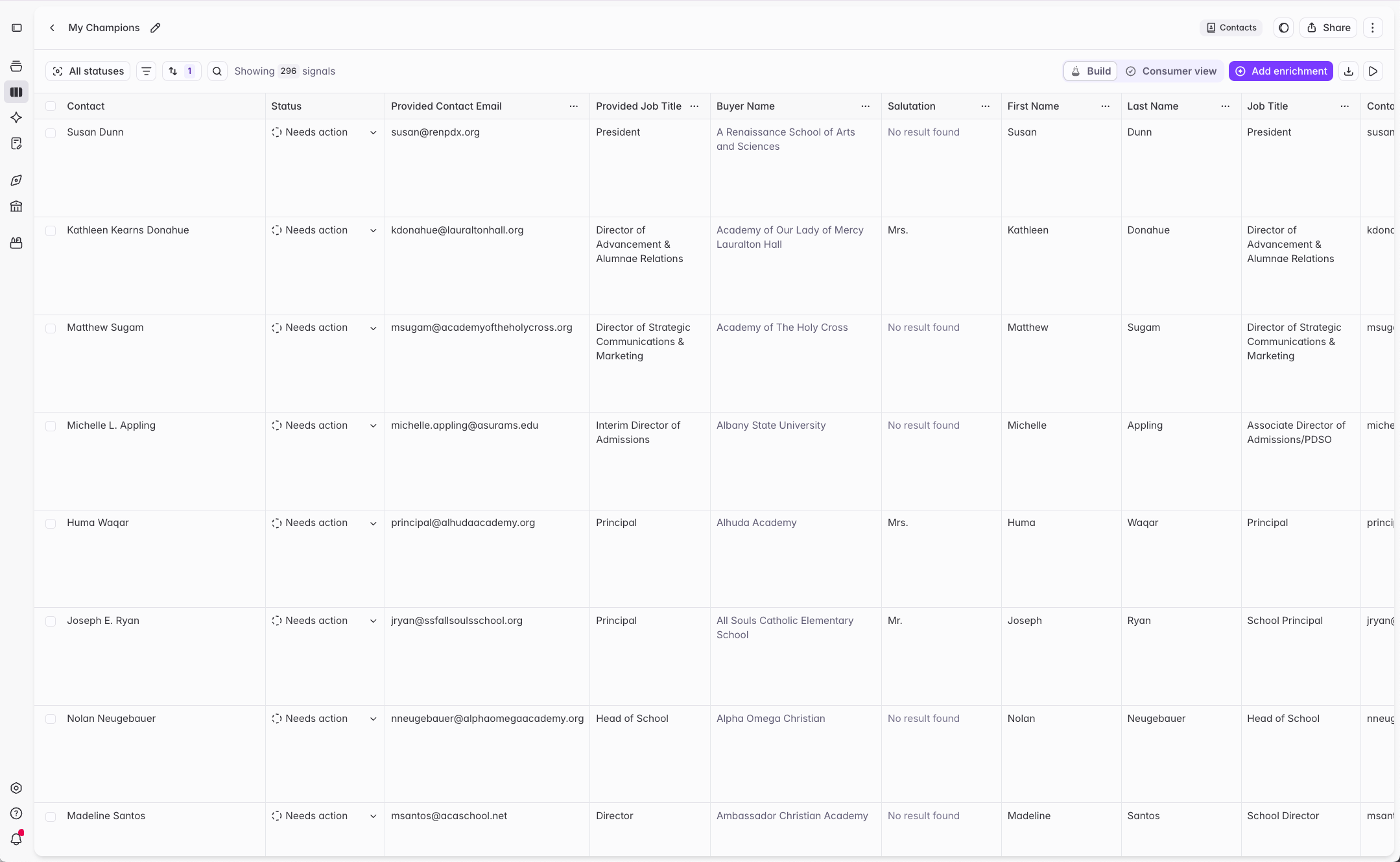
Understanding the results
Output columns you can expect to see
Your CSV enrichment results will include at least:- Contact (Full Name)
- Buyer Name
- Salutation
- First Name
- Last Name
- Job Title
- Contact Email
- Phone Number
- Relevance
- Is Active
- Provided Job Title
- Provided Contact Email
- Provided Contact Phone
Quick definitions
This section focuses on two important outputs: Is Active and Contact Email.- Is Active: Whether Starbridge believes the contact should be treated as “active at this buyer.” This is driven by whether we can verify the person works at the buyer.
- Contact Email: The email Starbridge returns (if any), after enrichment and validation steps like bounce checking.
How to interpret "Is Active"
How to interpret "Is Active"
- If we confirmed the contact works at the buyer → Is Active = true
- If we confirmed the contact does not work at the buyer → Is Active = false
- If we could not confirm either way → Is Active = true (default to “keep active” when the web is ambiguous)
Workaround: If you would like to mark contacts inactive when your provided email fails bounce check, you can add an AI Analysis column that accepts the result in Is Active unless your Provided Email failed the bounce check per Relevance. 1-minute video explainer.
How to interpret "Contact Email"
How to interpret "Contact Email"
- Starbridge will attempt to enrich an email for every active contact.
- Starbridge runs a bounce check as a final validation step on its enriched email and any email you provide. You can see the outcome of those bounce checks in Relevance.
- If a Starbridge-enriched email or your provided email fails bounce check, we do not show it as the output Contact Email.
- If you provided an email and Starbridge found a different email, we may validate both and explain the outcome in Relevance.
Email outcomes
Email outcomes
Examples
Example A: You see a contact with Is Active = false but your provided email passed the bounce check
Example A: You see a contact with Is Active = false but your provided email passed the bounce check
- We verified they no longer work at the buyer, so the contact is inactive.
- Their email has not been deactivated. This can happen when a buyer keeps an old email inbox active, often to forward or monitor messages for a departed employee.
Example B: You see a contact with Is Active = true, the Relevance says we confirmed they are still employed at the buyer, and your provided email failed the bounce check
Example B: You see a contact with Is Active = true, the Relevance says we confirmed they are still employed at the buyer, and your provided email failed the bounce check
- Our verifier found strong evidence the contact works at the buyer, so we marked Is Active = true.
- We do not use bounce check results from your provided email to determine Is Active. Bounce check only tells us whether an email address is deliverable, not whether the email address belongs or belonged to that person. For example, your provided email can fail bounce check due to a typo, even if the contact is still active. 1-minute video explainer.
Example C: You see a contact with Is Active = true, the Relevance says we could not confirm whether they are still employed at the buyer, and your provided email failed the bounce check
Example C: You see a contact with Is Active = true, the Relevance says we could not confirm whether they are still employed at the buyer, and your provided email failed the bounce check
- Our verifier could not find strong evidence they work at the buyer. It also could not find strong evidence they do not work at the buyer.
- We default to keeping the contact active when we are not sure, because ambiguity is not a good reason to inactivate or delete CRM records.
- We do not use bounce check results from your provided email to determine Is Active. Bounce check only tells us whether an email address is deliverable, not whether the email address belongs or belonged to that person. For example, your provided email can fail bounce check due to a typo, even if the contact is still active. 1-minute video explainer.
Next steps
Sync contacts to Salesforce or HubSpot
Track job changes
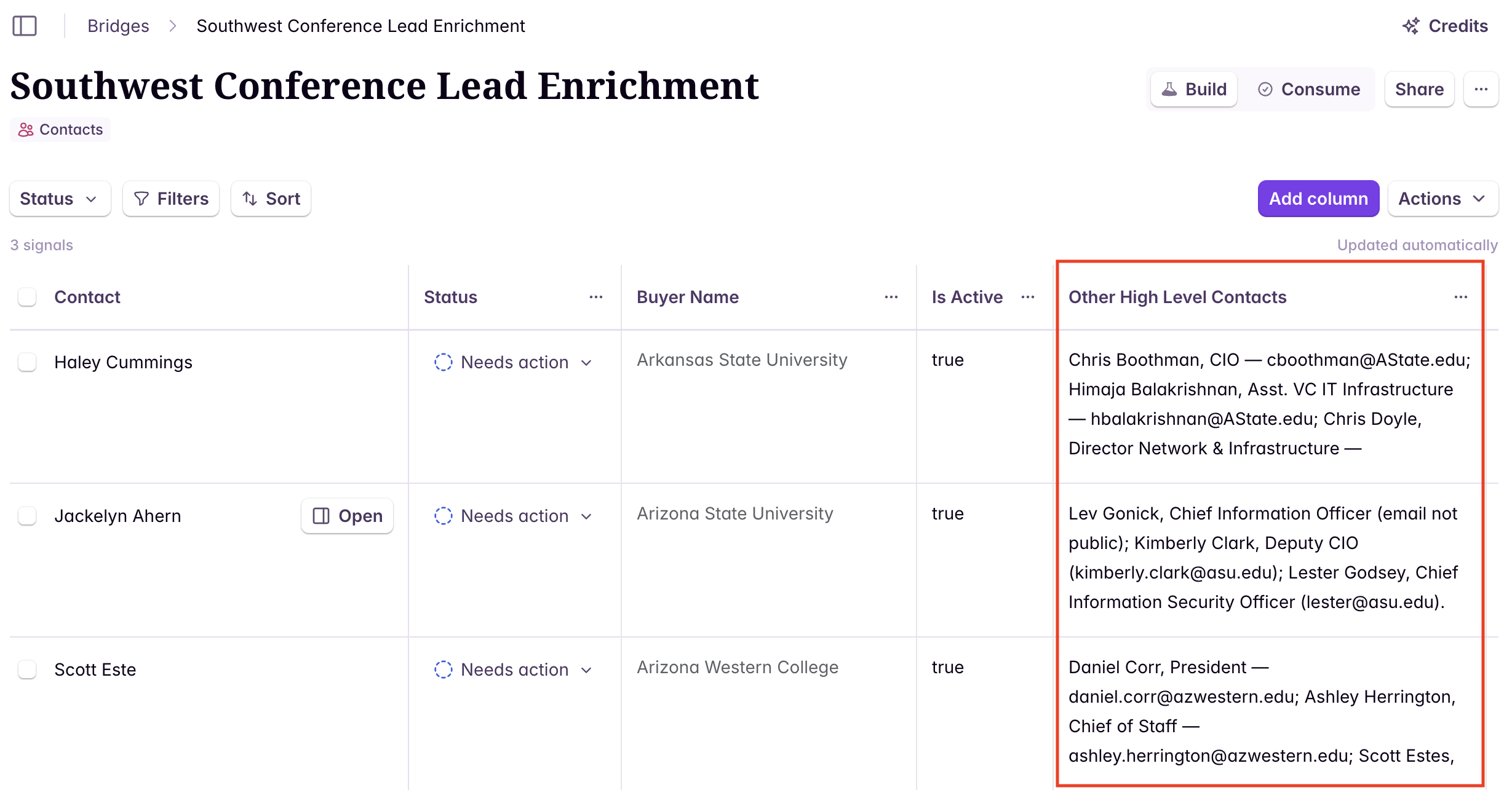
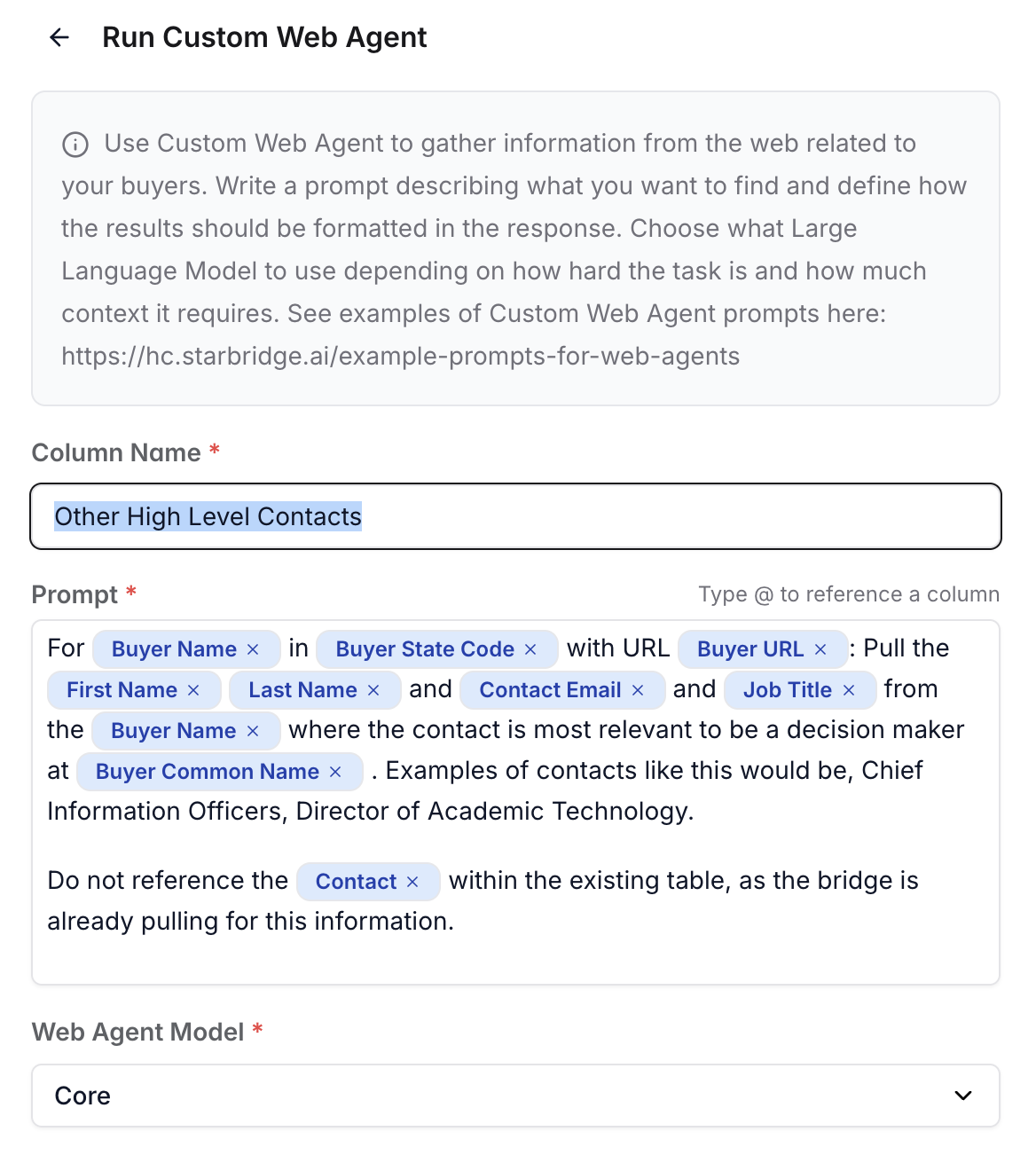
(Optional) Advanced use case: decision-maker contact identification
(Optional) Advanced use case: decision-maker contact identification